pixiepr1nce
Participant
August 11, 2026
Question

Does anyone know why I get these weird background glitches/colors/lines when I zoom out of pictures or clips?

  • August 11, 2026
  • 5 replies
  • 39 views

I’m a Video Editor who edits for fun, specifically using After Effects 2020. I edit on an HP laptop, with an AMD RYZEN processor. 

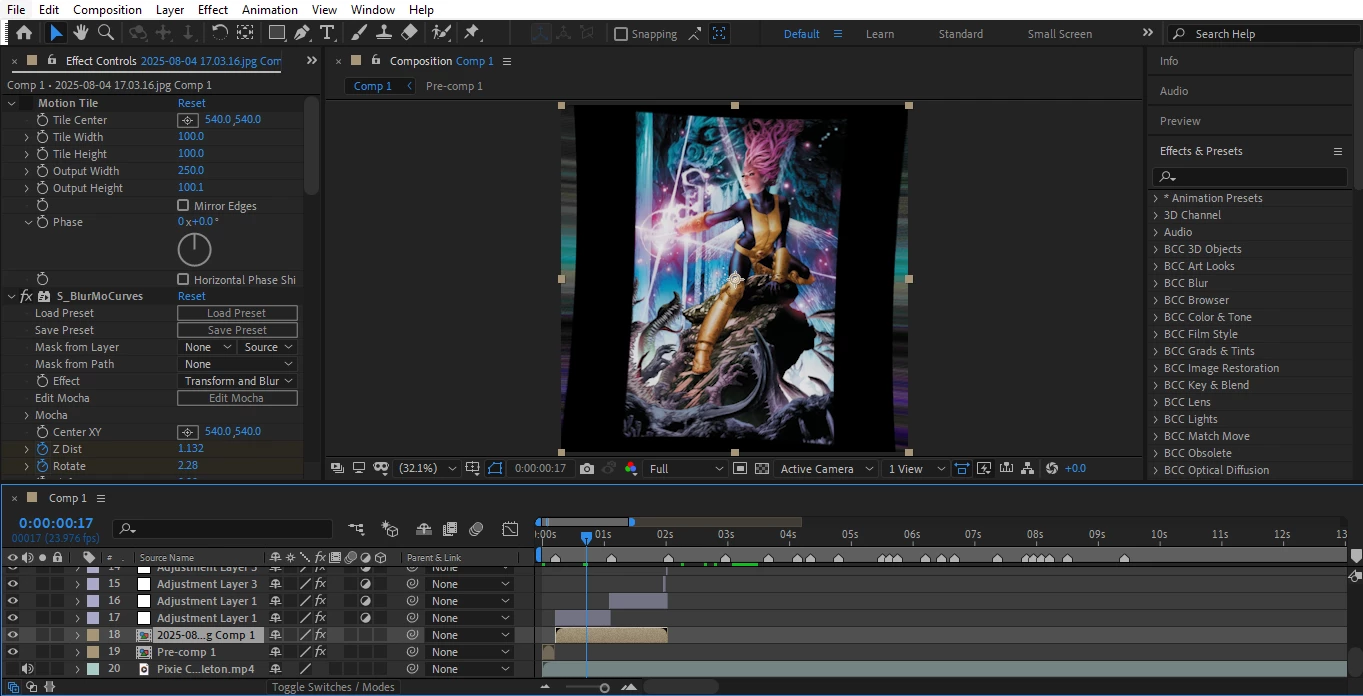
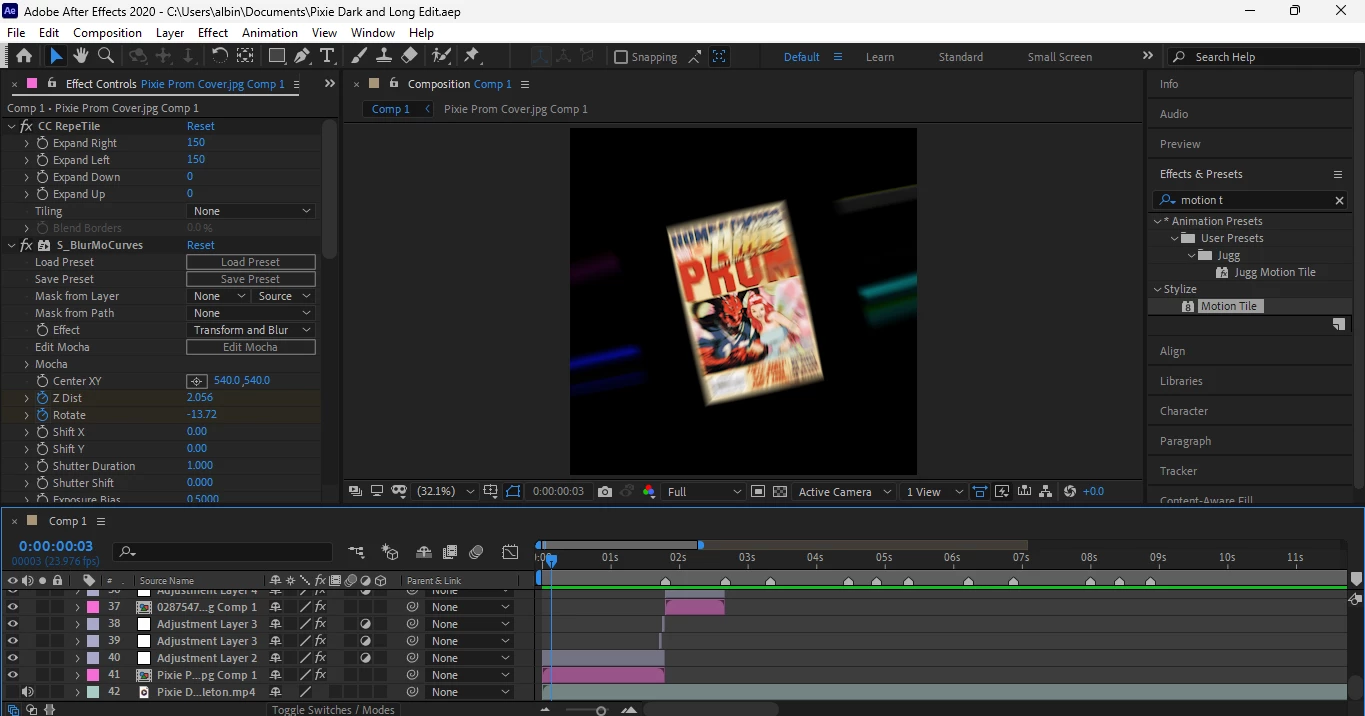
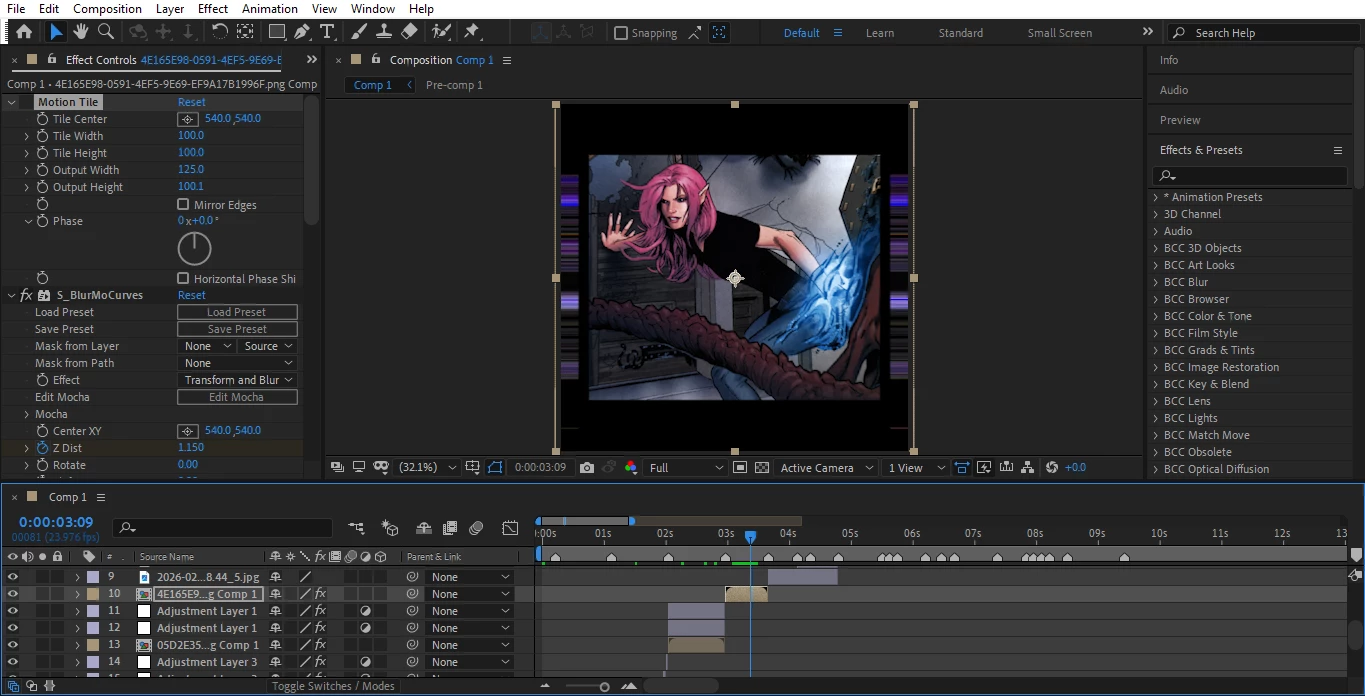
Whenever I make video edits, when I zoom out into a black background/no background (specifically while editing pictures), I see some weird lines that sort of act as motion tile near my footage. This only happens if I am editing in a way where I am using no motion tile or reflect in my transitions.

I have tried multiple effects and methods, as well as different settings to try to help but nothing helps.

I’ve tried adding a black solid layer in the background, adding slight motion tile, etc.


I am wondering if the cause for this is the After Effects settings/version itself, or my Laptop (settings/model). I have had other versions of After Effects, and I have had 2020 before on a different laptop but never faced this issue.


I will include photos as an example:
 

    5 replies

    Nishu Kushwaha
    Community Manager
    Community Manager
    August 12, 2026

    Hi pixiepr1nce,


    First thing to note: After Effects 2020 is a retired version and hasn't received updates in a while. If your HP laptop can run current versions, updating to the current release via Creative Cloud is a good first step. A lot has improved since 2020. If the issue still shows up on a current version, we can dig deeper.

    A couple of clarifying questions:

    1. When you say "zoom out," do you mean:

    - Scaling the layer's Scale property down, or

    - Zooming the Composition panel viewport itself out?

    2. When you zoom in and out, does the glitch appear and reapear or it stays there?

    3. To follow up on ShiveringCactus's good question - what happens if you disable the third-party effects?

    4. What's your GPU and is your GPU driver up to date?

    Let us know.


    Thanks,

    Nishu

    pixiepr1nce
    Participant
    August 14, 2026

    Thank you for the response! To answer your questions:

    1. To answer both your first and third question, when I say zoom out, it applies to both the built-in AE scale feature AND third-party effects such as Sapphire, specifically the main effect I use for transtions, S_BlurMoCurves. When I use Scale, I simply scale the property higher up (ie: I will animate the Scale at 100 3 frames before the end of the clip, and then add a keyframe at the very end of the clip raising the value up to 500. And I also graph said keyframes). Similarly, when I use Sapphire’s S_BlurMoCurves, I simply animate the Z Dist (overall zoom feature) to zoom in/out.
    2. The zoom remains throughout the first few keyframes while it is still zooming in. Once the picture or clip is closer in scale, the glitches cannot be seen. It’s as if the glitches go unseen behind the composition.
    1. My GPU is AMD Radeon(TM) Graphics. Upon attempting to update my driver, it says that the best driver for my device is already installed.

    In sum, I am 99.9% sure that third-party effects I have installed are not the source of the issue, as the glitch persists even if my footage simply has Scale animated with no added effects. However, I will note, outside effects do have an effect on how the glitch looks. When I add certain effects or change certain keyframe numbers, the glitch lines will slightly change or look more prominent/less prominent.

    Also, I have somewhat found some effects that lessen the glitch, but it is merely a band-aid fix. Effects like CC RepeTile or sometimes Motion Tile can lessen the glitch or nearly fully remove the glitch, but once again, these effects are not fully reliable as it’ll work on some clips but not all.

    Here is a link to 2 drafts of an edit I am working on. One version has CC RepeTile, so you will only notice the glitch on 2 pictures in the edit. The other version is with no CC Repetile, in which you will see the glitch on every single clip. And once again, this glitch is only visible in edits like these where I do not use Reflect (Motion Tile) and keep the black background visible instead.

    https://mega.nz/folder/5fQkxDyT#YBdTtYSDcHtog8WA62nhPA

    I hope all of this makes sense, as I tried to explain it as best and thoroughly as possible, Please feel free to ask more questions in regards.

    Nishu Kushwaha
    Community Manager
    Community Manager
    August 17, 2026

    Thanks for the detailed follow-up, pixiepr1nce. Since the glitch happens with Scale (no plugins), it rules out Sapphire and points at how AE is rendering the scaled image on your GPU. 

    A couple of things to try:

    1. Switch to CPU rendering as a test. Go to File > Project Settings > Video Rendering and Effects > Renderer: Mercury Software Only. 
    2. Disable hardware acceleration for the UI. Preferences > Appearance > uncheck "Hardware Accelerate Composition, Layer, and Footage Panels" and restart AE.
    3. Install the latest version of After Effects and test. You can keep the 2020 and the 2026 version simultaneously. Note: If you remove the 2020 version, you won’t be able to install it again as this version has been retired.​​​​​​​

    Let me know what you find.


    Thanks,

    Nishu

    ShiveringCactus
    Community Expert
    Community Expert
    August 12, 2026

    Could it be a “feature” of the sapphire(?) effect?  

    pixiepr1nce
    Participant
    August 14, 2026

    I thought so when I had first started experiencing this glitch but upon attempting to do my transitions (zooms) only using the Adobe scale feature, the same glitch still occurred! Whether it be Sapphire, Scale, or any other way of zooming in or out, the glitch remains for some reason.