



doJITSU - the After Effects skill you want to be mastering
Crafting After Effects scripts is getting easier - I've even coined a term for it -
Just In Time Scripts - JITS (aka doJITSU).
I recently posted on how to write better LLM prompts to obtain expressions and scripts. Let’s take things a step further - a name for what has become a common practice in recent After Effects history.
JITS do not have to be full-featured and they should not hinder your work with layers and keyframes, for too long - it’s an investment in time, to create reproducible solutions using Expressions and Scripts. Both can be enhanced as and when required, during a project and then saved, as is, or enhanced further, to cater to more use-cases or to handle edge-cases.
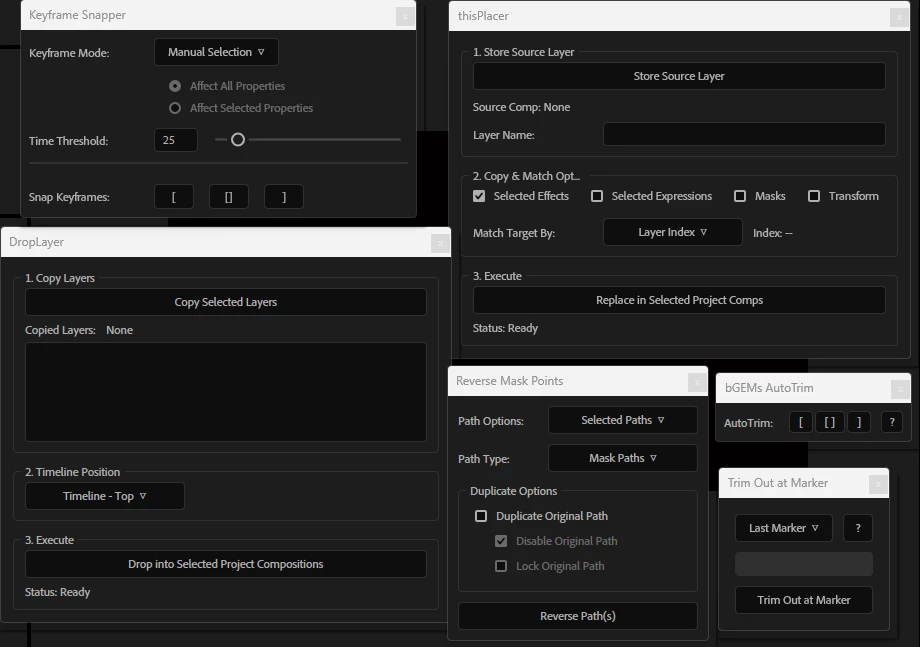
Below are screengrabs of 6 scripts that were crafted in a a day or two, for a recent project. They saved hours of work including the critical ones that appear during revisions or near delivery.
A couple may make it into my multiscript - broadcastGEMs MAG and the others will be saved into a larger multiscript for in-house use. They currently lack Help Notes and this is something you’ll want to add should you revisit the script months later and want a quick refresher on nuances you may otherwise miss out on. Help Notes are also a requirement should you want to share the script. You may also save your reproducible as an FFX or an Expression if a UI is not a requirement or if the solution doesn’t require deploying new layers or making virtual adjustments to UI Objects such as keyframes, layers or markers - to adjust these, a script is required.
Take a close look - they might even give you some ideas. And if you haven't gotten into scripting in After Effects, it's never too late to get fast-tracked with new course content and approximately 100K Lines of Sample Code to get you on the fast lane.
 AdChoices