
Inspiring
September 2, 2016
Question

Drawing a straight line produces artefacts

  • September 2, 2016
  • 1 reply
  • 1074 views

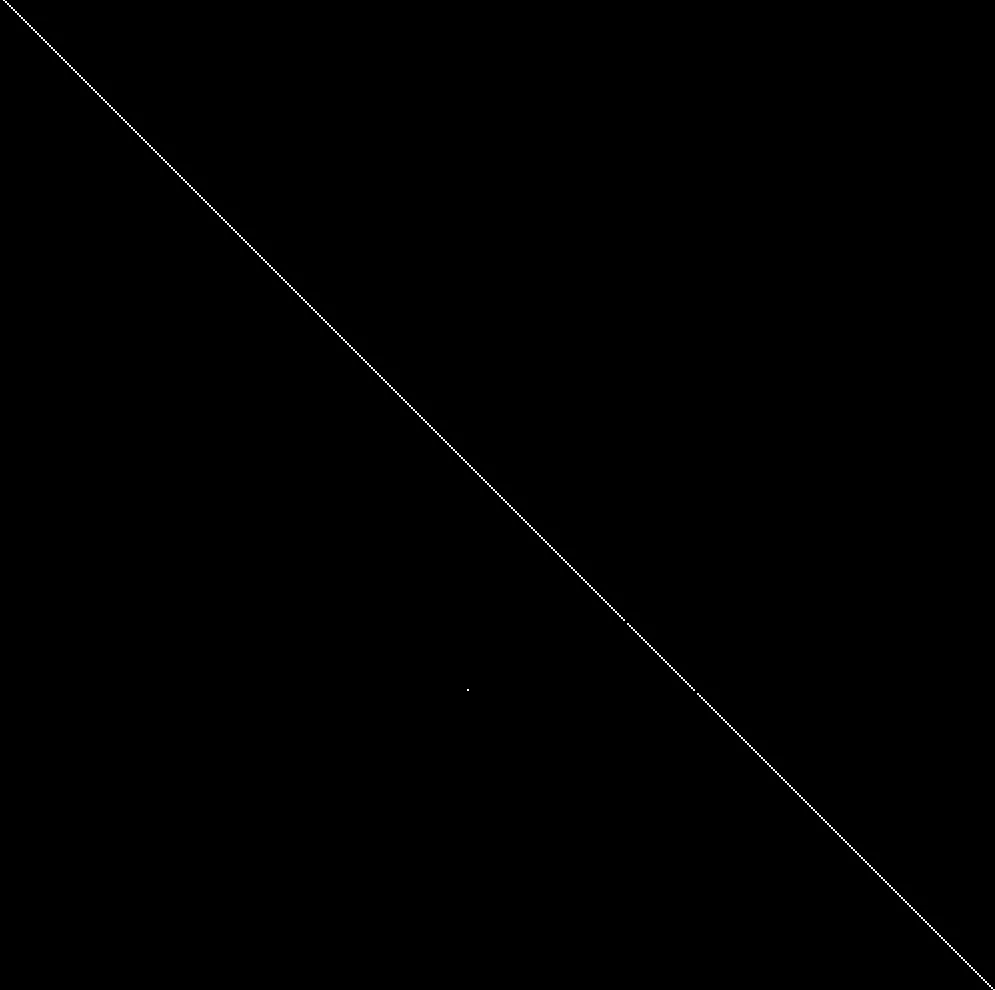
I'm using the algorithm y = mx+c and am receiving seemingly random artefacts in my line which I'm not really sure how to start debugging. Does anyone have any ideas? Two pixels in the line are gone and one is in the wrong position. Thanks.
This topic has been closed for replies.

1 reply

françois leroy
Inspiring
September 2, 2016

Hi,

are you using an iteration suite? Or do you access ram directly?

If you're working with ram, you probably need to use PF_ABORT and / or PF_PROGRESS to handle interruptions.

If you're using iteration suites, AE will do it for you.

Cheers,

François

Inspiring
September 4, 2016

Hi Francois

I didn't know you could access ram directly, so I am using the iteration suite. Each pixel is checked against my algorithm to determine if it's black or white.

françois leroy
Inspiring
September 19, 2016

I believe I defined giP in the render function, will this do?

static PF_Err

Render(

  PF_InData *in_data,

  PF_OutData *out_data,

  PF_ParamDef *params[],

  PF_LayerDef *output)

{

  PF_Err err = PF_Err_NONE;

  AEGP_SuiteHandler suites(in_data->pica_basicP);

  /* Put interesting code here. */

  GainInfo giP;

  AEFX_CLR_STRUCT(giP);

  A_long linesL = 0;

  linesL = output->extent_hint.bottom - output->extent_hint.top;

Then the iteration8Suite:

ERR(suites.Iterate8Suite1()->iterate(in_data,

  0, // progress base

  linesL, // progress final

  &params[LINE_INPUT]->u.ld, // src

  NULL, // area - null for all pixels

  (void*)&giP, // refcon - your custom data pointer

  MySimpleGainFunc8, // pixel function pointer

  output));


At first, it seems OK.

The main question is what happens to giP variables when they go through 'easeValues()'? Are they modified? You can check that...

Also, why don't you define giP.eT, giP.eB, giP.eC and giP.eD before sending them for iteration (right after AEFX_CLR_STRUCT())?

This way you avoid re-assigning values for every single pixel.

And the last thing, why do you check with 'if (giP)' ? You can try removing this one (anyway you assign values to its variables before checking it, so you already assume that it's fine to work with)

Hope it'll help!

Cheers,

François