Participant
November 10, 2019
Answered

Drawing lines are gone?!

  • November 10, 2019
  • 1 reply
  • 667 views

Hey guys, I reaaaaaally hope you can help me.

So I was working on a music video for days now.

I did this drawing line animation single frame for single frame and was finally done.

So I saved the file, closed the file and rendered it on Media Encounter.

But all of my drawings are gone. So I got back to my AE File and saw that there is also everything gone.

Please tell me it's just a dumb fault and I can get it back with a single click? 

In attached files you can see what effect I mean (Hope you can understand) and a screenshot of my working space.
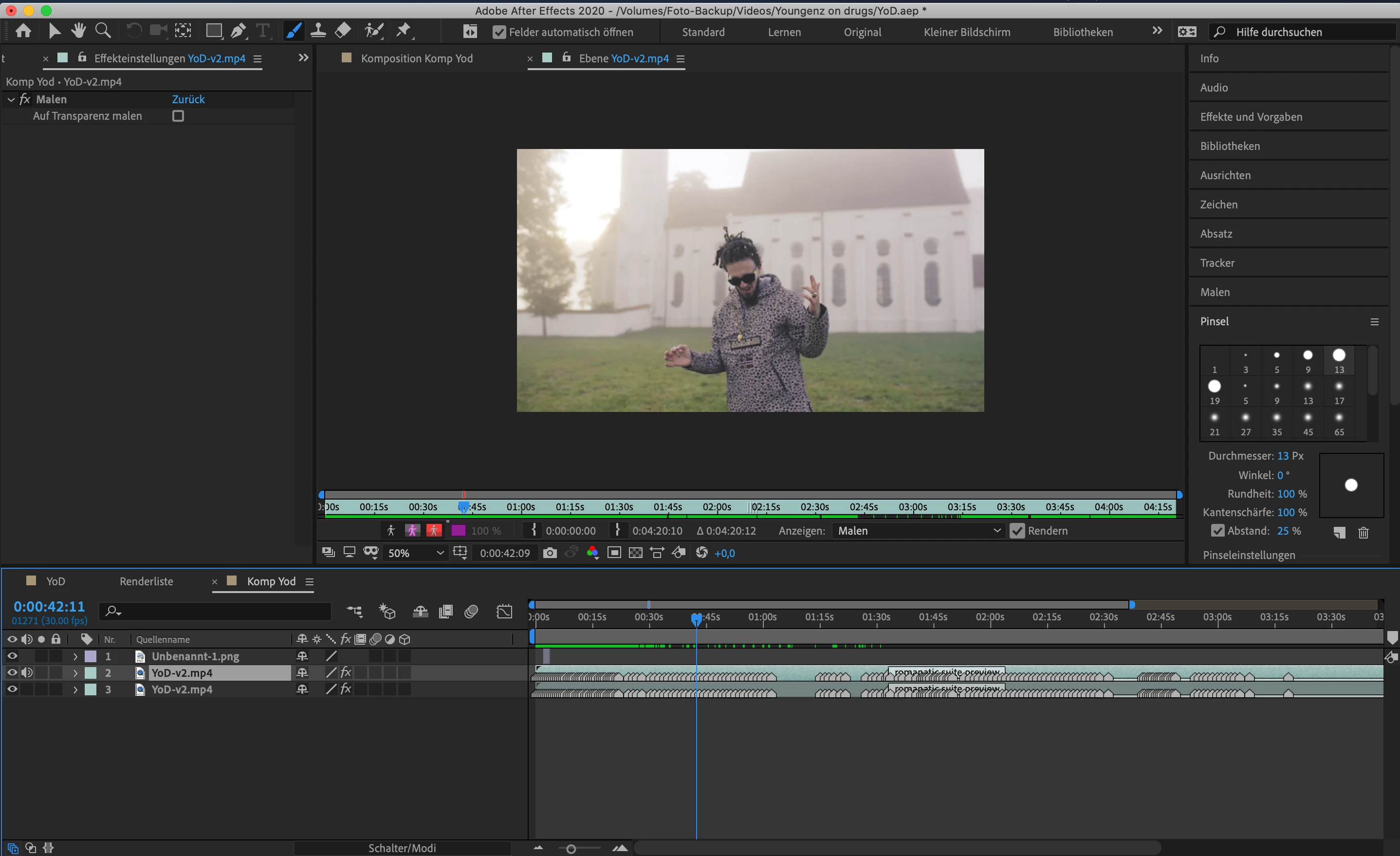
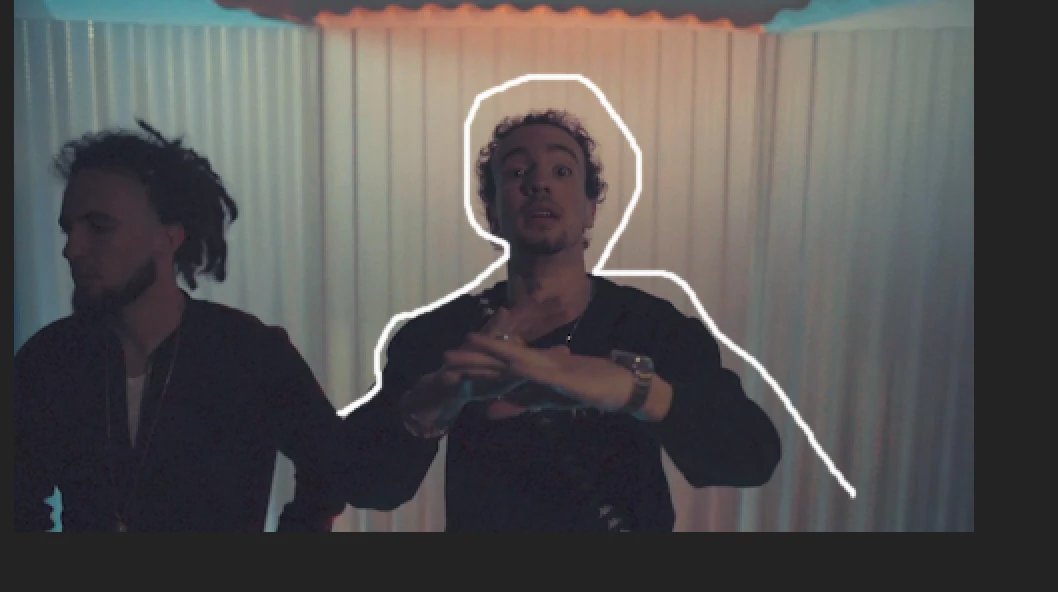
Working on a MacBook Pro 15" late 2014.


This topic has been closed for replies.
Correct answer Mylenium

Start by flushing your caches and then check the brush settings. if they are set to only appear on the current frame this can of course be confusing and they'll disappear again if you're moving through the timeline. Also render an image sequence or whatever from AE and encode later in AME, if that's an options. Many effects are kinda wonky when rendering through AME immediately.


Mylenium

1 reply

Mylenium
MyleniumCorrect answer
Legend
November 10, 2019

Start by flushing your caches and then check the brush settings. if they are set to only appear on the current frame this can of course be confusing and they'll disappear again if you're moving through the timeline. Also render an image sequence or whatever from AE and encode later in AME, if that's an options. Many effects are kinda wonky when rendering through AME immediately.


Mylenium