
Atte J.
Inspiring
February 13, 2026
Question

Duik Bassel on AE2026

  • February 13, 2026
  • 1 reply
  • 52 views

Is it it possible to run Duik Bassel.2 on AE2026?


I’m so sick of this Duik Angela and how they’ve changed everything. What’s the point adding new features if you mess up the old and trusted and working features and change the whole interface so you have to re-learn everything?


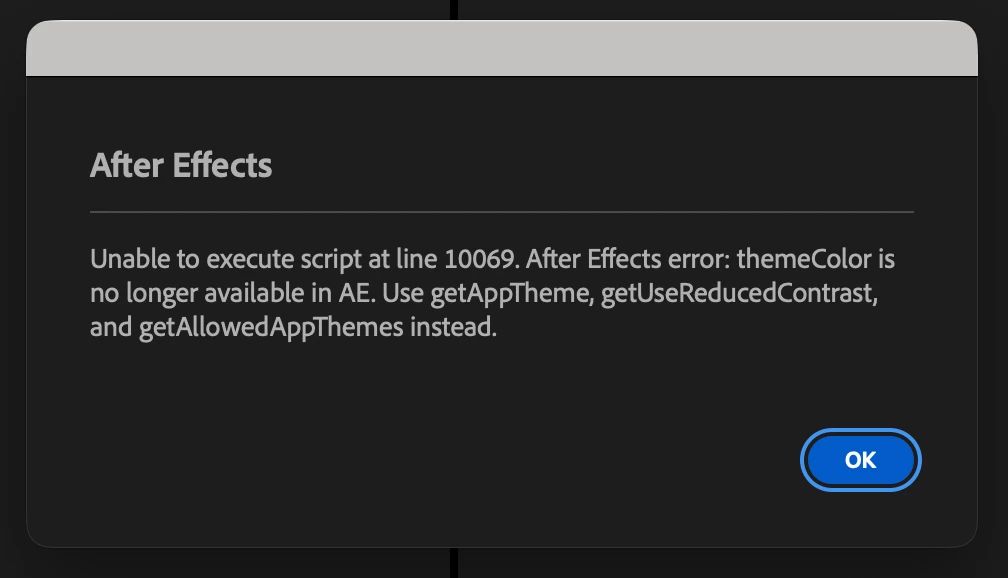
Anyway… This is what I get when trying to launch Bassel in AE2026. Mac Studio M4, Tahoe 26.2 if it helps. Thanks for your help!
 

    1 reply

    OussK
    Community Expert
    Community Expert
    February 23, 2026

    The frustration with Duik Angela is shared by a lot of long-time users — Bassel had a logic and simplicity that Angela replaced with complexity that doesn't always feel like progress.

    On your actual question: Duik Bassel.2 is an older ExtendScript-based tool and AE 2026 has continued tightening its scripting security and compatibility requirements, which is most likely what's causing your launch error. Without seeing the exact error message in the screenshot you linked (it's not loading on my end), the usual culprits are:

    Security settings — go to AE Preferences → Scripting & Expressions and make sure "Allow Scripts to Write Files and Access Network" is enabled. Older scripts like Bassel often fail silently or throw errors when this is off.

    Script installation location — make sure Bassel is installed in the correct ScriptUI Panels folder for AE 2026 specifically, not inherited from a previous version's folder.

    ExtendScript compatibility — Adobe has been deprecating older ExtendScript behaviors and Bassel.2 was never updated for 2026. It may simply not run reliably on the new version, in which case your best option is keeping AE 2025 installed alongside 2026 and using Bassel exclusively there.

    If you can share what the actual error message says, it would help narrow it down further.

    Atte J.
    Atte J.Author
    Inspiring
    February 23, 2026

    The message was:

    Unable to execute script at line 10069. After Effects error: themeColor is no longer available in AE. Use getAppTheme, getUseReducedContrast, and getAllowedAppThemes instead.

    OussK
    Community Expert
    Community Expert
    February 23, 2026

    That error message is actually very helpful — it confirms exactly what's happening. Adobe removed themeColor as a property in AE 2026 and replaced it with the new theme API (getAppTheme etc.), and Duik Bassel.2 calls themeColor at line 10069 on launch, which immediately kills it.

    Since Bassel is no longer maintained, there won't be an official fix coming. Your options are either keep using Bassel in AE 2025 alongside 2026, or if you're comfortable with ExtendScript you could technically open the Bassel .jsx file and replace that themeColor call with the new equivalent — but that's a rabbit hole and could break other things.

    For most people the practical answer is just keeping 2025 around for Bassel work until you're ready to make peace with Angela or find an alternative rigging workflow.