

The_Kitty
Inspiring
September 22, 2022
Question

duplicate and movebefore layerSelected

  • September 22, 2022
  • 3 replies
  • 784 views

Hi everyone

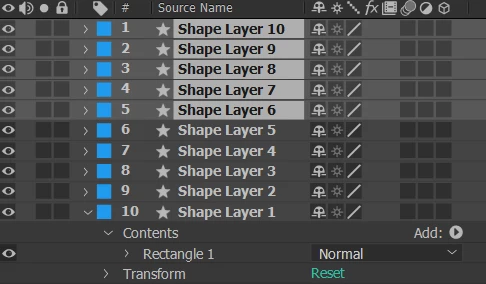
I want to duplicate selected layers
Then put the duplicated layers on top of the selected layers

I tried it for an hour but it was all messed up
can someone help me, thanks a lot

var comp  = app.project.activeItem; 
var layers= comp.selectedLayers;
var numLayers = layers.length;
        if (numLayers > 0) {
            for (var i = 0; i < numLayers; i++) { 
                layers[i].duplicate();
                layers[i].moveAfter(comp.layer(layers[i].index+1));
            }
    }
 

This topic has been closed for replies.

3 replies

Mathias Moehl
Community Expert
Community Expert
September 22, 2022

Here is an implementation with Automation Blocks:


You also find it now in our Community Library at

Layer/Duplicate/Duplicate Selected Layers and Move Above First Selected Layer

Mathias Möhl - Developer of tools like BeatEdit and Automation Blocks for Premiere Pro and After Effects
Mylenium
Legend
September 22, 2022

Why do you create a new loop everytime? Of course your variable i will not carry over and the index be all messed up because after the duplication it shifts by +1. Do it all in one.


Mylenium

The_Kitty
The_KittyAuthor
Inspiring
September 22, 2022

I did it but it's still not ok

var comp  = app.project.activeItem; 
var layers= comp.selectedLayers;
var numLayers = layers.length;
var myArray=[];
app.beginUndoGroup("Set Marker");
if (numLayers > 0) {
    for (var i = 0; i < numLayers; i++) { 
        myArray.push(layers[i].name); //Get layer name selected
    }
    for (var i = 0; i < myArray.length; i++) { 
        comp.layer(myArray[i]).duplicate(); // Duplicate
    }
    var indexLayer=comp.layer(myArray[0]).index; // Get index
    for (var i = 0; i < myArray.length; i++) { 
        comp.layer(myArray[i]).moveBefore(comp.layer(indexLayer-1));
    }
    }
    app.endUndoGroup();
Mathias Moehl
Community Expert
Community Expert
September 22, 2022

I would not recommend to rely on layer names - this always causes trouble when you have multiple layers with the same name. Better follow the logic of my Automation Blocks example.

Mathias Möhl - Developer of tools like BeatEdit and Automation Blocks for Premiere Pro and After Effects