Known Participant
July 24, 2017
Answered

Duplicated layers are showing up as transparent?

  • July 24, 2017
  • 2 replies
  • 3118 views

I'm creating a short video for class that shows a text message conversation between two people. I'm a beginner with After Effects, so I've been following these two tutorials for guidance: After Effects Tutorial: How to Create a Text Messaging Animation - YouTube

https://www.youtube.com/watch?v=kFLuiik8RC8&lc=z13qe5rbdmaxfjxym04cfp3o4tfdtbzze5s.1500608708348824

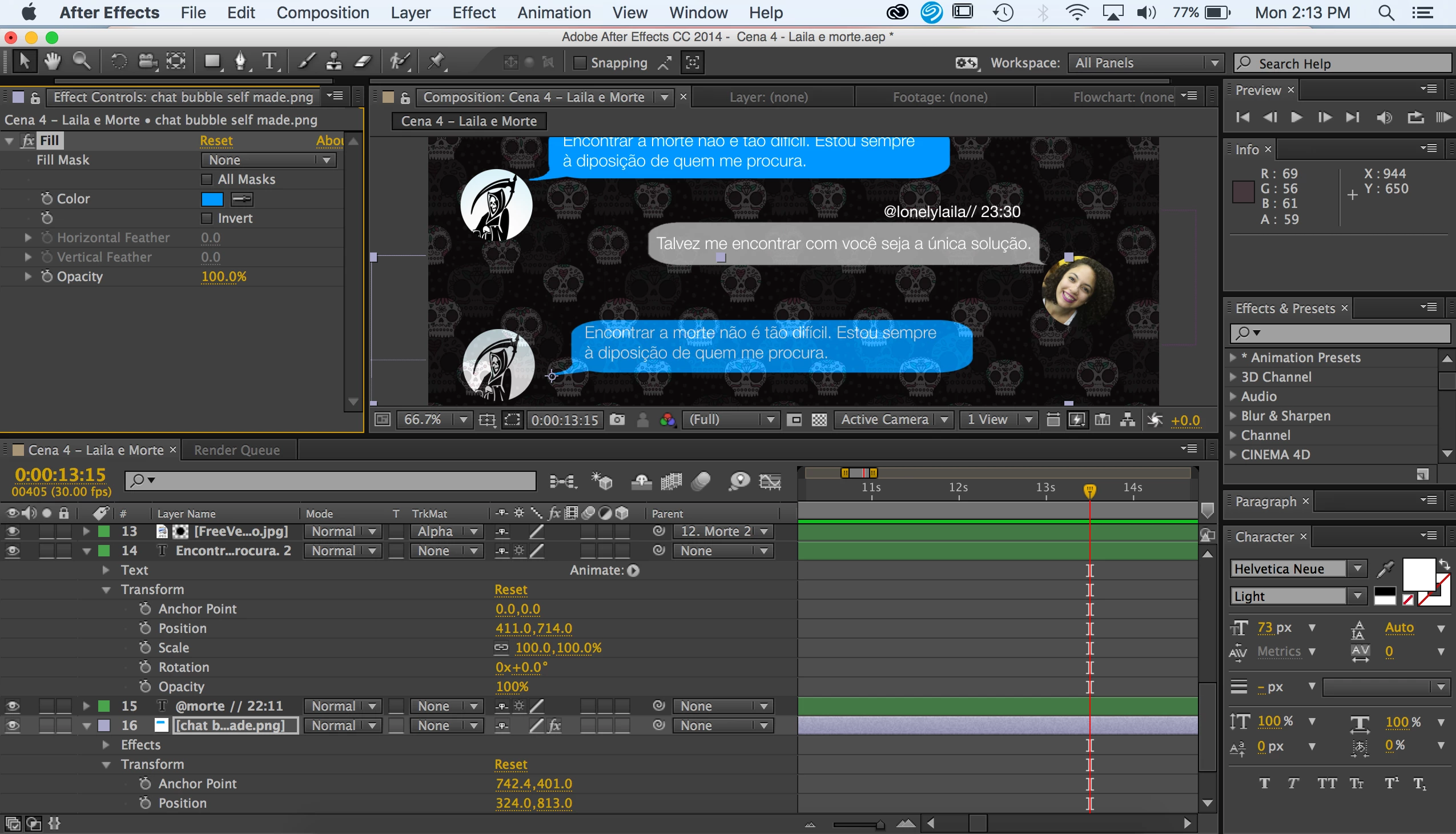
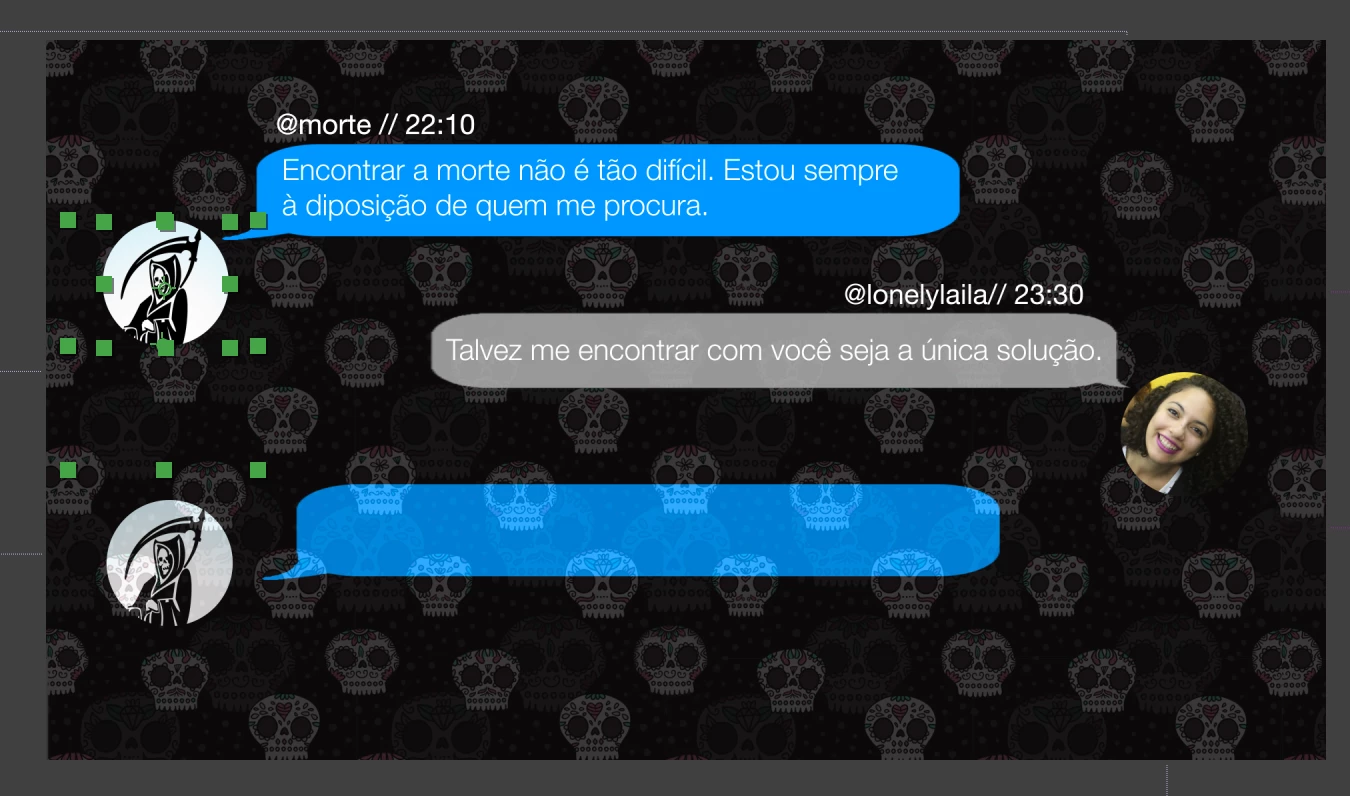
I've been able to make two chat bubbles so far, complete with the typing effect. However now that I want to make a third response (of the person who has the grim reaper as his display image), I've tried duplicating the layers from his first message, and dragging them to the bottom of the composition list, and changing them along the timeline. However they keep coming up as slightly transparent, which makes it hard to read the text. I've already checked their opacity levels and they're all at 100%. I'm not sure what I'm doing wrong. I've tried even filling them (Effect - Generate - Fill) but it's the same transparent effect.

I've included two screenshots of my program and the project. If someone could shed some light on how to stop this transparency problem, I'd greatly appreciate it. Or is there another way that I could duplicate the effects for each time a new message appears from a character?

Thanks in advance.
This topic has been closed for replies.
Correct answer P.M.B

Forgive me if I'm asking a dumb question but...it's not under the skull layer, is it?  I do that every once in awhile.  I think my opacity isn't at a 100% and turns out I just mixed up my stacking order.

2 replies

CarlieBimAuthor
Known Participant
July 24, 2017

Hi everyone,

I feel like a real dummy, but yes, the problem was that it was under the skull background layer. Once I moved the background layer to the bottom, everything started working again.

Sorry about that, but thank you to everyone who helped me and responded!

P.M.B
Legend
July 25, 2017

CarlieBim  wrote

I feel like a real dummy,

No. Trust me, that kinda stuff happens all the time.  Next time you'll know to check.

~Gutterfish
CarlieBimAuthor
Known Participant
July 26, 2017

True! I'll definitely be on the look out next time. Thanks again!

Roei Tzoref
Legend
July 24, 2017

on the layer that's not fully opaque, press UU to reveal all the modified properties - do you see opacity under 100%?

CarlieBimAuthor
Known Participant
July 24, 2017

Hi Roei, thanks for responding.

I pressed UU like you suggested, and it's showing the opacity as 100% still.

Could it be the fact that it's a duplicate that's making it transparent?

Roei Tzoref
Legend
July 24, 2017

No. Duplicate is not supposed to do that. Press T to reveal the layers opacity, not the fill effect opacity. If it is 100% then something else about your setup of layers we can't necessarily see in those cropped areas of the U.I.

you can upload the project file using a cloud service and we can take a look.