Inspiring
November 27, 2024
Answered

Duplicating layers in numerical order

  • November 27, 2024
  • 2 replies
  • 730 views

Hi community.


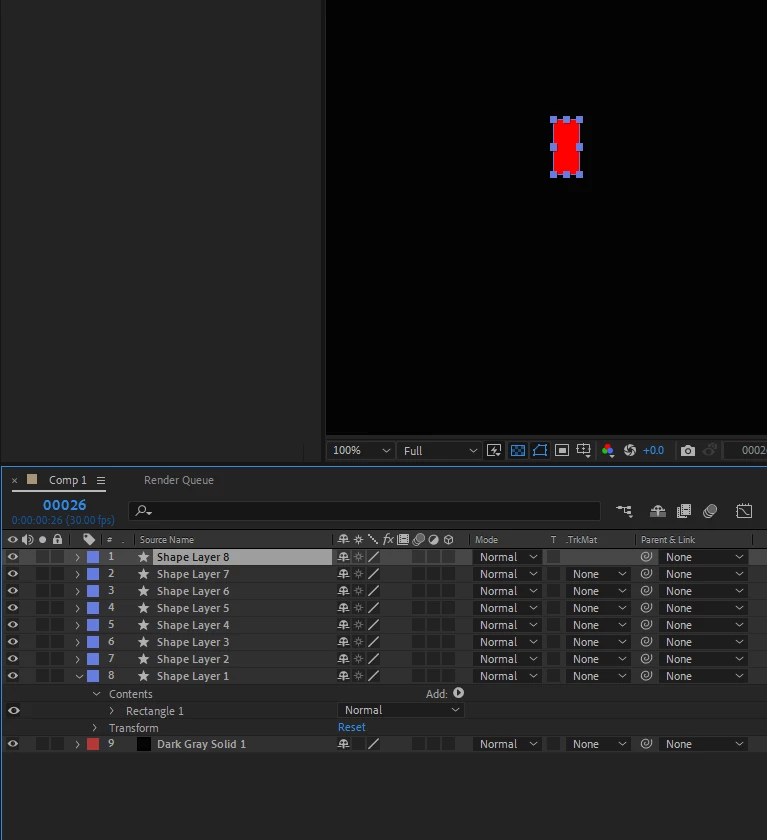
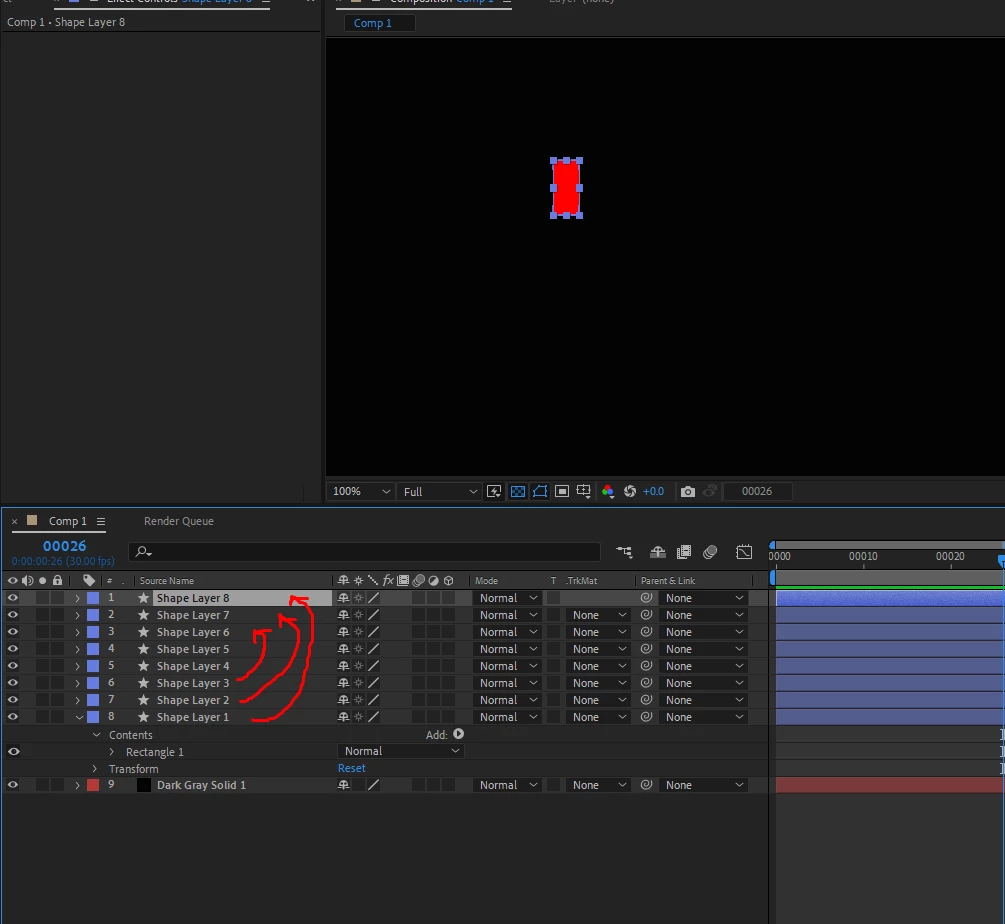
Is it possible when duplicating layers, to have the layer one on top, then the rest will stack in numeric order? When Im duplicating this shape, Im making a lot of layers, number one goes down the bottom, then number 2 on top of it. Then I need to restack them from one going on the top, then manually stacking each numbers accordingly. is there an option for the layers to descend numerically?


Im doing the sequence layers method, and my animation is in reverse due to the layer numbers not descending, thats why Im asking for this information.

Thank you.


This topic has been closed for replies.
Correct answer Airweb_AE

2 replies

thepixelsmith
Community Expert
Community Expert
November 29, 2024

For those who don't feel like watching the video.

In AE layers paste in the order they are selected, so:

1. Select the layers in the order you want them. In the example presented here select the bottom one first, hold shift and then select the top one.

2. Cut the layers. Edit > Cut or use the keyboard shortcut.

3. Paste the layers.

Harold Silva
Community Expert
Community Expert
November 27, 2024

Hola si quieres hacer eso en vez de usar CMD D para duplicar usa COPY - PASTE eso las ordena tal como las quieres.
Es algo que uso muy a menudo.
Saludos

Harold Silva B.
Inspiring
November 27, 2024

Hello, I tried copy past, but the order of the layers again are in reverse:


Airweb_AECorrect answer
Legend
November 27, 2024