MahaB82A
April 2, 2026
Answered

Duplicating the composition window

  • April 2, 2026
  • 2 replies
  • 21 views

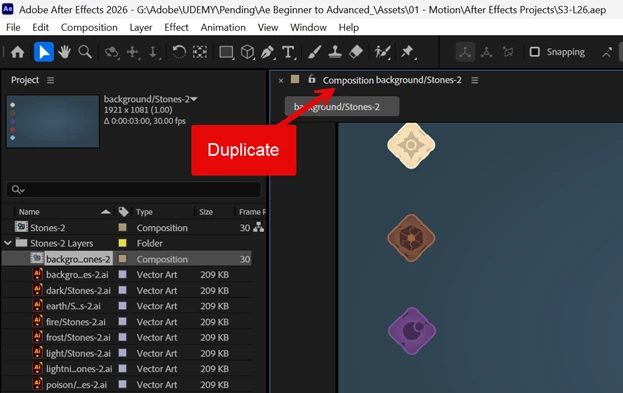
Is it possible to duplicate this composition window? I want to move this graphic to 2nd monitor while graphic in the main monitor is intact?



    Correct answer sskaz

    Yes, there are a couple ways, but the simplest is to use View > Split with New Locked Viewer from the menubar. You can then move the new panel where you want it.

    2 replies

    Community Expert
    April 2, 2026

    As ​@sskaz sskaz mentioned above, that’s the way, the shortcut for it is CTRL(CMND for Mac) +ALT+SHIFT+N but keep in mind two things:

    The 2nd window will be locked but the current one (the one you want to duplicate will still be unlocked, so you can go to a different composition and the view will automatically change for that.

    If you use the shortcut in any other panel other than the comp panel it will instead create a folder in the project panel, so make sure to move your cursor and click on the comp panel first.

    I am a Community Expert for Adobe
    sskaz
    sskazCorrect answer
    Inspiring
    April 2, 2026

    Yes, there are a couple ways, but the simplest is to use View > Split with New Locked Viewer from the menubar. You can then move the new panel where you want it.

    MahaB82A
    MahaB82AAuthor
    April 2, 2026

    Thanks for the help.