Participant
July 7, 2020
Answered

Dynamic Link clip conversion issue

  • July 7, 2020
  • 1 reply
  • 604 views

This is an issue I've been having as of late, I'm trying to use the dynamic link to send premiere pro clips to after effects and when I send more than one clip it converts all other clips besides the first into compositions instead of actual clips. It's definitely not intended to work that way and I'm wondering what's going on with it.
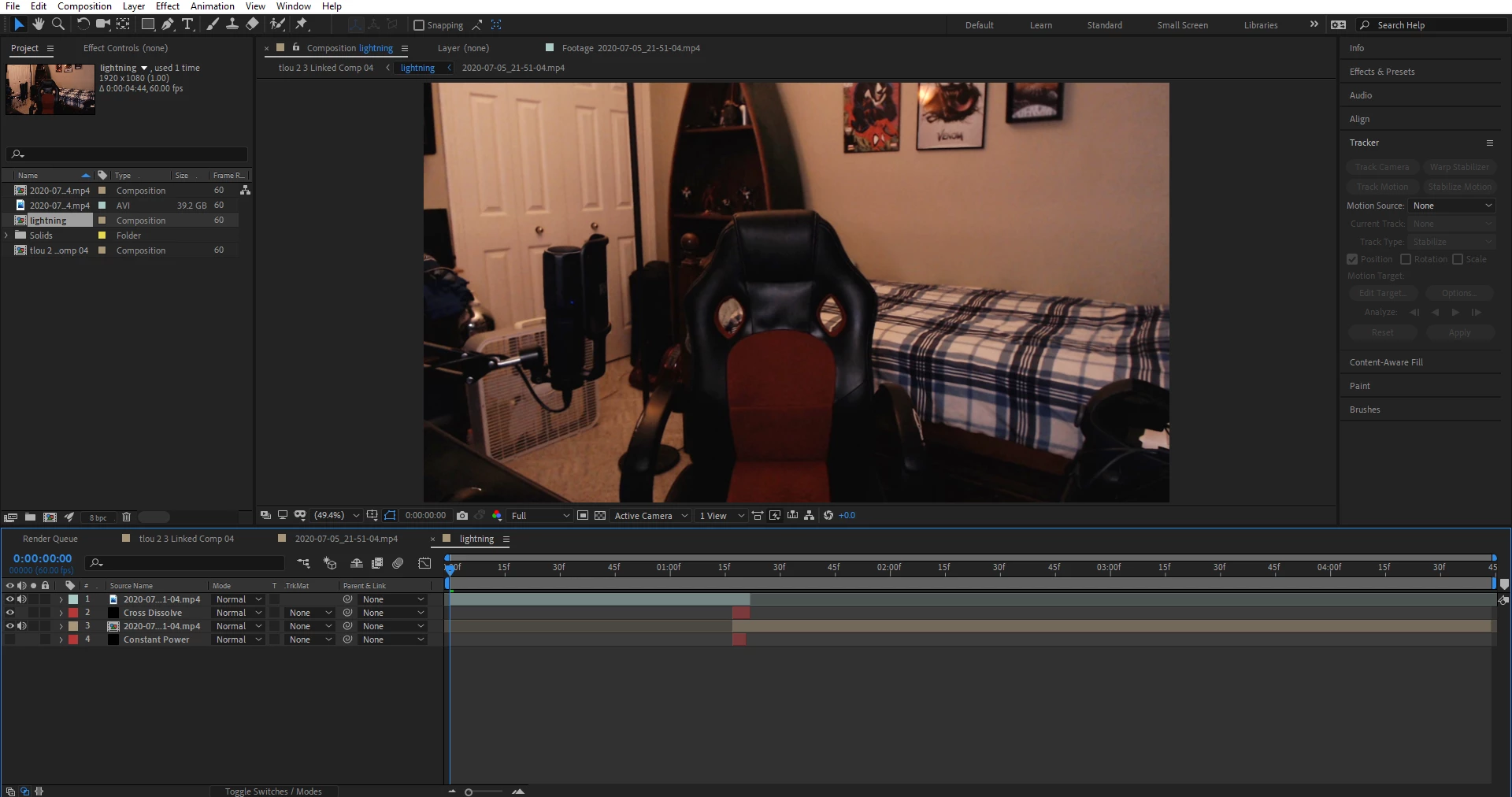
As you can see the second clip in the comp is supposed to be a clip, it's all formated correctly and I can play it back however it's not actually a clip meaning I can't do the specific effects and tracking I'd like to do. When I double-click on it it just brings me to the full footage (over 2hrs) and makes it VERY HARD to get stuff done. I've looked up videos and information trying to help explain what's going on but I haven't had any results, any feedback would be amazing!

This topic has been closed for replies.
Correct answer Carnagealien1

I ended up getting some outside help for this issue and what happened to be the problem was that I had Premiere Pro clips on "Scale to Frame Size" which for some reason or another auto-precomposes footage on the timeline when imported to After Effects. You have to change this setting to "Set to Frame Size" for it to work properly ( Preferences > Media > Set to Frame Size ). Now everything is being imported as clips instead of comps and it's all running smoothly.

1 reply

Mylenium
Legend
July 7, 2020

Looks normal?! I mean you have applied transitions and effects in Premiere already, soem of which cannot be retained other than nesting. And of course you'll always get the full source layer in layer view. Trimming/ adding edits is non-destructive and does not do anything to the actual source file. That's why you need to create separate new master clips and use those instead. This is really just a workflow issue on the Premiere side.


Mylenium

Participant
July 7, 2020

It's supposed to import one of the clips as a composition instead of the source clip? This is what I'm looking at, the second clip in the timeline isn't supposed to be a composition from what I've seen in other people's videos. When you select multiple clips to bring into After Effects from Premiere it's supposed to bring them both in as clips, not one as a clip and the other as a comp.


What I'm doing in Premiere


What's happening in After Effects


What SHOULD be happening in After Effects


Edit: The reason why this is an issue for me is because I have +2hrs worth of footage and I just want to track two clips worth. When I send them both to AE one is already (I'm assuming) precomposed which won't allow me to track the base clip itself. Then when I go into the precomposed clip it shows me the ENTIRE 2hrs worth of footage I have instead of the small clip I wanted. The first clip on the timeline is working fine, the second clip is bugging out.

Carnagealien1AuthorCorrect answer
Participant
July 8, 2020

I ended up getting some outside help for this issue and what happened to be the problem was that I had Premiere Pro clips on "Scale to Frame Size" which for some reason or another auto-precomposes footage on the timeline when imported to After Effects. You have to change this setting to "Set to Frame Size" for it to work properly ( Preferences > Media > Set to Frame Size ). Now everything is being imported as clips instead of comps and it's all running smoothly.