Inspiring
August 21, 2017
Question

Dynamic Links does not work

  • August 21, 2017
  • 3 replies
  • 790 views

Hey guys,

I was trying to do a warp stabilization in After Effects to import it to Premier Pro again.

After Effects shows me that my Dynamic Link is not activated.

Here are some pics to show you the problem:
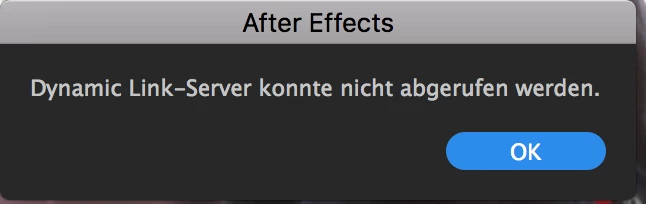
This means that After Effects could not find the Dynamic Link-Server.
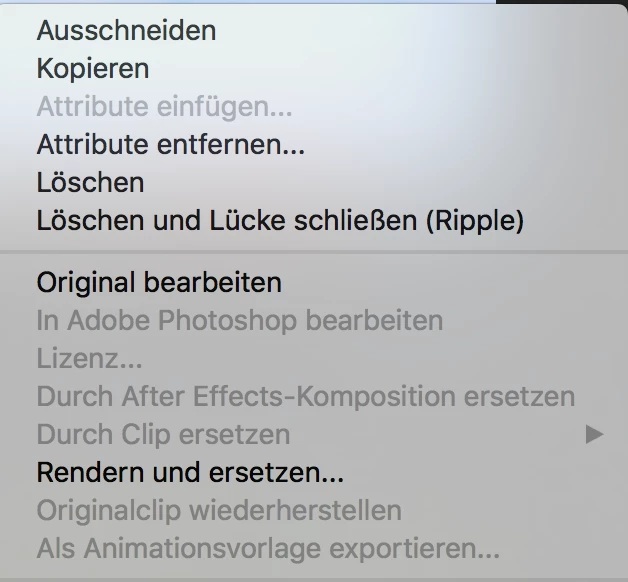
As you can see I don't have access to the After Effects Composition.

How can I resolve these problems?

Thanks a lot in advance!

This topic has been closed for replies.

3 replies

Kevin J. Monahan Jr.
Legend
September 1, 2017

Hi Pete,

Sorry for this issue. Did you ever find a solution? Please let us know if you have or if you still need help.

Thanks,

Kevin

Kevin Monahan - Sr. Community and Engagement Strategist – Adobe Pro Video and Audio
Participant
September 9, 2017

Same issue here.

MacOS Sierra, latest Premiere and AE CC.

Same timeout message (after 2/3 minutes) every time I try to use warp Stabilize.

Also, I can't properly use any video app: After Effects can't export to Media Encoder; Premiere can't read AE comps.

The suite is useless this way!

What I tried so far:

• Uninstalling / reinstalling AE, Premiere and Media Encoder.

• Uninstalling them without keeping preferences.

• Manually removing everything after uninstall.

• Removing the applications with a software that cleans all traces, caches and settings folders.

No way.

Help please!

Szalam
Community Expert
Community Expert
September 9, 2017

What security software are you using?

pete9145Author
Inspiring
August 22, 2017

Hi Mylenium,

The program's version is Adobe Premier Pro CC 2017 11.1.1

Does that help you?

Thanks in advance!

Mylenium
Legend
August 21, 2017

Without exact system and version info nobody can tell you much. Start by reinstalling thge prpgram with sufficiuent user permissions and also run it that way.

Mylenium