
chinweko
Participant
May 9, 2017
Answered

Easy ease Graph Editor

  • May 9, 2017
  • 2 replies
  • 3761 views

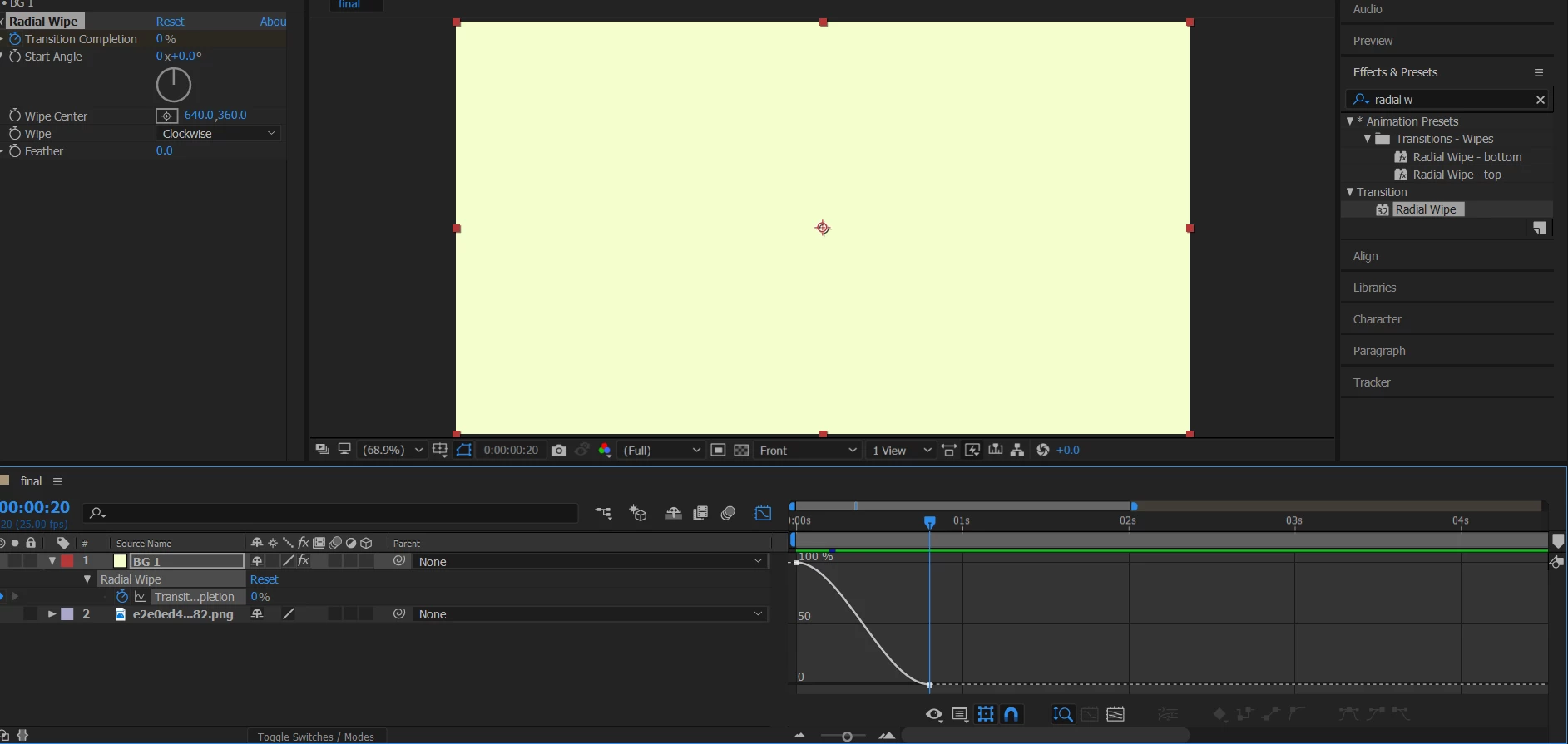
Am trying to watch this tutorial Typography Motion Tutorial [part 1] - YouTube  at 6:50 time i am completley stuck. am trying to use easy easy i selected both frame points and clicked easy ease as instructed and when i click the graph i am suppose to see a u shape i think that is suppose to mean both are selected but i only get one line facing down. i have watched the tutorial over and over and i dont know what i am doing wrong please help.
This topic has been closed for replies.
Correct answer dbDavideBoscolo

Right click somewhere in the graph editor (or click the second icon at the bottom, the one next to the eye) and select 'Speed Graph'.

2 replies

Participant
June 5, 2022

abbaagdaa

dbDavideBoscolo
dbDavideBoscoloCorrect answer
Legend
May 9, 2017

Right click somewhere in the graph editor (or click the second icon at the bottom, the one next to the eye) and select 'Speed Graph'.

Where Next Japan
Participant
July 16, 2020

Thank you!