
melaniep3073665
Participant
September 18, 2020
Question

Effect Controls disappeared

  • September 18, 2020
  • 2 replies
  • 3989 views

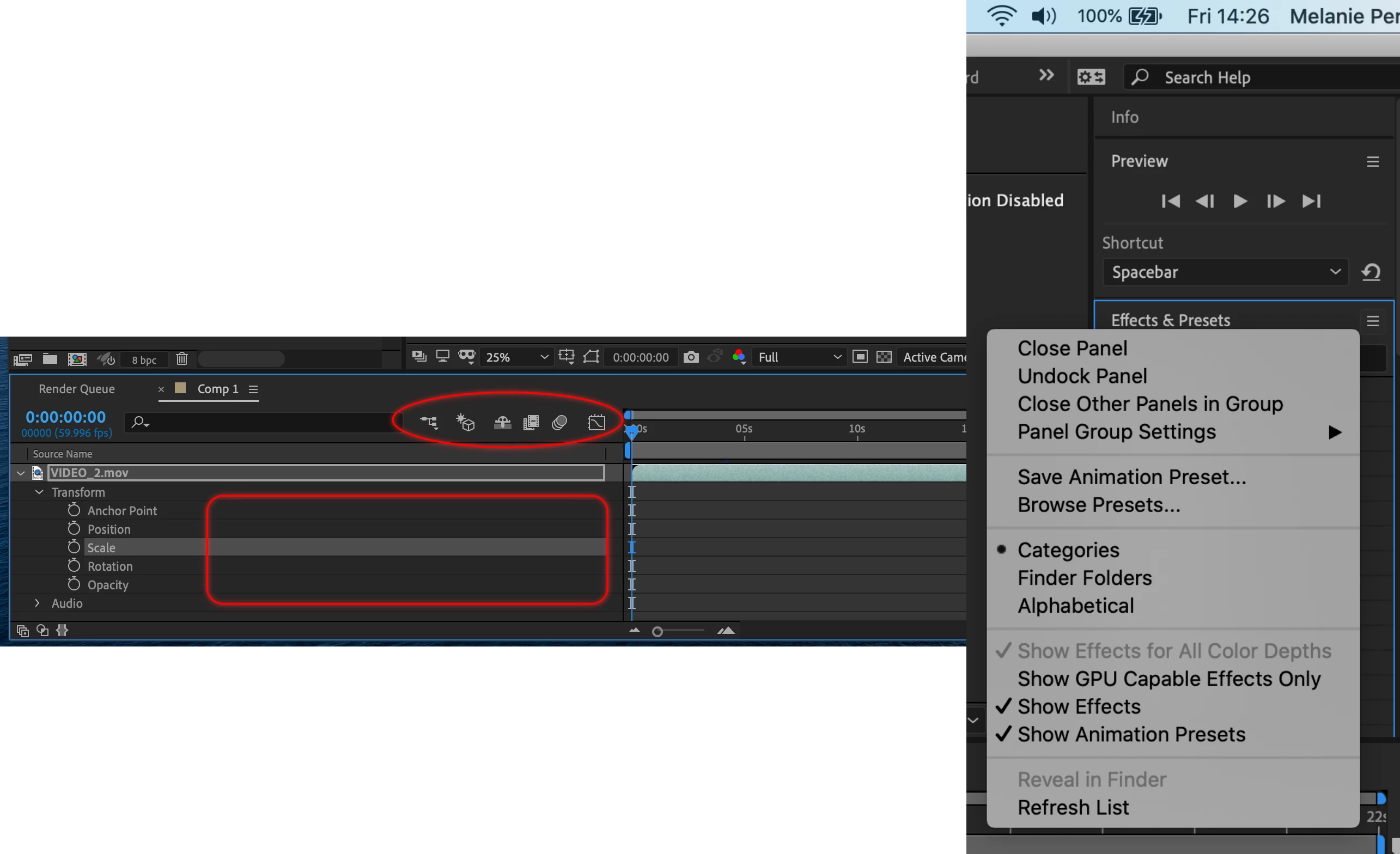
Hi I'm using the latest version of After Effects and I can no longer see the slider counters for positioning, scaling etc - see pic.  Having looked at an old forum, everything that should be ticked is ticked in the effects and presets panel.  What else can I do and how do I get it back? Its driving me nuts!
 

This topic has been closed for replies.

2 replies

OussK
Community Expert
Community Expert
September 18, 2020

Right-click on the column bar and activate the switch and other elements


Community Expert
September 18, 2020

The first thing to do is double click the workspace you are using to reset it. The second thing you should do become familiar with the three small switches at the bottom left corner of the Timeline. The first one expands and collapses the Layer Switches panel, the second the Transfer or Mode/Track matte panel, the third, seldom used button opens and closes the In/Out/Duration/Time Stretch panel. I almost always work with the first two selected and I open the Parent Link column by pressing Shift + F4 because I use a lot of parenting and expressions. 


The learn workspace has a quick explanation of the standard panels in AE. You should also customize your workspace menu by selecting Edit Workspaces at the bottom of the workspace list at the top of the UI.

Mylenium
Legend
September 18, 2020

Right-click on the column headers in the timeline and reveal the A/V column. Read the help on such basics.


Mylenium