
Inspiring
June 3, 2025
Question

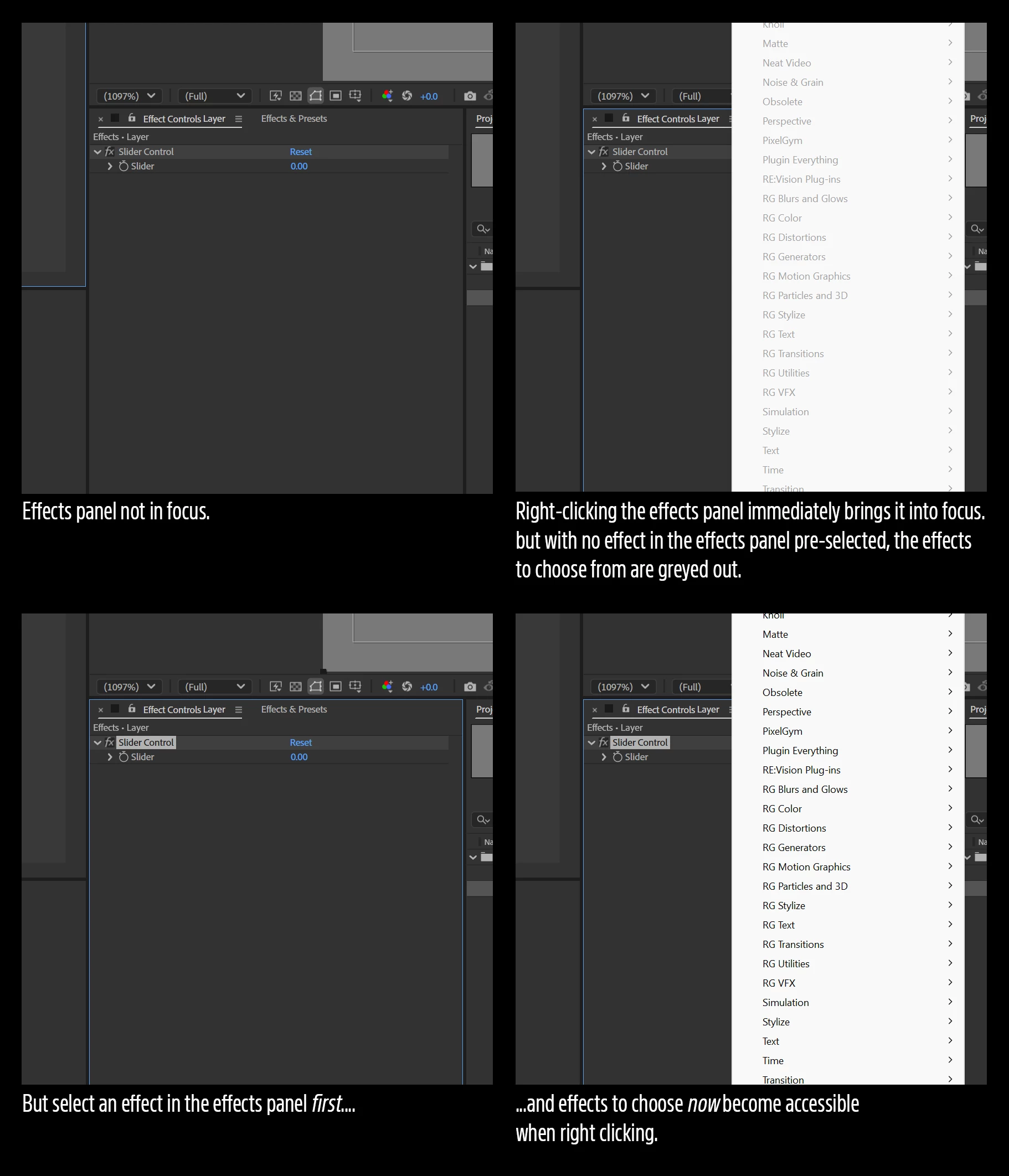
Effects are greyed out in the effects panel unless an effect in the panel is already pre-selected

  • June 3, 2025
  • 1 reply
  • 222 views

After Effects 25.2.2 (Build 2) but it’s been like this forevvvvvvvver. Fed up enough to finally submit this.


Unless an effect in the effects panel is selected first, effects to choose from are greyed out when right clicking the effects panel. It's not entirely broken - Remove All and Manage Effects are active when right clicking without an effect pre-selected in the effects panel, why can't the effects be also accessible?
 

1 reply

Inspiring
June 3, 2025

important note - effects shown in the effects panel are from the last previously-selected layer, now DE-selected in the timeline.

nishu_kush
Legend
June 6, 2025

Thanks for reaching out.

The Effects menu will become active when there's a layer selected in the Timeline. If a layer is not highlighted, there is no target for After Effects to apply effects to.

Let me know if that's the case. If it's not, please share screenshots of the full UI to help me understand the problem better. Moving this thread from Bugs to Discussions for troubleshooting.


Thanks,
Nishu

Inspiring
June 6, 2025

“If a layer is not highlighted, there is no target for After Effects to apply effects to.”


Sure there is—the target is the un-highlighted layer whose effects are still listed in the effects panel.

The design language implies I can still interact (e.g., add another effect) with the effects panel in its current state. Otherwise why are effects still listed when no layers are highlighted? If clicking the name of any effect applied to an un-highlighted layer SELECTS the layer for me in the timeline (at which point I can add an effect), then so should right clicking in the panel - it’s not ambiguous what layer a newly-applied effect would be attached to. It’s being applied to the un-highlighted layer whose effects are still listed and I’m right-clicking next to.