Participant
December 18, 2021
Question

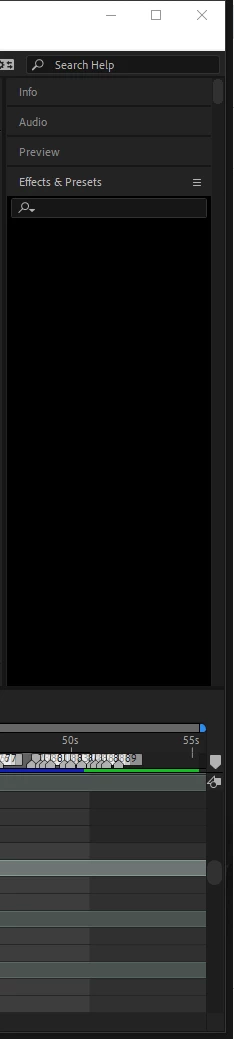
Effects & Presets bar turned black all of a sudden and won't respond to anything
  • December 18, 2021
  • 2 replies
  • 390 views

As you can also see it makes the panel very long to scroll down, I've restarted AE numerous times and closed the panel.

This topic has been closed for replies.

2 replies

Participating Frequently
August 6, 2024

Did something help? I'm just struggling with the same problem.

nishu_kush
Legend
August 6, 2024

Hi NO NAME39029767tv4n,


We can get this checked. What's the version of After Effects you're using? Are you on macOS or Windows? Have you tried running After Effects in Safe Mode?

Let us know.


Thanks,
Nishu

Participating Frequently
August 6, 2024

I'm using After Effects 2020 on Windows. I did not run AE in safe mode. I think the problem is too many Presets or some preset is faulty.

Community Expert
December 18, 2021

Reset your workspace by double-clicking it in the ToolBar or by using the "Widow/Workspace/Reset "Your Workspace" to Saved Layout" menu.


If that fails, reset your preferences by using the Preferences/General tab to browse to your Preferences file and rename it, then restart AE or by closing After Effects and then opening it again while holding down Shift + Alt/Option + Ctrl/Cmnd and choosing to reset your preferences.