Participant
May 23, 2025 9:25 PM UTC
Answered

Enabling Motion Blur is causing object to go transparent

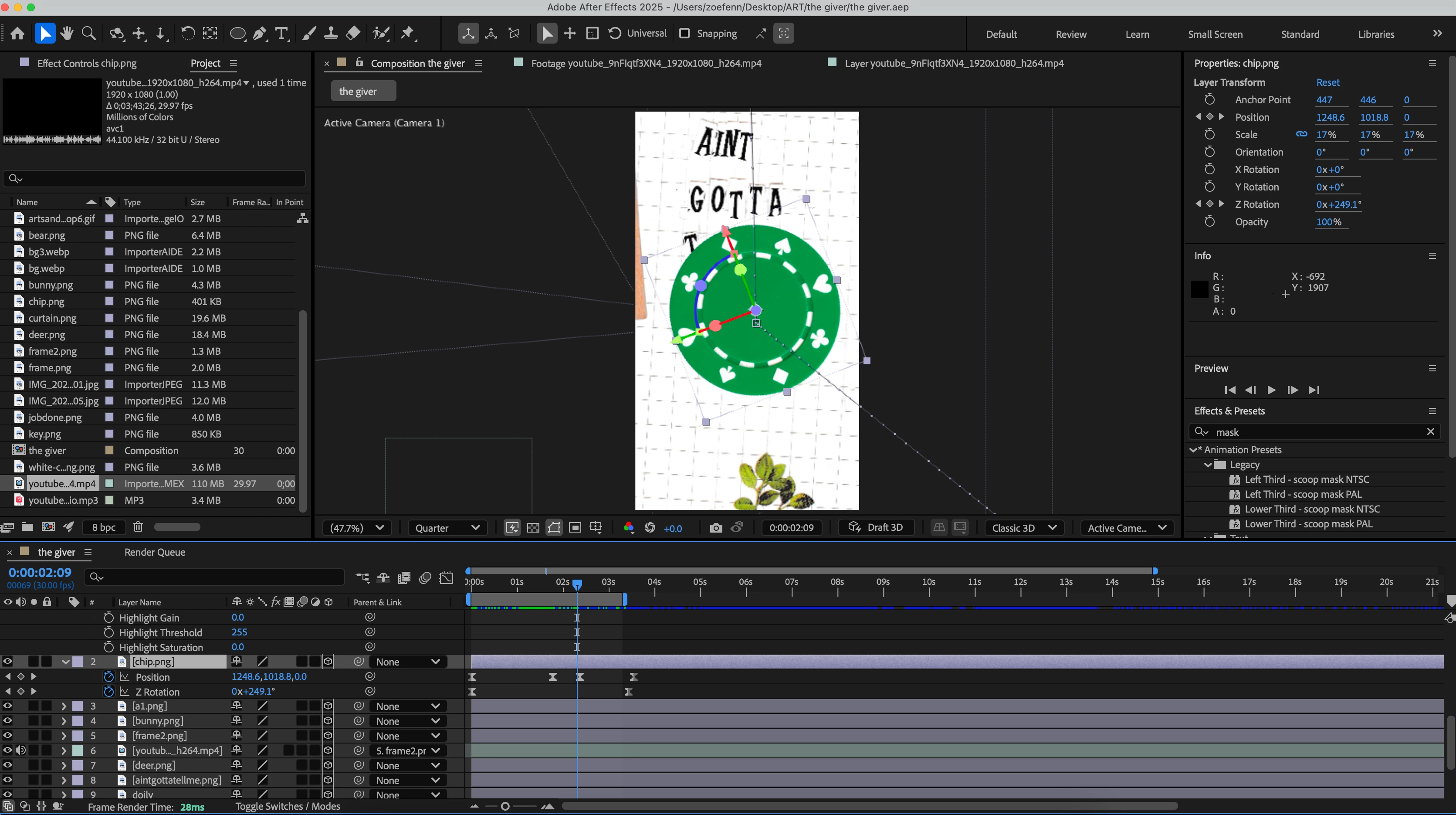
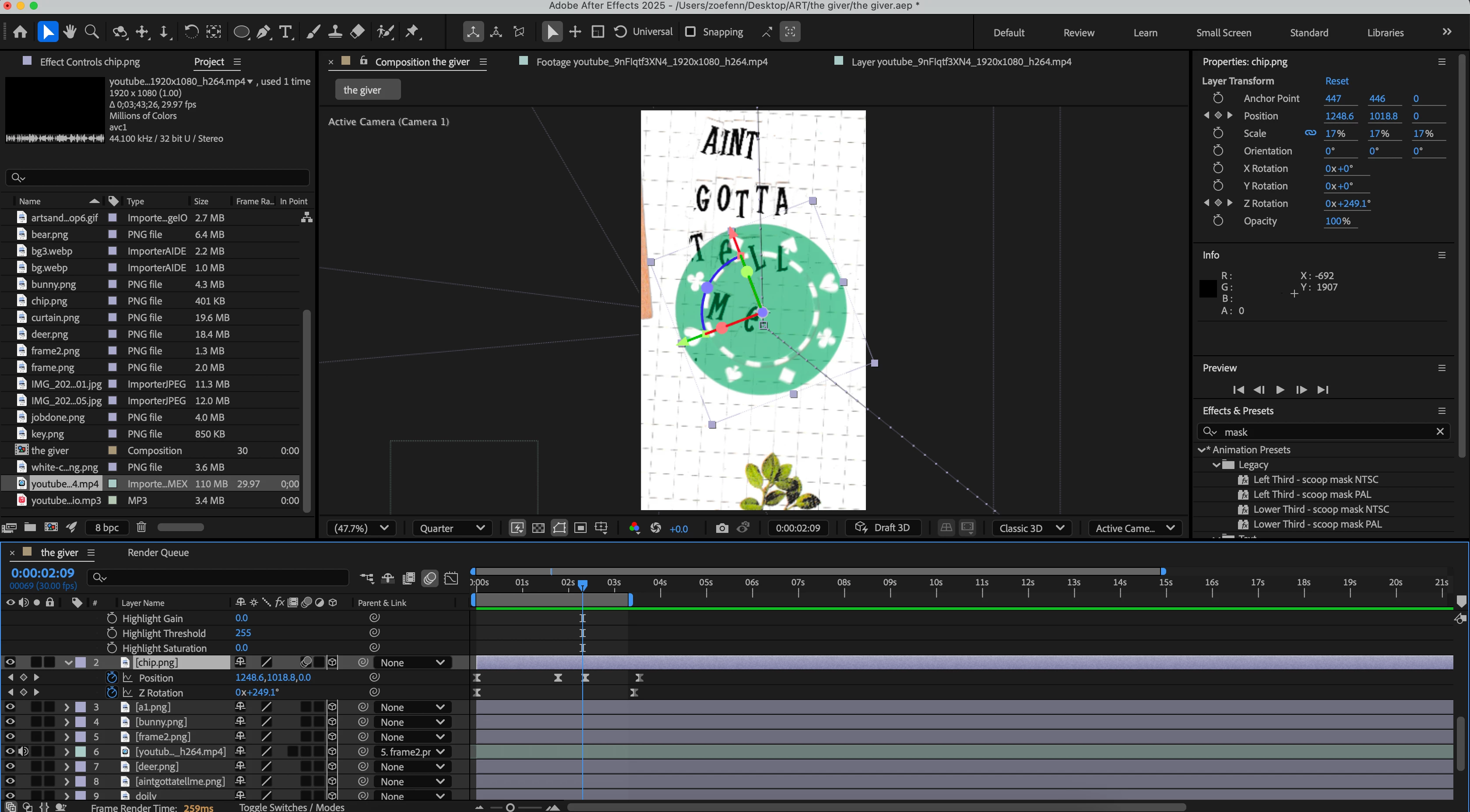
Hey all! I am running into a problem where my layer is becoming transparent when I enable motion blur, is there anyway to fix this? I'm trying to animate this poker chip to rotate and move off screen.

Btw I have a one node camera layer
David.Arbor
David.ArborCorrect answer
Community Manager
May 23, 2025 9:39 PM UTC

Hey @Zoe24065982uee0,


This can often happen when you're experiencing z-fighting—when two objects are occupying the same z-space. Since motion blur is making multiple copies of your layer, you might not have seen this with MB off. Try moving your poker chip a few pixels forward in z-space to see if it becomes fully opaque again.


Thanks,
- David, After Effects Engineering Team

3 replies

David.Arbor
Community Manager
David.ArborCommunity ManagerCorrect answer
Community Manager
May 23, 2025 9:39 PM UTC

Hey @Zoe24065982uee0,


This can often happen when you're experiencing z-fighting—when two objects are occupying the same z-space. Since motion blur is making multiple copies of your layer, you might not have seen this with MB off. Try moving your poker chip a few pixels forward in z-space to see if it becomes fully opaque again.


Thanks,
- David, After Effects Engineering Team

Translate
Participant
May 24, 2025 6:27 PM UTC

Hi David! 


Wow thank you so much, moving it forward in z-space totally worked!

Translate
David.Arbor
Community Manager
Community Manager
May 27, 2025 4:40 PM UTC

Awesome, glad that did the trick!


-David, After Effects Engineering Team

Translate