


Known Participant
January 10, 2023
Answered

Equal Space Between Two Text Layers When Slider Resizing

  • January 10, 2023
  • 1 reply
  • 614 views

AE 23.1.0

macOS BigSur 11.7.1


Hi, we're creating some simple lower thirds MOGRTs for our University.


Having successfully got the shape layer behind to resize as per the longest of either text layer, I'd like to know how we can keep the space between both text layers equal/relative even if the text size increases. See below:
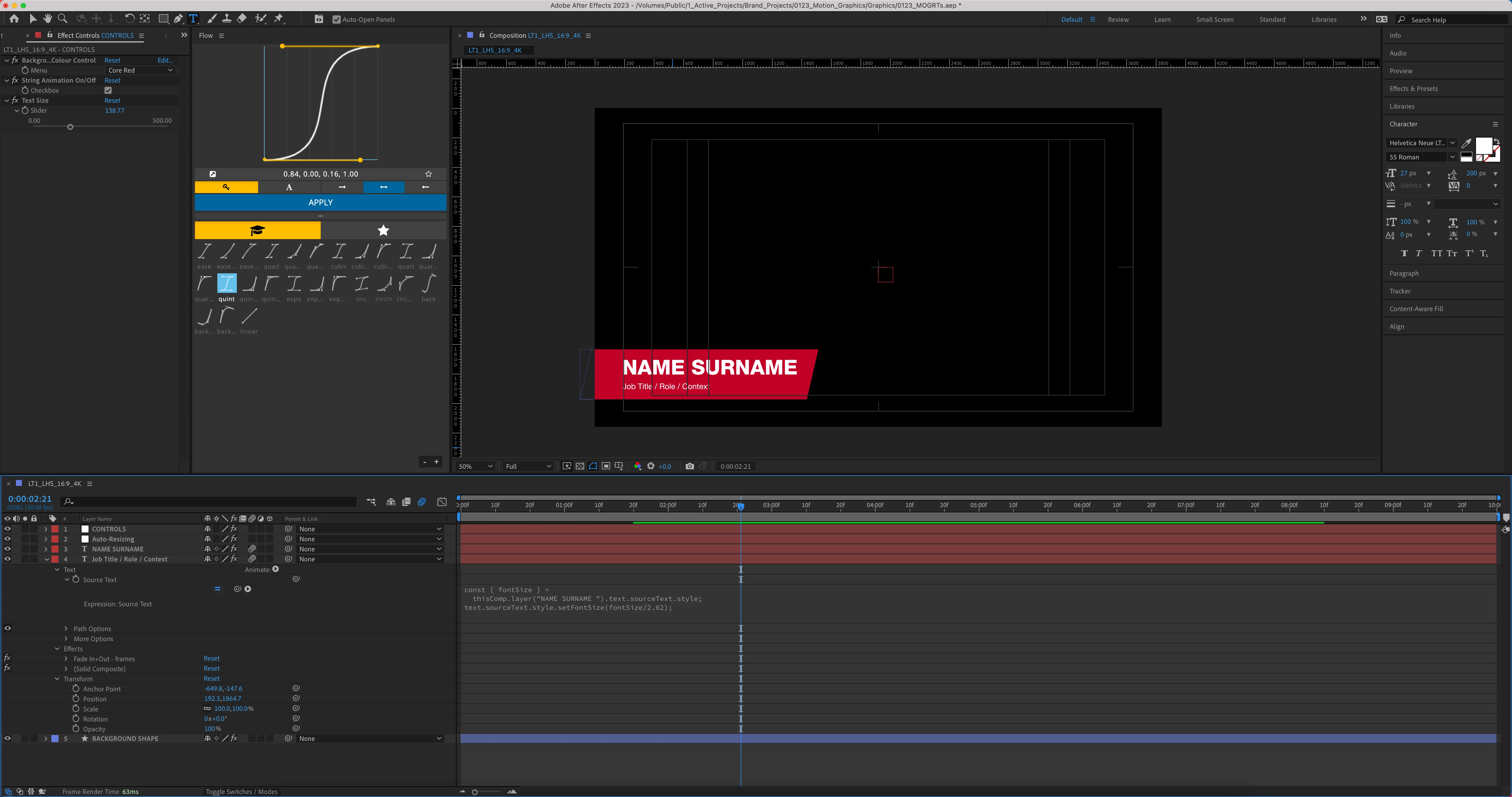


Once the slider has increased the text sizes, you can see that the space between the two is diminished. We are dividing the point size of the bold text layer by 2.62 to get the size of the second text line, which you can see as a Source Text expression.
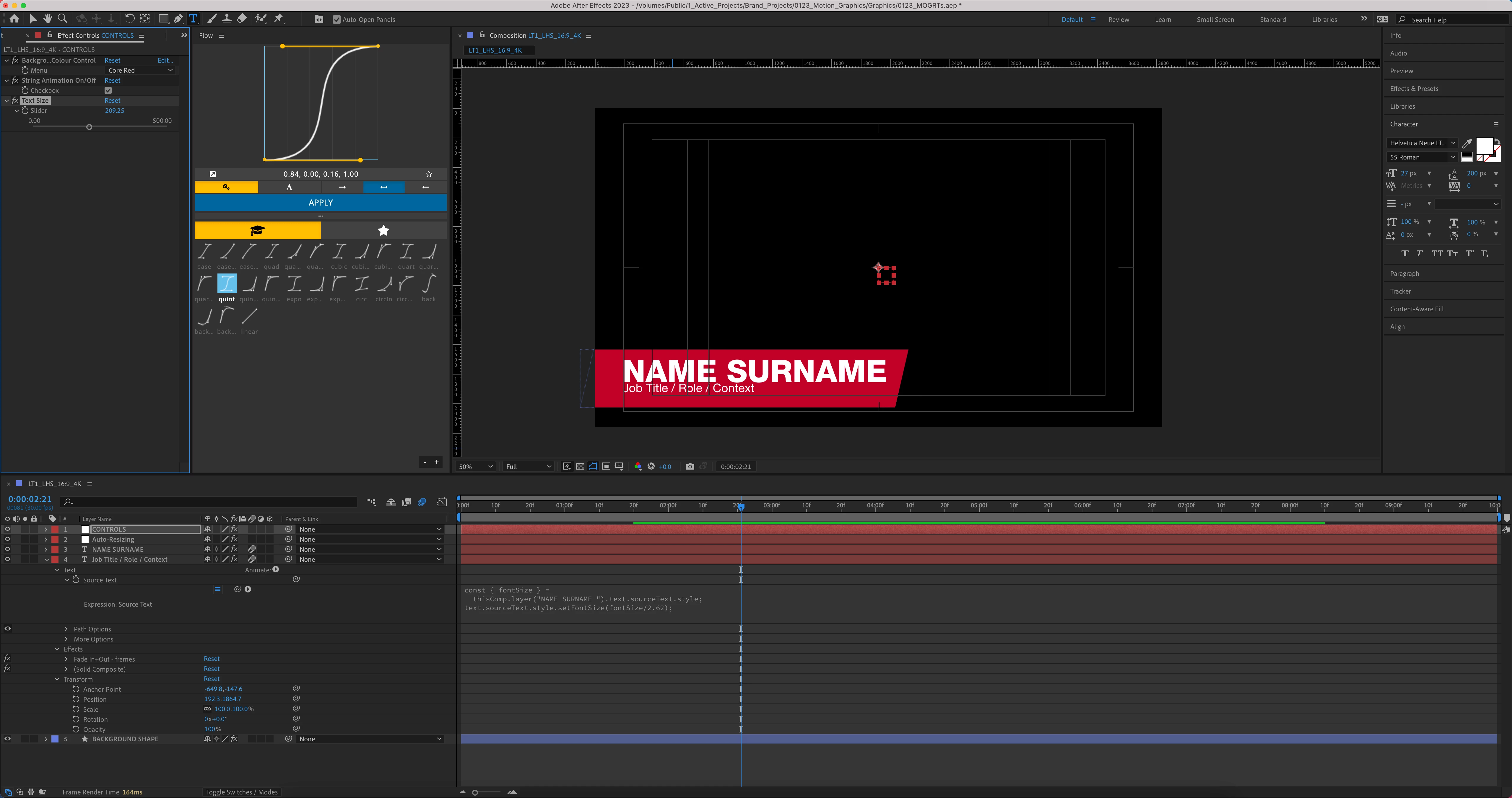


Any pointers? Thanks!

Correct answer Dan Ebberts

Like this I guess:

gap = 20;
L = thisComp.layer(index-1);
r = L.sourceRectAtTime(time,false);
x = L.toComp([r.left+r.width,r.top])[0];

r = sourceRectAtTime(time,false);
myX = toComp([r.left,r.top])[0];
value + [gap - (myX-x),0]

1 reply

Dan Ebberts
Community Expert
Community Expert
January 10, 2023

You could add something like this to the position of the bottom layer, to keep it 20 pixels from the top layer:

gap = 20;
L = thisComp.layer(index-1);
r = L.sourceRectAtTime(time,false);
y = L.toComp([r.left,r.top+r.height])[1];

r = sourceRectAtTime(time,false);
myY = toComp([r.left,r.top])[1];
value + [0,gap - (myY-y)]
Chris5EF3Author
Known Participant
January 11, 2023

Amazing! That worked perfectly. Never in a million years would we have known to do that. Cheers!