Participant
August 6, 2026
Question

Erroneous system compatibility report in 26.3.0 build 87

  • August 6, 2026
  • 2 replies
  • 8 views

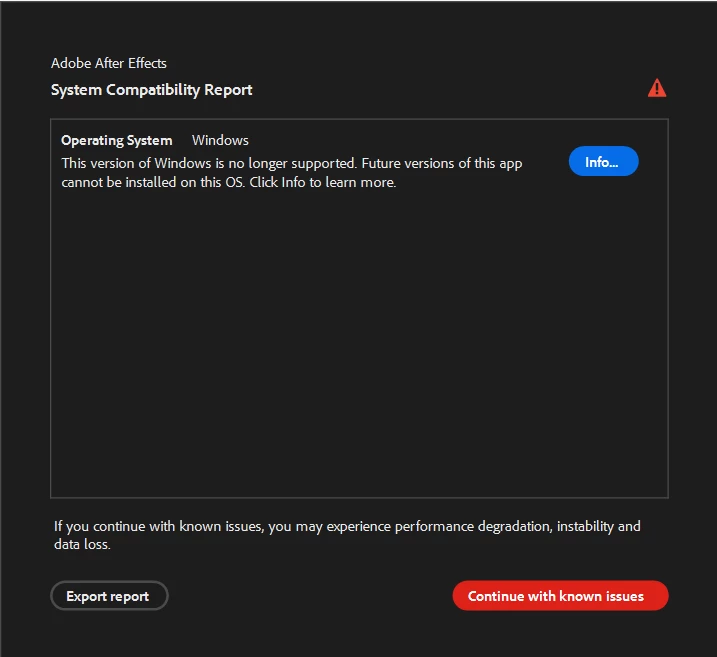
On updating AE to 26.3 and launching I got a system compatibility warning saying “This version of windows is no longer supported, future versions of this app cannot be installed on this OS.” 

When I click for more info it takes me to the Premiere system requirements page. 

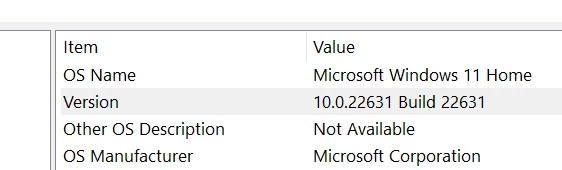
From the generated system compatibility report, my versions of Windows is being reported as 10.0.22631.1 which I believe is fully up to date.


    2 replies

    Nishu Kushwaha
    Community Manager
    Community Manager
    August 6, 2026

    Hi there, thanks for reaching out. The Windows 11 version you're on is 23H2, which isn't supported anymore. You'll need at least Windows 11 24H2 to run After Effects or Premiere on the current versions.

    That said, could you share the exact link you're taken to when you click "info" in the compatibility report? I'd like to take a look at that.

    Let me know. Moving this thread from Bugs to Questions for now.


    Thanks,

    Nishu

    Participant
    August 6, 2026

    Ah ok, thanks for explaining that - I had no idea that there was a newer version of Windows 11 available.

    It seems that version of Windows only gets installed when certain system requirements are met (although it’s not immediately clear what these are), so I’ll need to do some investigation into what my options are. 

    This is where the link took me:  https://helpx.adobe.com/premiere/desktop/get-started/technical-requirements/adobe-premiere-pro-technical-requirements.html