2 replies

Participant
February 28, 2018

I had the same problem with Trapcode presets.

The problem is the permissions with the AE folder in OSX. Change permissions for everyone to "read and write" and then "apply to enclosed items"

Ramnaider
Participant
July 30, 2020

I did that (since I also have Trapcode Particular), but the error still seems to be popping up. It did go further when opening the project though, but the dialogue still shows...

foughtthelaw
Inspiring
May 12, 2017

what plug-ins are in use in the project?

Inspiring
May 12, 2017

Wouldn't it be nice if AE told you what plug-ins giving the error?

Well, according to Generate Report, I'm using no plug-ins!   Does Generate Report no longer list plug-ins used?

Just putting this in here so search engines can index it:

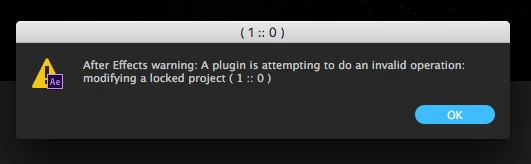
After Effects warning: A plugin is attempting to do an invalid operation: modifying a locked project (1  ::  0)

foughtthelaw
Inspiring
May 12, 2017

no you're right, if you're generating a report through the collect files prompt it'll list plugins.

dumb idea, but what happens if you import the project into a new empty one?