ottom37265283
Participant
January 26, 2018
Answered

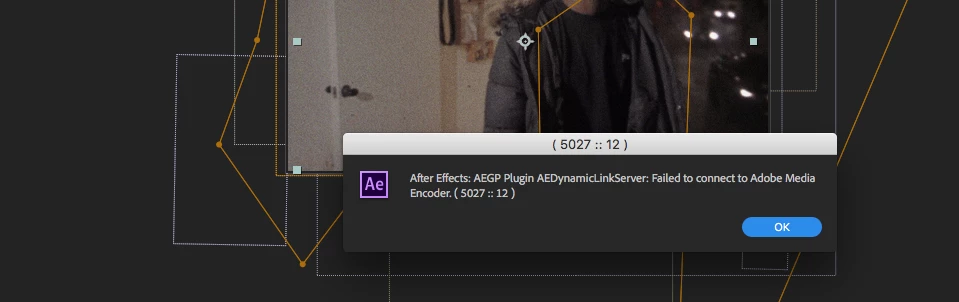
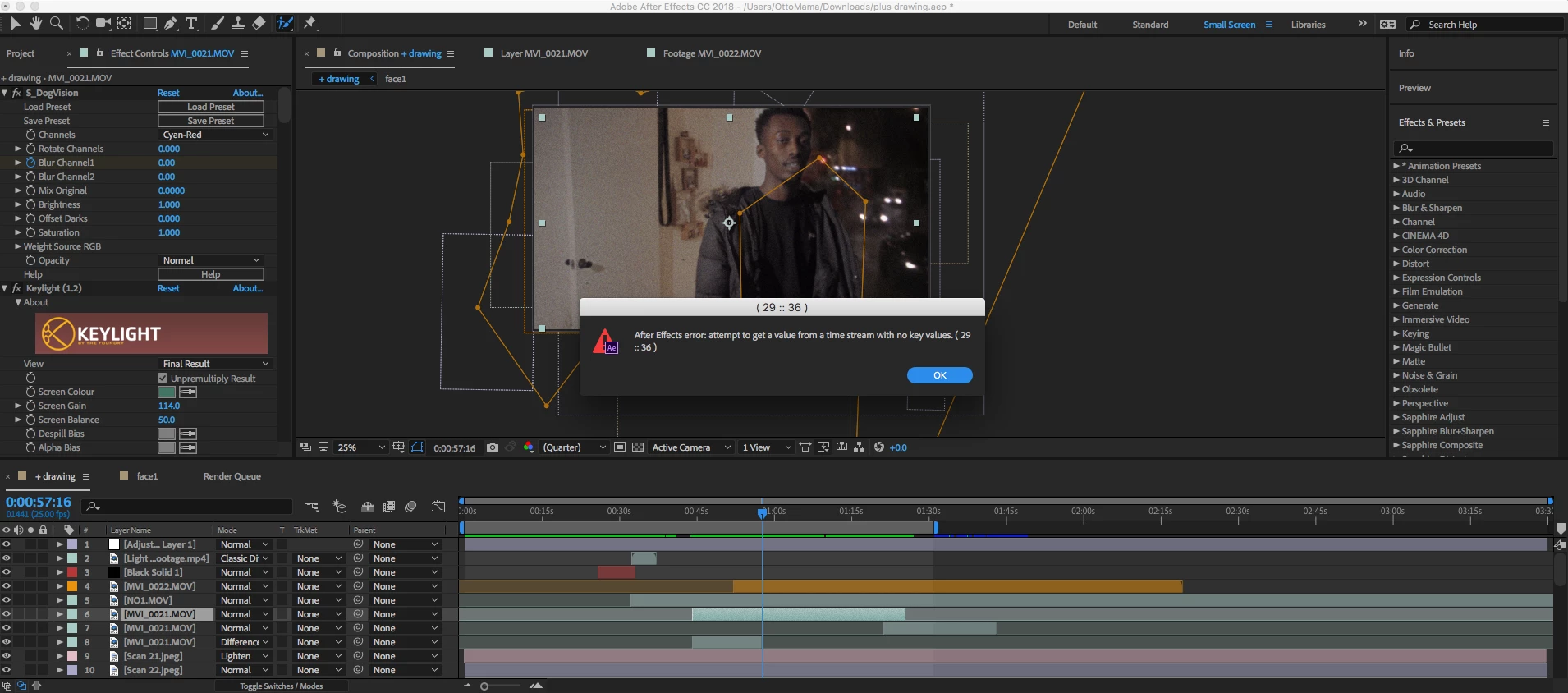
error (29 :: 36) and (5027 ::27)

  • January 26, 2018
  • 1 reply
  • 1900 views

For some reason when I try to export my project it comes up with Error (29 ::36) and (5027 :: 27). I have looked around but no-one can seem to give a good answer on how this can be fixed for a mac user. I used to use pirated after effects but recently bought the creative cloud, maybe this is part of the issue. I would really appreciate some help as I have spent over 30 hours on this project and if I lost all my work I would be heartbroken. ;(

    This topic has been closed for replies.
    Correct answer Rick Gerard

    The first thing to do is deselect all layers then press the U key twice. Now you will see everything you have modified on every layer. If the error is showing at this point start turning off layers or start at the bottom soloing layers until the error goes away. I'm with Mylenium, I think it has something to do with the movie layer with all of the effects. You should be able to isolate the cause of the problem by just turning things off like effects and masks.

    If you can't find and fix the problem post another screenshot with the modified properties of the layer that is causing problems revealed and we will take a look.

    One comment on workflow. It looks to me like you are editing a piece in After Effects. That is usually incredibly inefficient and cumbersome, especially if errors start popping up. Your comp is more than 4 minutes long and in my opinion, the only reason for a four-minute long comp is a single shot that lasts four minutes and contains an effect that also has to last the entire 4 minutes. More than 90% of my comps are under seven seconds and contain one shot. Many contain 20 or more layers and dozens of effects, but the shots are not edited into a sequence in After Effects unless there is no other way to make the transition between shots. I know that it sounds more complicated and that it would take more time but in the long run, it's actually much faster and you end up with a better product.

    1 reply

    Mylenium
    Legend
    January 26, 2018

    Might have something to do with your mask. Impossible to know. Start by setting the rendering options to Mercury Software only.

    Mylenium

    Rick GerardCommunity ExpertCorrect answer
    Community Expert
    January 26, 2018

    The first thing to do is deselect all layers then press the U key twice. Now you will see everything you have modified on every layer. If the error is showing at this point start turning off layers or start at the bottom soloing layers until the error goes away. I'm with Mylenium, I think it has something to do with the movie layer with all of the effects. You should be able to isolate the cause of the problem by just turning things off like effects and masks.

    If you can't find and fix the problem post another screenshot with the modified properties of the layer that is causing problems revealed and we will take a look.

    One comment on workflow. It looks to me like you are editing a piece in After Effects. That is usually incredibly inefficient and cumbersome, especially if errors start popping up. Your comp is more than 4 minutes long and in my opinion, the only reason for a four-minute long comp is a single shot that lasts four minutes and contains an effect that also has to last the entire 4 minutes. More than 90% of my comps are under seven seconds and contain one shot. Many contain 20 or more layers and dozens of effects, but the shots are not edited into a sequence in After Effects unless there is no other way to make the transition between shots. I know that it sounds more complicated and that it would take more time but in the long run, it's actually much faster and you end up with a better product.