


Participant
December 7, 2023
Question

Error completing render. Error code:4. How to fix?
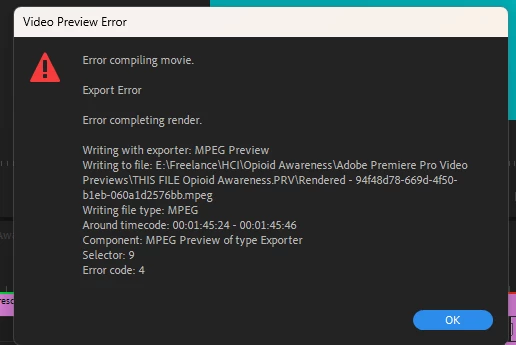

Im receiving this error while rendering my project, its on a sequence where I've dynamic linked some footage from AE. Can anyone help me fix this?

I am working in V24.0.3,  I have Media Encoder V24.0.3. and Premiere V24.0.3.

This topic is closed to new replies. Start a new post to keep the conversation going.

1 reply

Community Expert
December 7, 2023

Try opening the comp created by Dynamic Link, adding it to the Render Queue, and using the Default High-Quality setting to render a production master. Replace the DL shot in the Premiere Pro sequence and try the render again.


I always pre-render if my DLinked comps don't render faster than about 1 second a frame. When A linked comp is rendered in Premiere Pro, AE is opened in the background and the renders always take longer and are more subject to rendering problems because of resource allocation.

Translate