


Participant
Jul 27, 2022 7:31 AM UTC
Answered

Error message <BEE WorkQueue>

Hello. I get this message when I try to open a project :
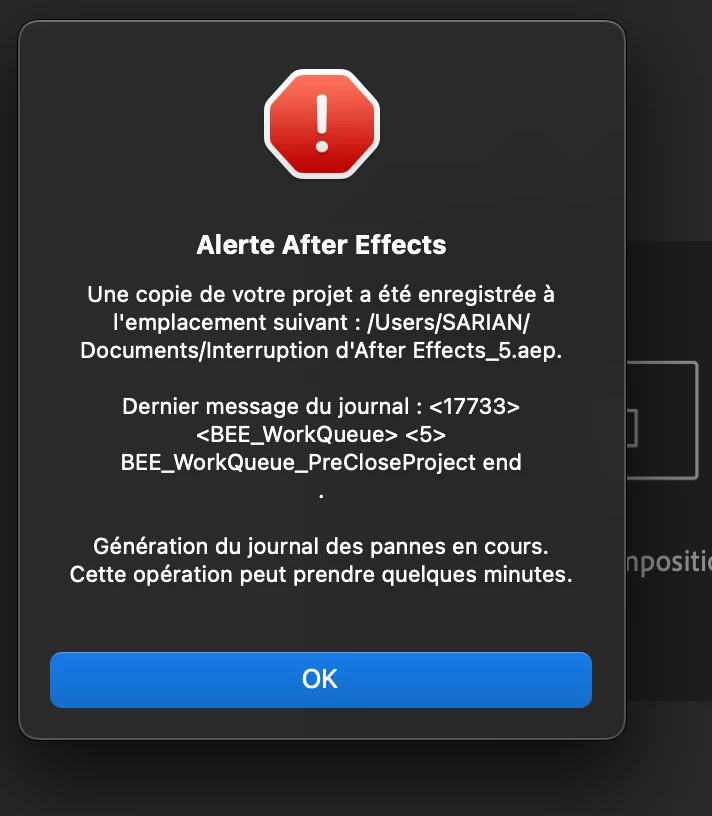
 

All aep files in this project can no longer be opened. It works fine on another imac. I have already reset preferences and reinstalled the app. Always the same. What should I do ?
This topic is closed to new replies. Start a new post to keep the conversation going.
Robin25409164zka4Correct answer
Participant
Jul 27, 2022 3:05 PM UTC

Hello Ishan.
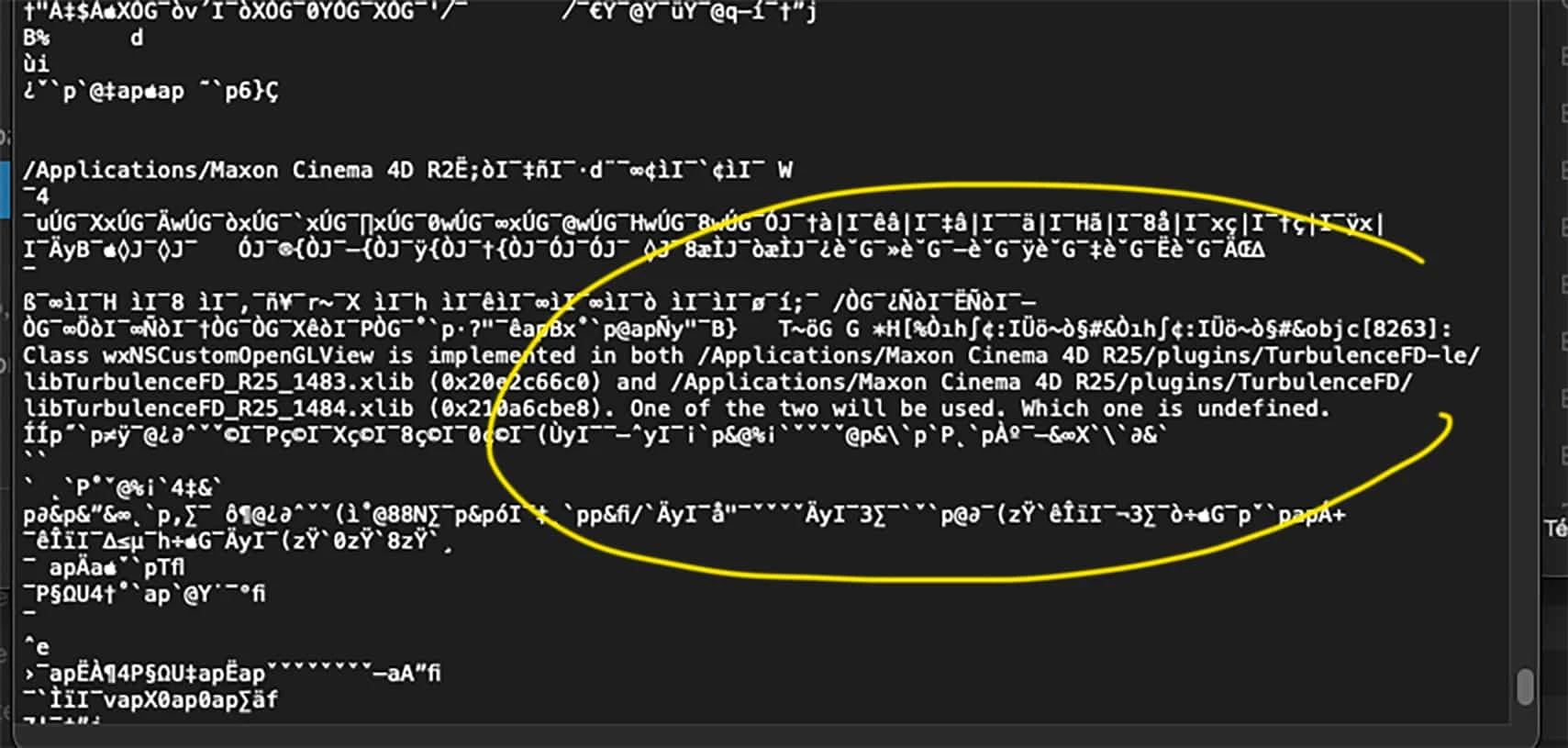
I didn't think to look at the plugins in cinema4d25, which after effects copy automatically. I had an outdated plugin for a few days that was crashing me (TurbulenceFd-le, learning edition).Thanks for your help !


5 replies

Ishan Y
Inspiring
Jul 27, 2022 2:26 PM UTC

Hey Robin25409164zka4,


Sorry about the issue. Which version of After Effects are you using? Are you using any third-party plugins? Could you share your crash log file with us? Here's how: https://youtu.be/GdvLm4cfKc0?t=51 The video is for Premiere Pro, so open the After Effects folder instead of the Premiere Pro one. We're here to help.


Thanks,

Ishan

Translate
Robin25409164zka4AuthorCorrect answer
Participant
Jul 27, 2022 3:05 PM UTC

Hello Ishan.
I didn't think to look at the plugins in cinema4d25, which after effects copy automatically. I had an outdated plugin for a few days that was crashing me (TurbulenceFd-le, learning edition).Thanks for your help !


Translate
Ishan Y
Inspiring
Jul 28, 2022 11:59 AM UTC

I see. Did updating that plugin fix your issue?

Translate