
Question
Error Message When Trying to Create Reference Frame
So I'm trying to use Content Aware Fill in After Effects and every time I try to create a reference frame I get this error message:
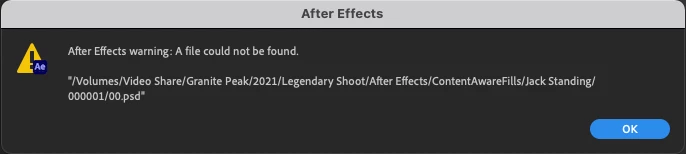
When I follow that file path, I find a .PSD right where it should be:

But, when I look in the folder within the After Effects project, there is nothing there:

I tried dragging the .PSD into that folder but that did nothing. For some reason After Effects just won't recognize the Photoshop file that it creates as a Reference Frame. The Photoshop file is created but Photoshop is not automatically opened, and going into the Photoshop file and saving it doesn't do anything either. Is there a step I am missing here? Any ideas on how to fix this?


 AdChoices