

Error rendering AE comp with Media Encoder
Hi, last few weeks I've been having trouble rendering my videos. All my apps are up to date. Usually I export it to Media Encoder which used to render without any issues, now I'm dealing with this error and I'm unable to fix it. I've attached screenshots: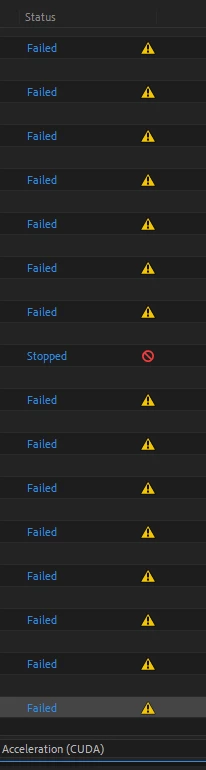
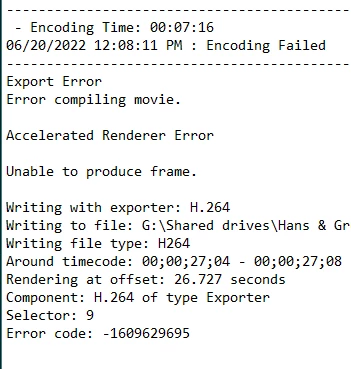
What I have tried in order to fix this:
- changed renderer types
- updated drivers
- changed video file types
- tried different projects and simply already rendered videos
- deleted disk cache
- changed output location
uninstalled AE and ME
Nothing seems to help.
Since I have a lot of motion graphics tasks which need to be rendered from AE, what I've been doing as a temporary solution is that I send files to render queue (which gives me 10-18 GB files) then I take this video and re-render it in Premiere without an issue. As I said, this solution is temporary because I simply don't have time to do this at work 10-15 times a day. So any help would be appreciated to solve this problem.
Thanks in advance ☆
 AdChoices