
Participating Frequently
June 1, 2019
Answered

Error rendering PNG sequence

  • June 1, 2019
  • 1 reply
  • 2988 views

I'm trying to render a PNG sequence and receive the following error.

AEGP Plugin PNGIO Support: PNGIO library error: profile "After Effects ICC Profile": 0h: PCS illuminant is not d50 (5027::12)
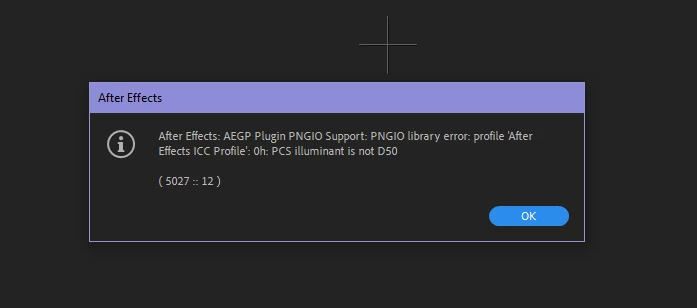
I can render other formats and sequences from the comp without problem.

Render settings are PNG sequence, RGB + alpha, Millions of Colors+ No Compression
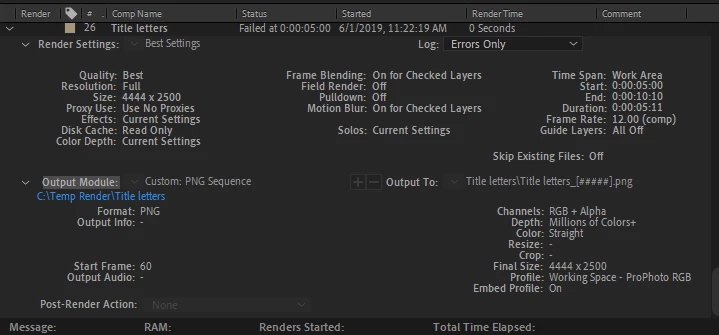
If I try to render a PNG without an alpha I get this error:
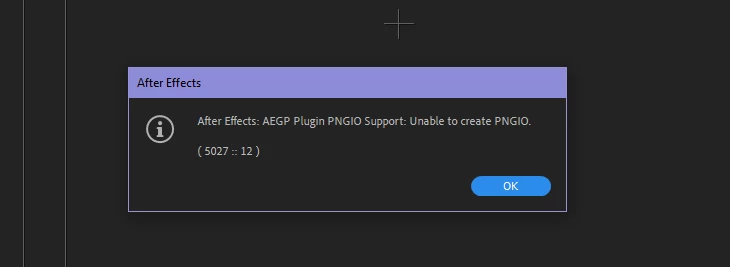
My source files are PSDs. I had a couple PNGs in the original comp but changed them to PSD when troubleshooting with no change in the error.

AE 16.1.1 (Build 4)

Windows 10Pro

Haven't been able to find anything on this specific error so thanks for any insight into this problem.

    This topic has been closed for replies.
    Correct answer Dave Merchant

    Is there a specific reason why you want to export your PNGs in the ProPhoto RGB gamut?

    1 reply

    Dave MerchantCorrect answer
    Legend
    June 1, 2019

    Is there a specific reason why you want to export your PNGs in the ProPhoto RGB gamut?

    Participating Frequently
    June 2, 2019

    Not specifically. I don't recall changing the project settings for color to ProPhoto, but I just now switched it to AdobeRGB and now it renders fine.

    Can PNGs not handle ProPhoto gamuts? I am shooting image sequences with a DSLR to make 4K and 8K animation so getting the most color info into the final output is certainly will a consideration at some point.

    Thanks! This definitely seemed to be the issue.