


Known Participant
December 9, 2021
Question

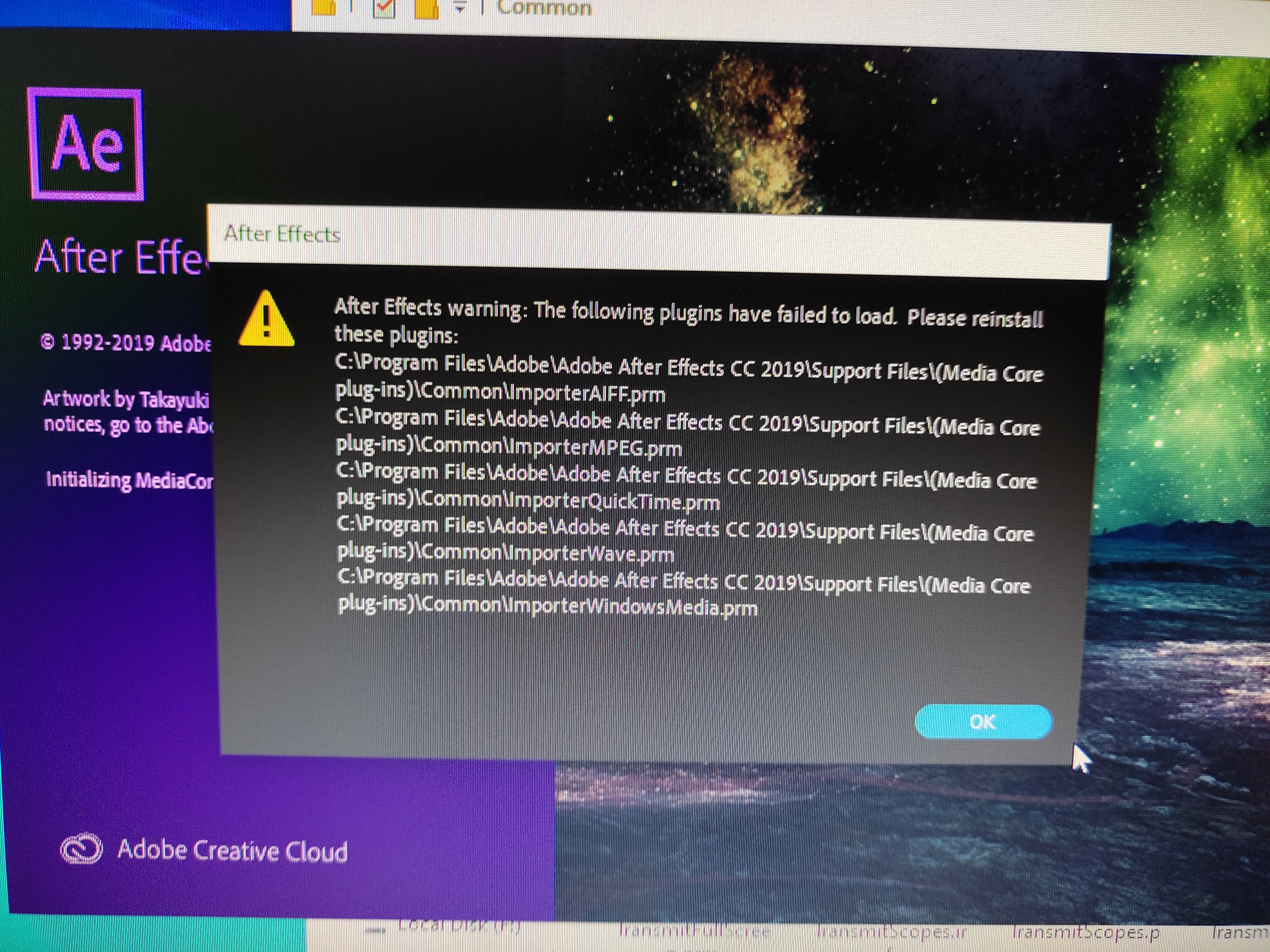
Error text message

I installed After Effects 2019 since my processor is i5 which doesn't supports Ae later versions. But when I tried running it this error message pops up. Even if I continue anyhow & am able to run it, it is working absolutely fine except the only fact that it can't import any kind of media file irrespective of whatever it maybe, just as this error code says. I opened up the source files, removed the said importer plug-in data scripts & then reinstalled them but to no avail. It's just removed the error text from appearing but the problem wasn't resolved. Any idea why this is happening & how can it be fixed?
This topic is closed to new replies. Start a new post to keep the conversation going.

3 replies

gupta shivangi
Legend
December 9, 2021

Hi there,


We appreciate you writing in. Could you test the issue after temporarily disabling the plug-ins installed?

You can do that by moving the Media Core folder from its location to Desktop. 


Here's the location: C:\Program Files\Adobe\Common\Plug-ins\7.0\MediaCore


Let us know the outcome.


Regards,

Shivangi


Translate
Known Participant
December 11, 2021

Ok, so I tried to work it out according to the instructions you had given but it was to no avail. The issue still hasn't been resolved.

Translate
Ann Bens
Community Expert
Community Expert
December 9, 2021

Moved from Premiere forum to After Effects forum.

Translate