brian704
Inspiring
May 25, 2017
Answered

Essential Graphics Panel examples

  • May 25, 2017
  • 3 replies
  • 2525 views

Does anyone know if the graphics they showed at NAB and on some of the blog posts are available as examples of what can be done with the new EGP? I have looked around the web, but don't see them. I think they would be a great learning tool - seeing how various effects were set up.

This topic has been closed for replies.
Correct answer Roei Tzoref
No - they showed several examples at NAB that are not there. One in particular had some sliders that acted almost like variables to select different images and color schemes.

you probably mean this: Create Motion Graphics templates | there are instructions to download the demo to your library. after you do that, you will see them in premiere in the essential graphics panel libraries
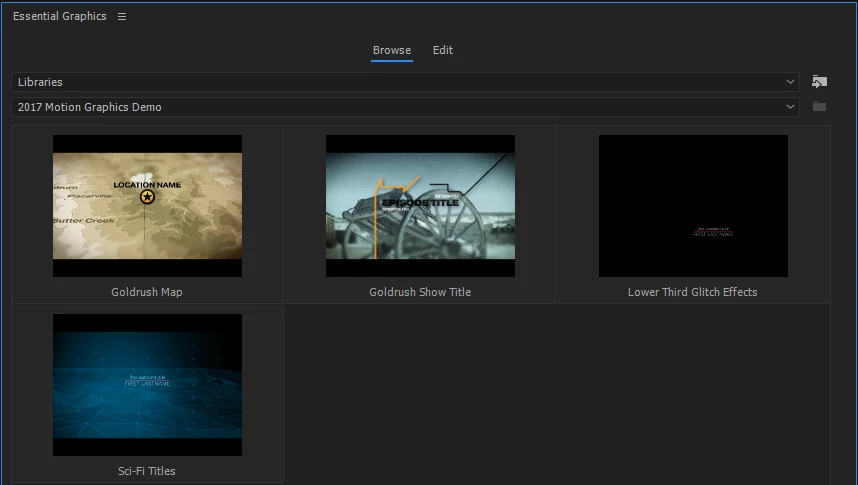
now drag one of them to an open sequence. once you do that, you will also see a source file in the project panel
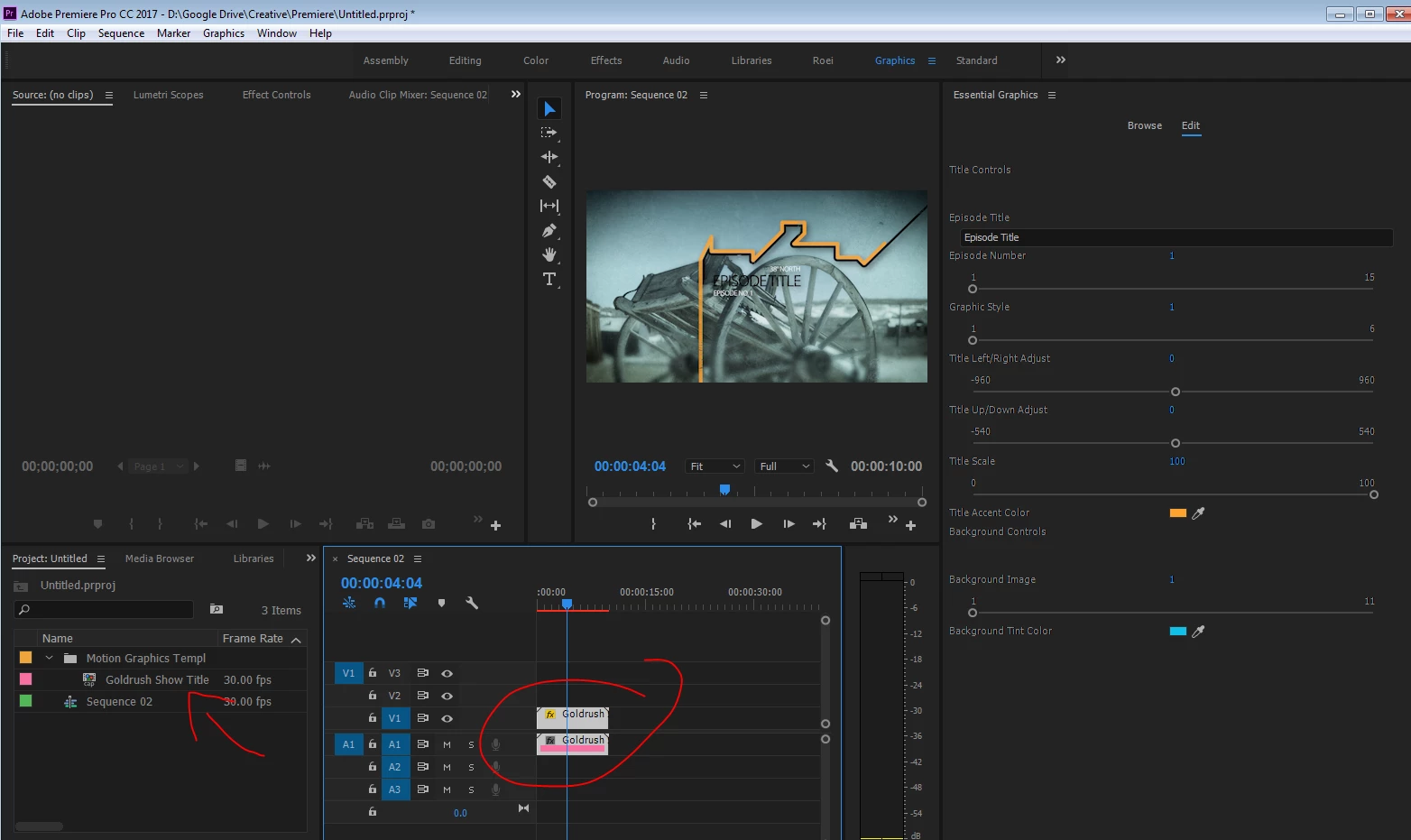
press right click->reveal in explorer and you will find the source file which is an aegraphic file
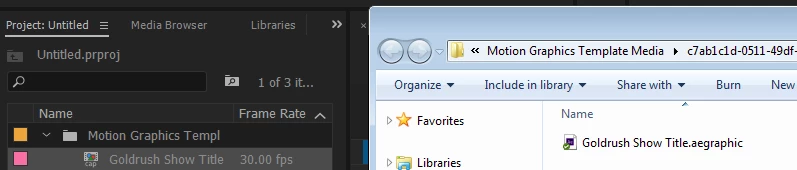
open this file with After Effects and see all the magic that's inside
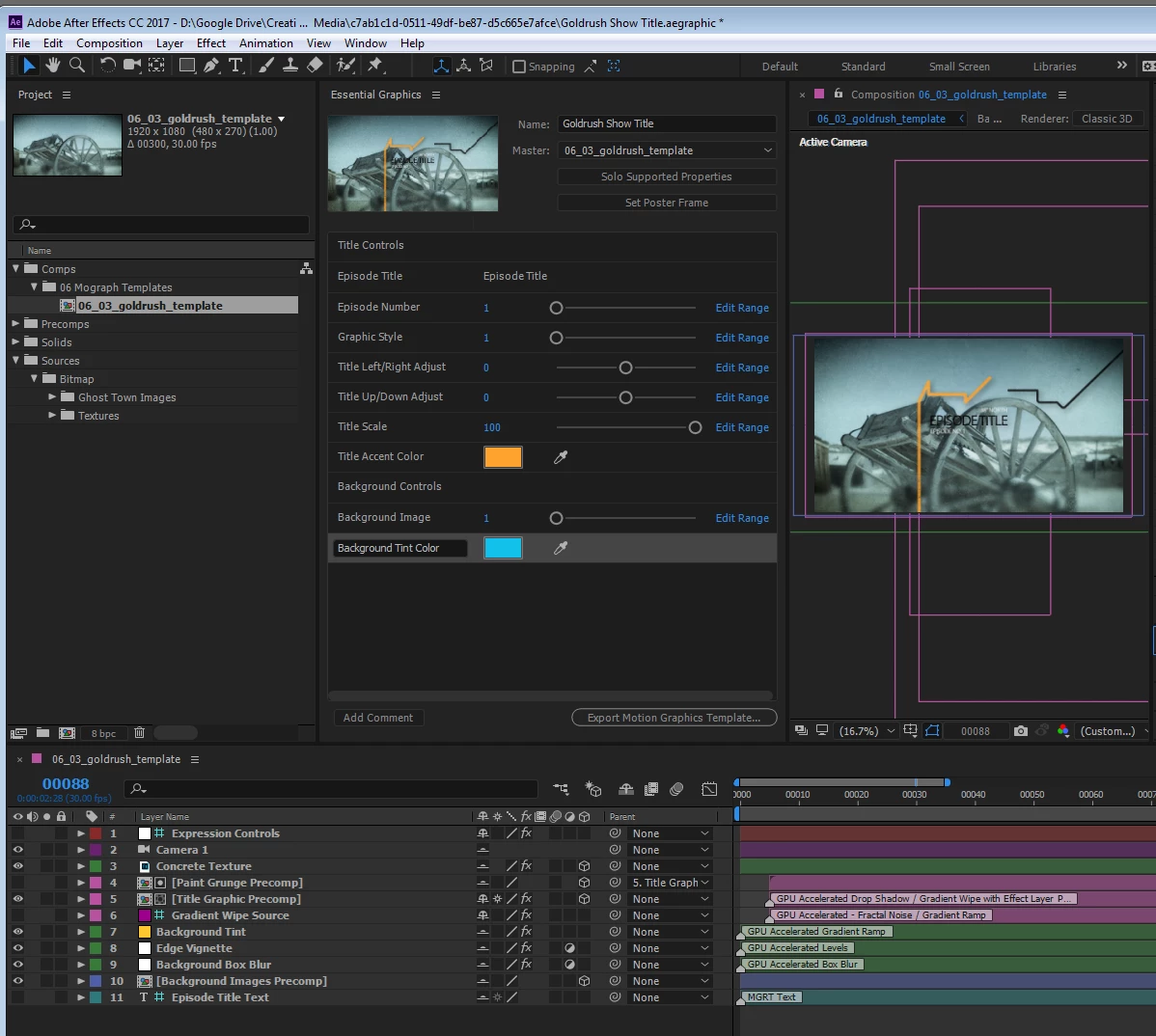

3 replies

Participant
May 26, 2017

Hi - this doesn't seem to work for me. I notice this is on windows, maybe it doesn't work on Mac? It just opens an empty project in AE.

Roei Tzoref
Legend
May 26, 2017
Hi - this doesn't seem to work for me. I notice this is on windows, maybe it doesn't work on Mac? It just opens an empty project in AE.

apparently not working on Mac. see here: Re: Cannot use Motion Graphics Demo 2017 in AE

Roei Tzoref
Roei TzorefCorrect answer
Legend
May 25, 2017
No - they showed several examples at NAB that are not there. One in particular had some sliders that acted almost like variables to select different images and color schemes.

you probably mean this: Create Motion Graphics templates | there are instructions to download the demo to your library. after you do that, you will see them in premiere in the essential graphics panel libraries

now drag one of them to an open sequence. once you do that, you will also see a source file in the project panel

press right click->reveal in explorer and you will find the source file which is an aegraphic file

open this file with After Effects and see all the magic that's inside

brian704
brian704Author
Inspiring
May 26, 2017

Those are exactly the ones I was looking for - Thanks!

foughtthelaw
Inspiring
May 25, 2017

if you load the essential graphics panel in Premier you should be able to see samples.

brian704
brian704Author
Inspiring
May 25, 2017

No - they showed several examples at NAB that are not there. One in particular had some sliders that acted almost like variables to select different images and color schemes.