Participant
July 21, 2022
Question

Essential Graphics - Rotating creates lines through graphics

  • July 21, 2022
  • 2 replies
  • 92 views

I have a pre-comp with a lion character in it. If I rotate the head of the lion within the pre-comp, everything is fine.
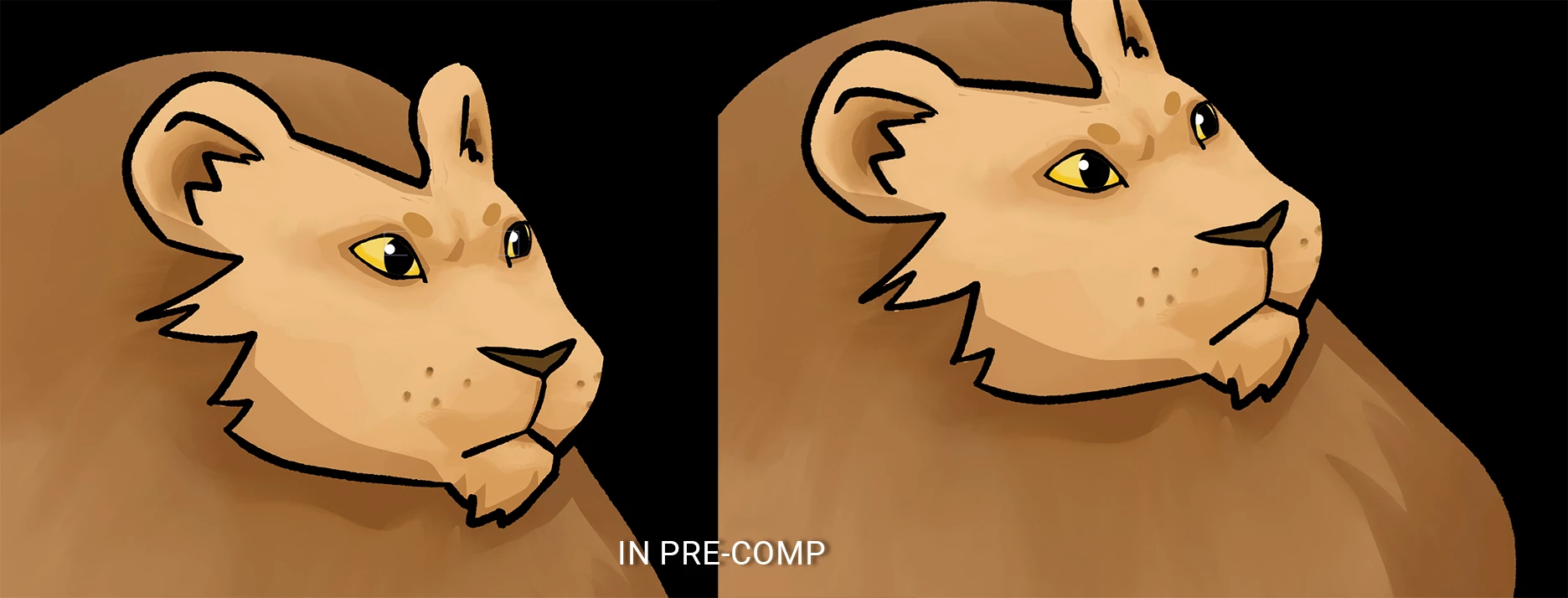
However, when I go into the main comp and rotate the head using the essential graphics panel, I get these lines where the background shows through.
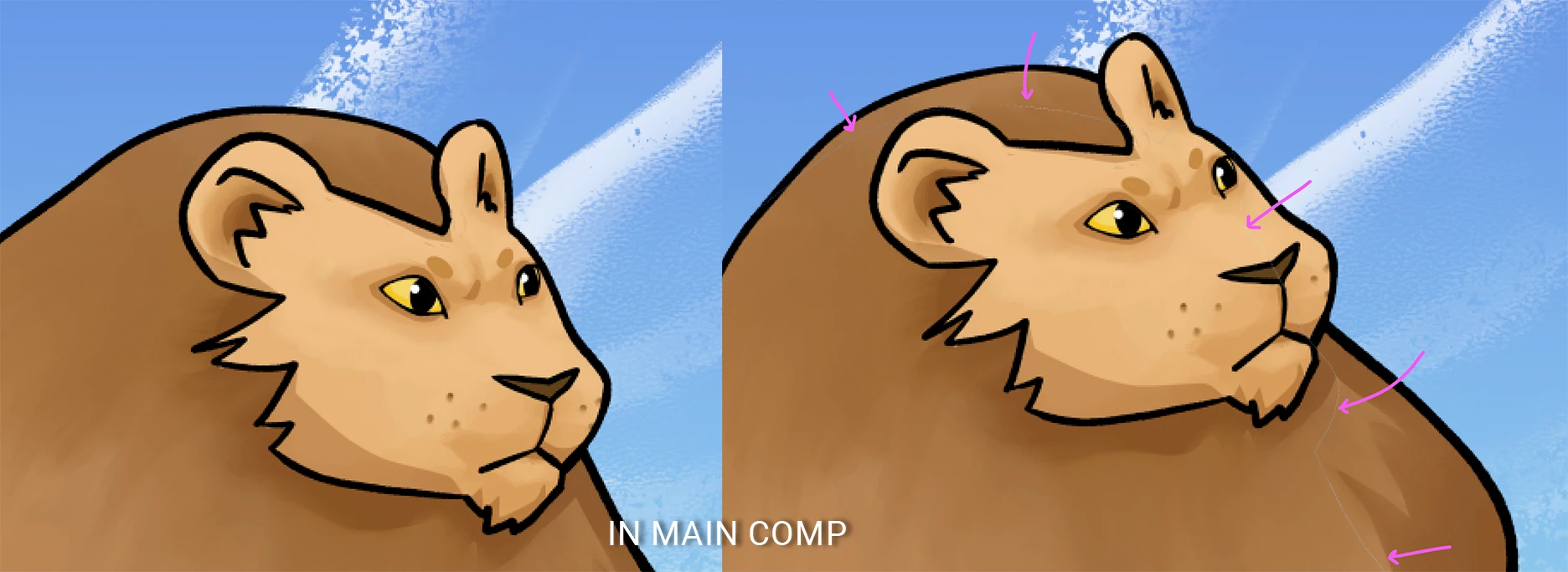
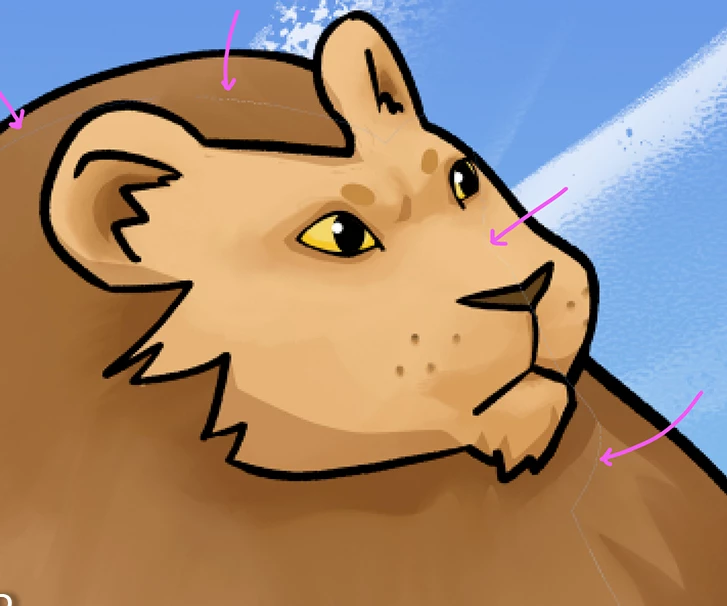
The lines appear right at the edge of where the default position of the lion was.


Thanks in advance for any help!

This topic has been closed for replies.

2 replies

Participant
July 22, 2022

I found the problem. I had used the puppet tool in the main comp to move his tail, and that was causing the issue. I moved the puppeting to within the pre-comp, on the individual layer of that artwork, and all is well now. Thank you.

Community Expert
July 21, 2022

Try changing the blend mode of the nested comps to Alpha Add. The lines look like antialiasing you get with straight alpha.


You should also try rendering a frame (Composition/Save Frame as Photoshop Layers) and check to ensure that the problem exists in the render. Saving a single PSD is faster than rendering a few frames, but that would also verify if you are only seeing a preview problem caused by a scaled comp view.