
[Essential Graphics][Stuck with JavaScript][Sadness]
After Effects newbie here. Feel free to correct me 🙂
What I'm trying to do:
a) Create an Essential Graphic that allows me to drop different amounts of text in it and to animate the vertical position of the textbox based on the amount of text I have. 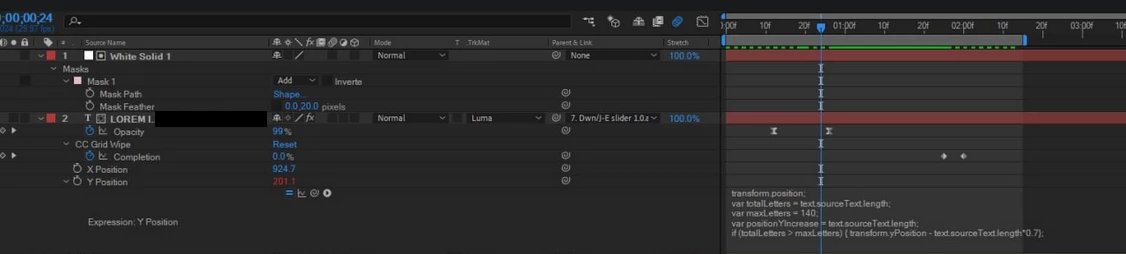
Since Essential Graphics template does not allow to keyframe things, I have to somehow automate the scrolling amount and scrolling speed of the text box (maybe I should use responsive markers for the latter part, not sure).
What I came up with:
I referenced this and this to come up with this:
var totalLetters = text.sourceText.length;
var maxLetters = 140;

if (totalLetters > maxLetters)
  {
    var pos1 = transform.yPosition.key(1).time;
    var pos2 = transform.yPosition.key(2).time;
    var ffs1 = transform.yPosition.valueAtTime(pos1);
    var ffs2 = transform.yPosition.valueAtTime(pos2);
    ffs2 = ffs1 - totalLetters*0.7;
    }
1.The problem is, it does not seem to store the yPosition of the keyframe properly and ends up doing basically nothing.
2.And the second part that I have no idea how to solve with a script, is the part where I need to come up with a way to calculate correctly the amount of pixels the textbox needs to move in order to always keep 140 letters displayed and not just have them slide into a weird position (hope you understand what I mean by it). Basically, the scrolling needs to stop if there's less than 140 letters displayed.
ffs2 = ffs1 - totalLetters*0.7;
Any suggestions and solutions would be much appreciated 🙂
 AdChoices