
Participating Frequently
July 30, 2021
Question

Essential Properties displaying different time codes

  • July 30, 2021
  • 2 replies
  • 490 views

I'm having problems with a comp I set up with several Essential Properties. In the screenshot, I've got identical text objects with the same Expression showing different results for the main comp time. One is correct, the other isn't. The text layers in the EP comp are identical, with expressions for position and opacity but not Source Text. Problems started when keyframing the Source Text didn't work. Bad craziness. Thoughts from the dev team, or anyone else, are appreciated.
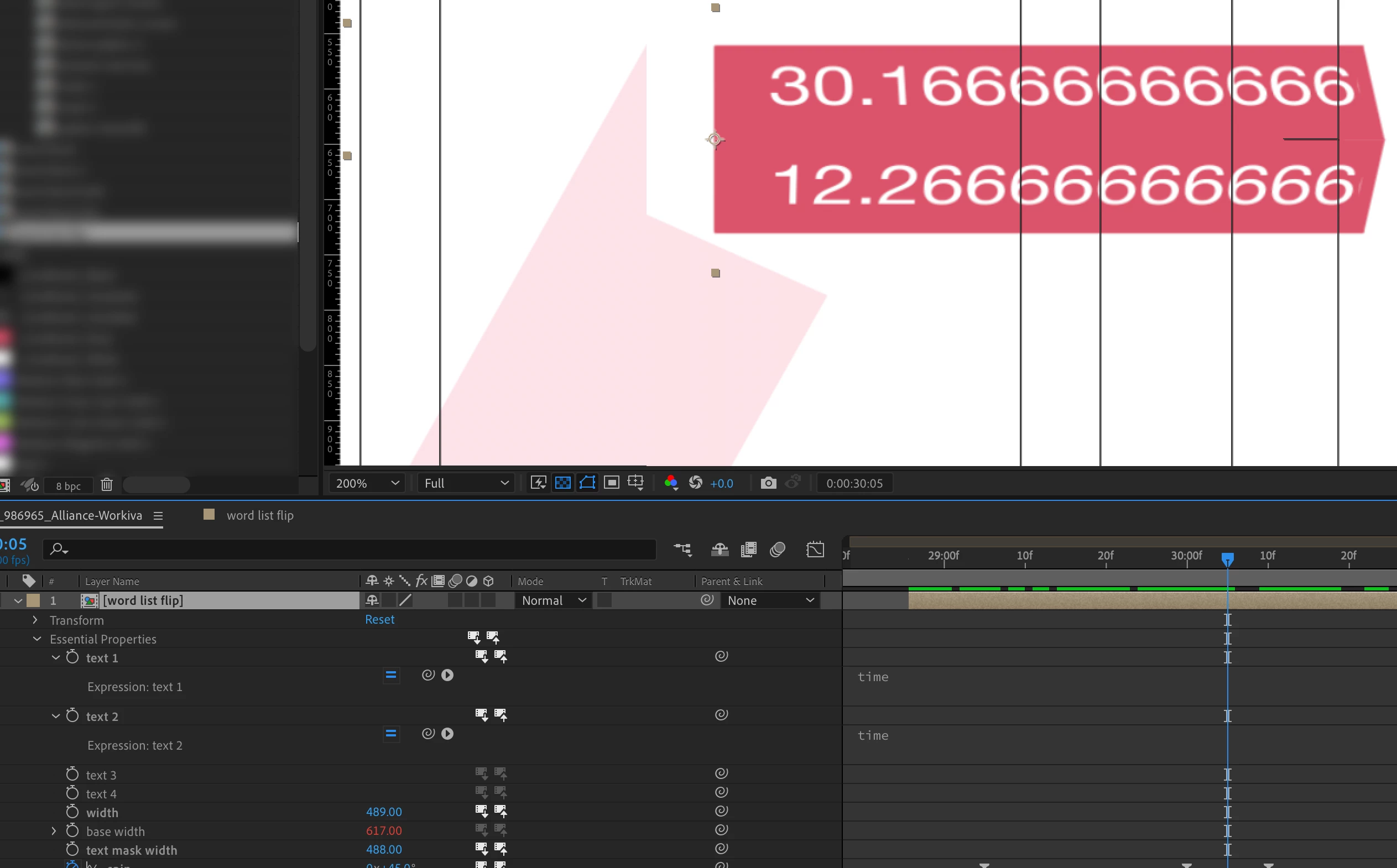
This topic has been closed for replies.

2 replies

Mathias Moehl
Community Expert
Community Expert
July 31, 2021

This in deed looks strange. Like Rick I also suspect that it is related to time offsets inside precomps.

To figure out what goes wrong, ideally you first try to create a minimal example. So remove all unnecessary layers etc until you just have in your project what is absolutely necessary to create the issue. Maybe on the way to create the minimal example, you already notice what causes the trouble (if you remove something and then it starts working). If not, it is very helpful to attach such a minimal example to a bug report such that the dev's understand the issue much better.

Mathias Möhl - Developer of tools like BeatEdit and Automation Blocks for Premiere Pro and After Effects
Participating Frequently
August 9, 2021

Thanks, I did try to reproduce the issue, but of course I couldn't. In my experience precomps can 'go bad' if there's some heavy scripting+EssentialProps driving them. The best thing about AE is, there's always another way to do it.

Community Expert
July 30, 2021

You need to be showing us the entire workflow, maybe the flow chart. We have no idea where the text 1 and text 2 properties are pointing. If the layers are at different times in the nested comp, then the times could be different. It all depends on how you tied those fields together.

Participating Frequently
July 30, 2021

The text layers don't have different inPoints inside the subcomp. Everything starts at zero. The text layers have their Source Text exposed in Essential Properties, and that's it.


Plus, the subcomp is only 15 seconds long, so the value of 30 shouldn't be possible from within the placed comp. But 30 is the time value from the main comp, which is how it should be, as far as I know. Additionally, I've been unable to duplicate this behavior, so it might be that the EP comp is 'contaminated.' Thanks.

Community Expert
July 31, 2021

Check the composition settings. You can start a comp's timecode anywhere. If you create a comp from the footage it can take the timecode of the footage. 


Again, troubleshooting using flow charts is very helpful.