
Every time I render a 3D project it neglects the chosen backgrounds and uses the composition color as background
Hi - I took on a project I've seen on youtube and tried to copy it, only to get odd results every time I render the video.
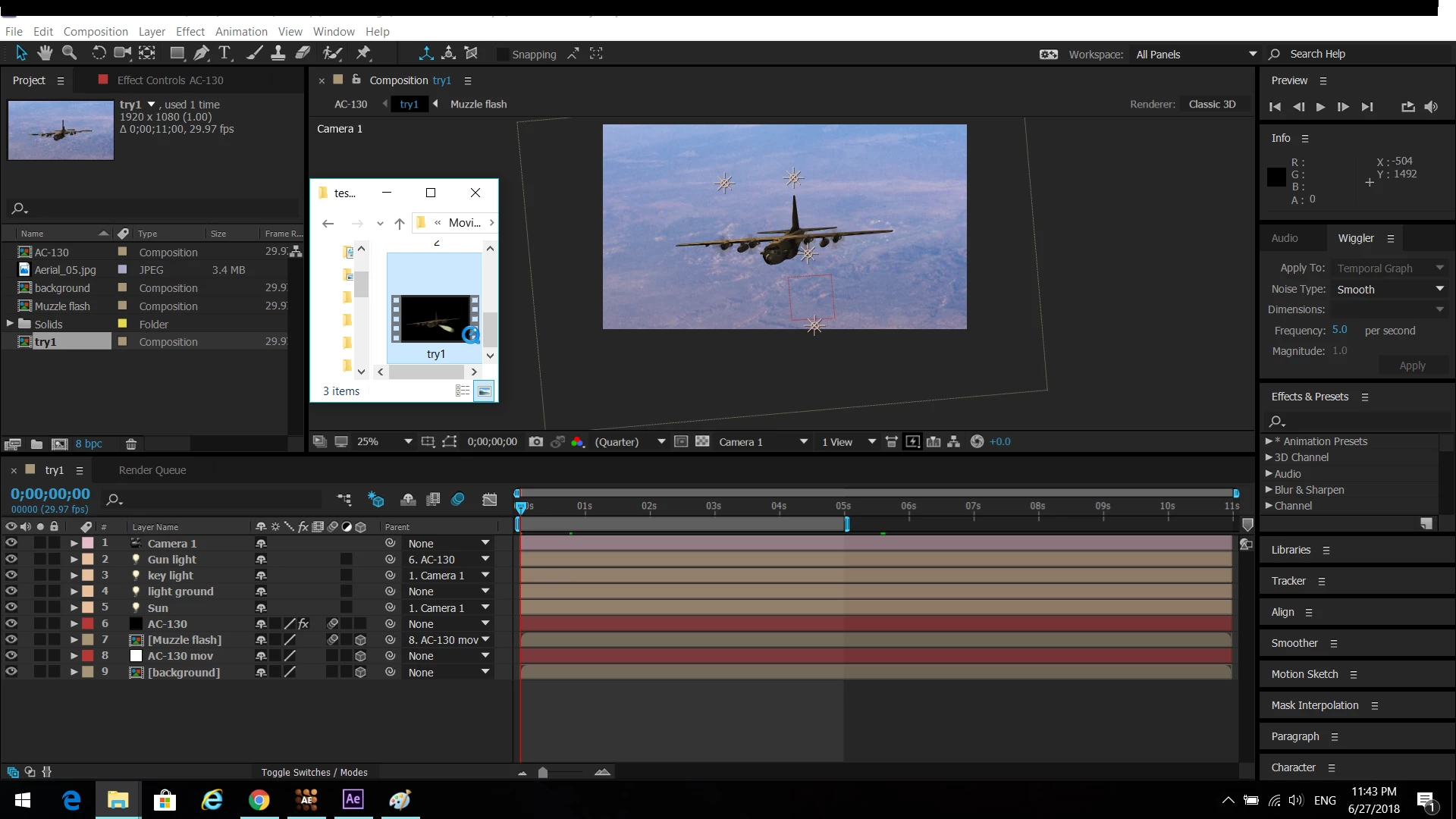
These are my components, according to an ancient question on this forum I have tried to tweak with layer placement, change camera position, etc to no avail.
Every time I render the skies are gone and "Camera 1" is neglected. I have seen the solution to thequestion was to set the main camera as "active camera" or the camera name, and I have no idea how to do that outside of the tiny slot under the preview, and that didnt work. You can get a general idea of how the finished product looks if you look at the folder I stacked upon AE. Black background with no camera movement.
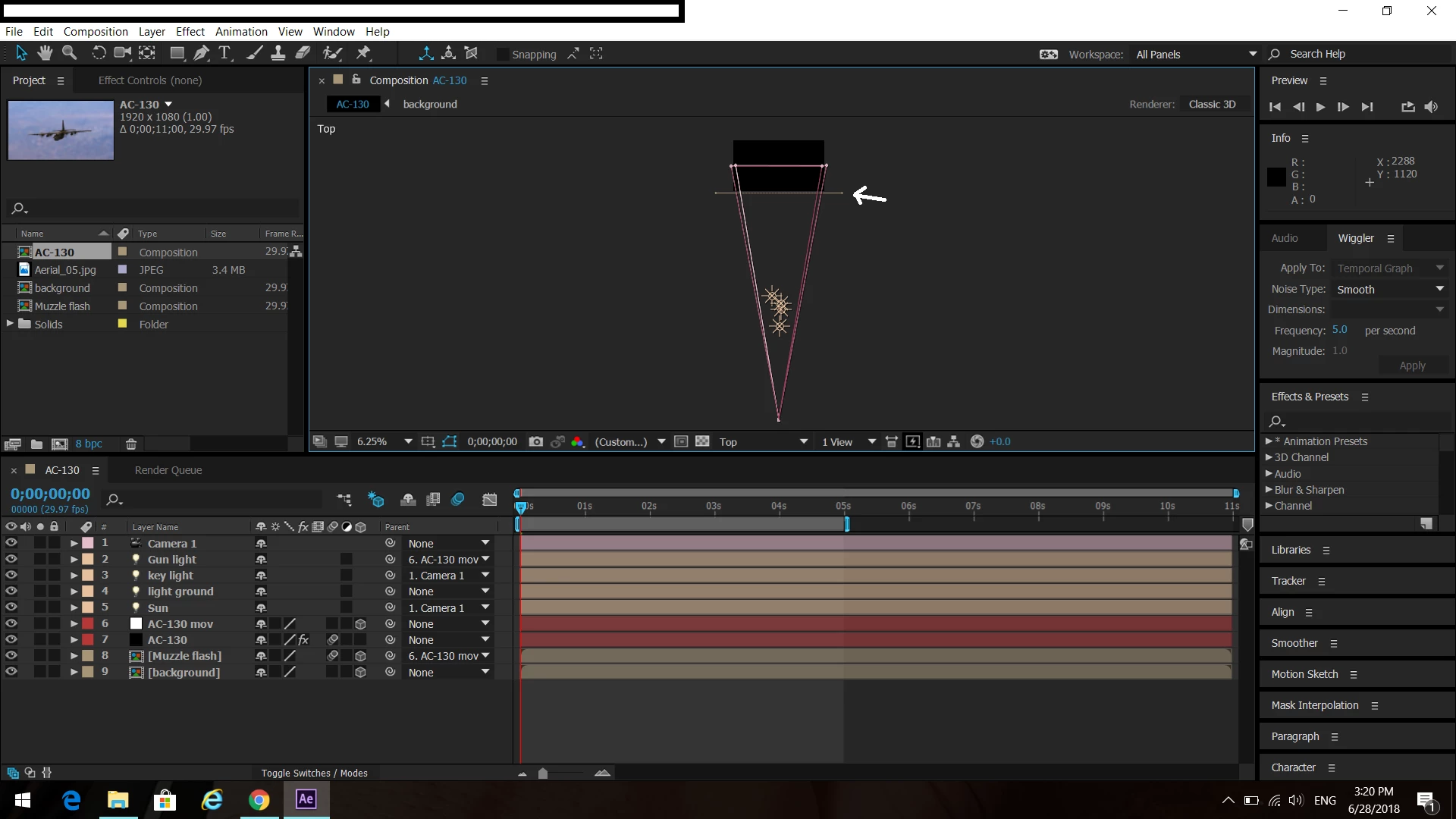
I thought it was a placement problem so I took the background before the black void ( background represnted by the white arrow ) that is the background closer to the camera, but it still rendered the same. What can I do to fix this problem?
 AdChoices