


Evolutive animation through sliders
Hi there!
I'm trying to create a mogrt that highlights a word in a text layer by changing its colour and scale, following the rhythm of the speaker's speech. Basically I want the word to be highlighted when the person is saying it.
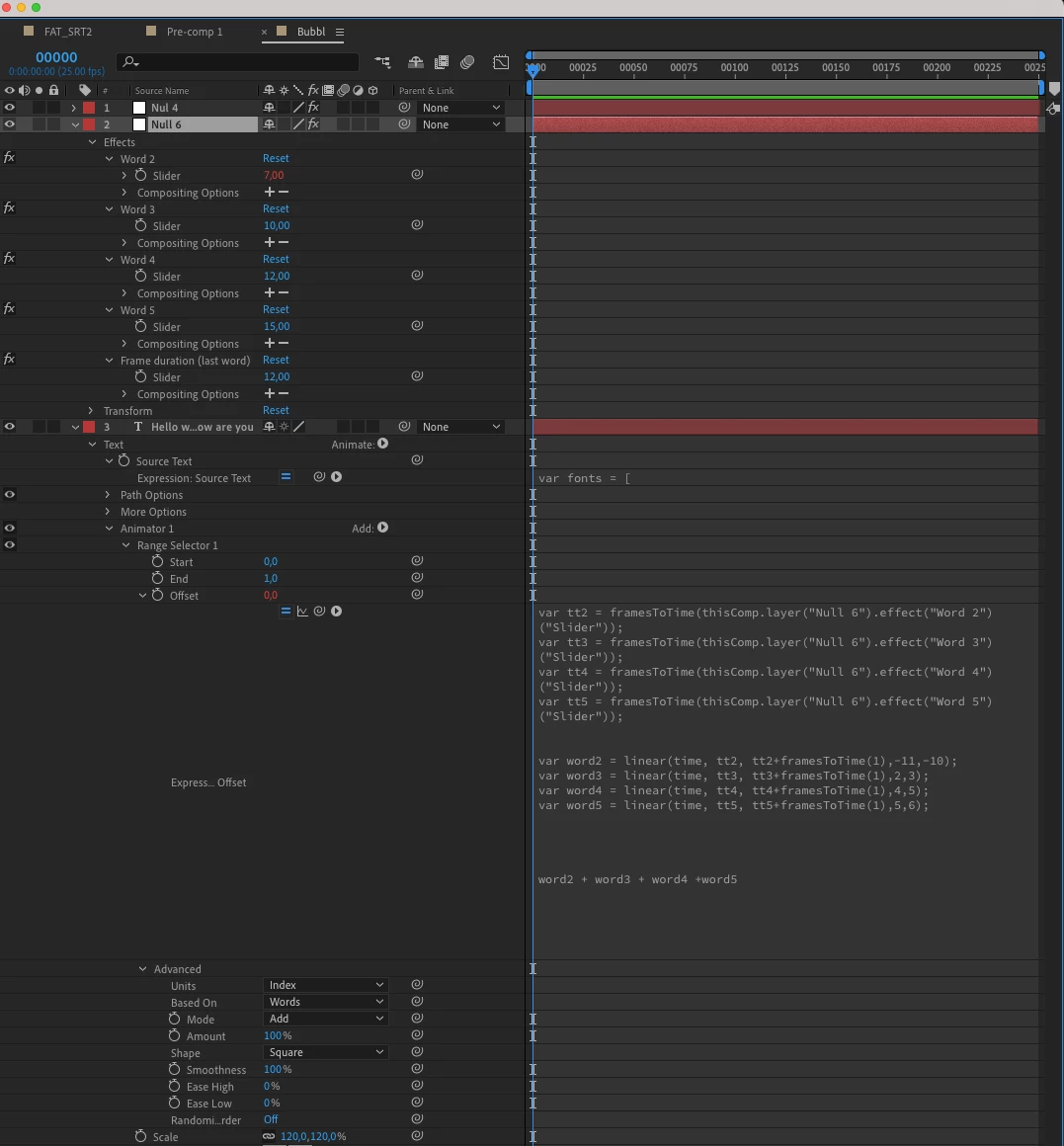
My idea is to use 1 slider per word and use its value to determine the frame where the animation will start (if I want the highlight to go from the first word to the second at the 15th frame, I just have to set my 1st slider to 15).
So I added a scale and colour animator to my text layer and set the start to 0 and the end to 1.
Then I wrote this expression in the offset section:
So, I added a scale and colour animator to my text layer and setted start to 0 and end to 1.
Then, I wrote this expression in the offset section :
var tt2 = framesToTime(thisComp.layer("Null 6").effect("Word 2")("Slider"));
var tt3 = framesToTime(thisComp.layer("Null 6").effect("Word 3")("Slider"));
var tt4 = framesToTime(thisComp.layer("Null 6").effect("Word 4")("Slider"));
var tt5 = framesToTime(thisComp.layer("Null 6").effect("Word 5")("Slider"));
var word2 = linear(time, tt2, tt2+framesToTime(1),-11,-10); // I don't why it doesn't work if I put "0,1" in my value section
var word3 = linear(time, tt3, tt3+framesToTime(1),2,3);
var word4 = linear(time, tt4, tt4+framesToTime(1),4,5);
var word5 = linear(time, tt5, tt5+framesToTime(1),5,6);
word2 + word3 + word4 +word5;
It works fine in AE, but everything goes wrong when I use it as a mogrt in Premiere. Animations do not trigger at the timecode I want and they all take 2 frames to play instead of 1 as they should.
Can anyone help me? I really don't understand what's going on.
Thanks a lot!
 AdChoices