
Participant
November 18, 2021
Answered

Export adds offset

  • November 18, 2021
  • 1 reply
  • 258 views

Hello community!

I'm relatively new to AE and amazed about the possibilites. Actually I'm about to learn how to add 

"scribble glow" effects. Everything works and looks good as long as I am in AE:
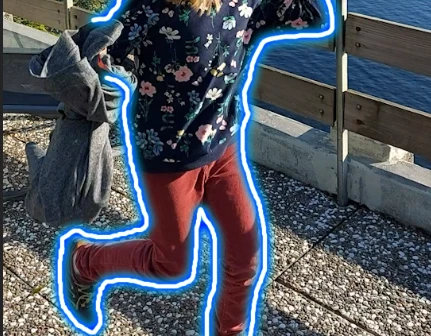
But exporting (export > add to media encoder queue, H.264, match source) adds some kind of offset between the video and the glowing lines:
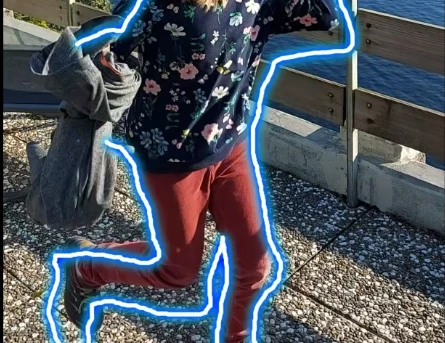
What could be causing this? Any help is appreciated.

I already cleaned the cache and tried different export settings without success. 

This topic has been closed for replies.
Correct answer who_is_csr

Oooh, I accidentally found the solution.


I had some additional (turned off, i.e. hidden) layers in the project. By deleting them, the offset in the exported video is (strangely enough) gone. 

1 reply

who_is_csrAuthorCorrect answer
Participant
November 18, 2021

Oooh, I accidentally found the solution.


I had some additional (turned off, i.e. hidden) layers in the project. By deleting them, the offset in the exported video is (strangely enough) gone.