

mikesgroi21
Participating Frequently
June 28, 2024
Answered

Export Motion Graphic Template is greyed out in After Effect

  • June 28, 2024
  • 1 reply
  • 216 views


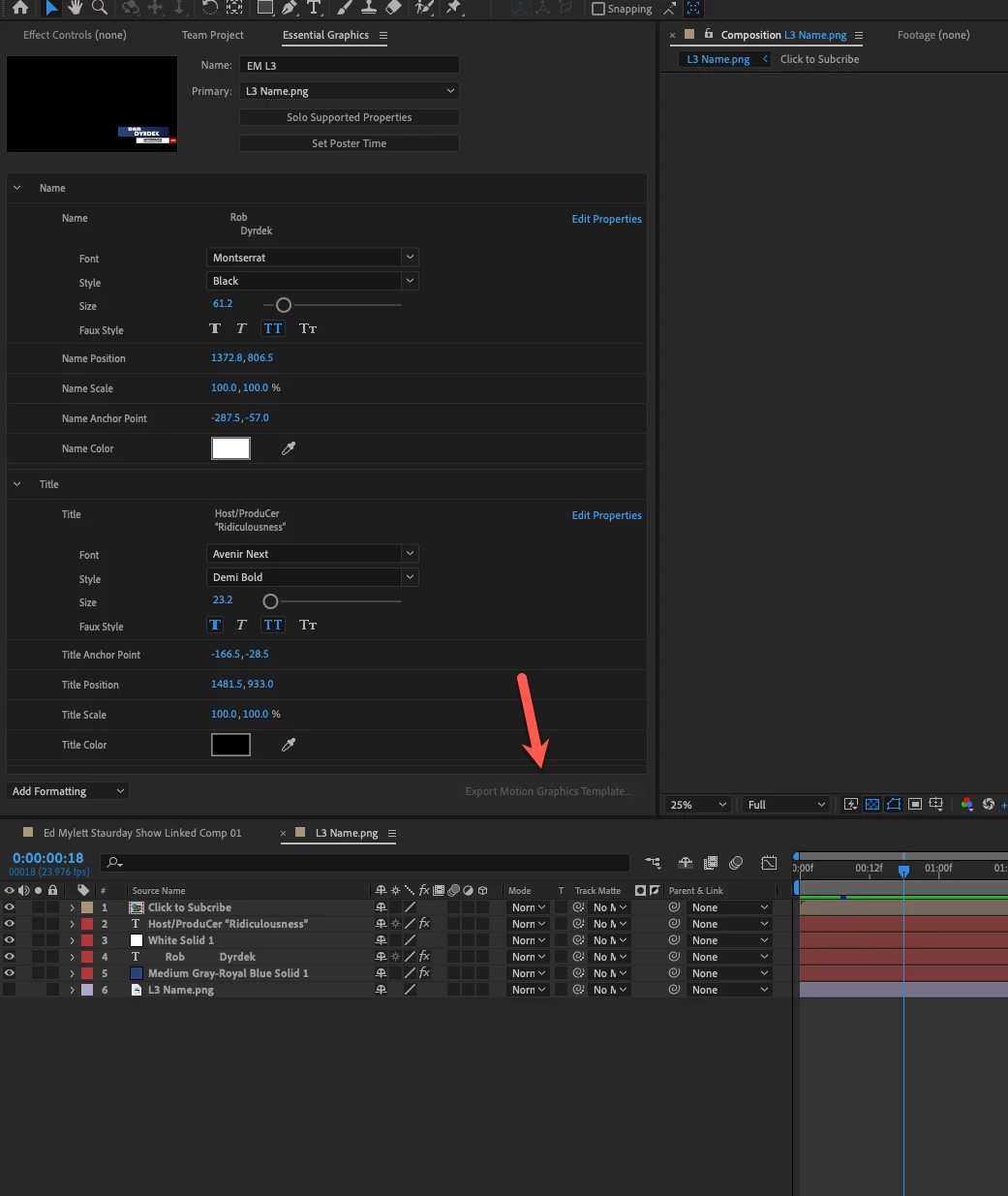
I created a MOGRT in AFter Effects for a Teams project but it's not letting me export this as a MOGRT.


Any ideas as to how to fix this?


See screen shot below:

Export Motion Graphic Template is greyed out in After Effect
This topic has been closed for replies.
Correct answer Theresa Rostek

Hi @mikesgroi21,


Unfortunately, mogrts have not been implemented for export with Team Projects.


You can convert your Team Projects to a local Adobe After Effects Project (.aep). Select Edit > Team Projects > Convert Team Project to Project. From your AEP, export your mogrt from the Essential Graphics panel.


If you have time, writing a feature request helps us out!


Cheers,

Theresa

1 reply

Theresa Rostek
Community Manager
Theresa RostekCommunity ManagerCorrect answer
Community Manager
July 9, 2024

Hi @mikesgroi21,


Unfortunately, mogrts have not been implemented for export with Team Projects.


You can convert your Team Projects to a local Adobe After Effects Project (.aep). Select Edit > Team Projects > Convert Team Project to Project. From your AEP, export your mogrt from the Essential Graphics panel.


If you have time, writing a feature request helps us out!


Cheers,

Theresa