

Question
Export Problems with After Effects
- Version of the app: After Effects v23.6
- Platform and OS version: Macbook Pro M2 Max @ MacOS Ventura13.5.1
- Basic steps to reproduce the problem: Doesn't happen most of the time but there are times that it happens when I export directly to After Effects even Work Area Start is at 0:00:00:00 then exports after the 5% duration of the video. It's quite an annoying experience especially when I'm exporting a heavy project, expecting it to be a complete export and getting a video where the first part is missing.
Note: I'm always checking the IN and OUT before exporting.
Right now I encountered this again with a lower-third I'm exporting for my client.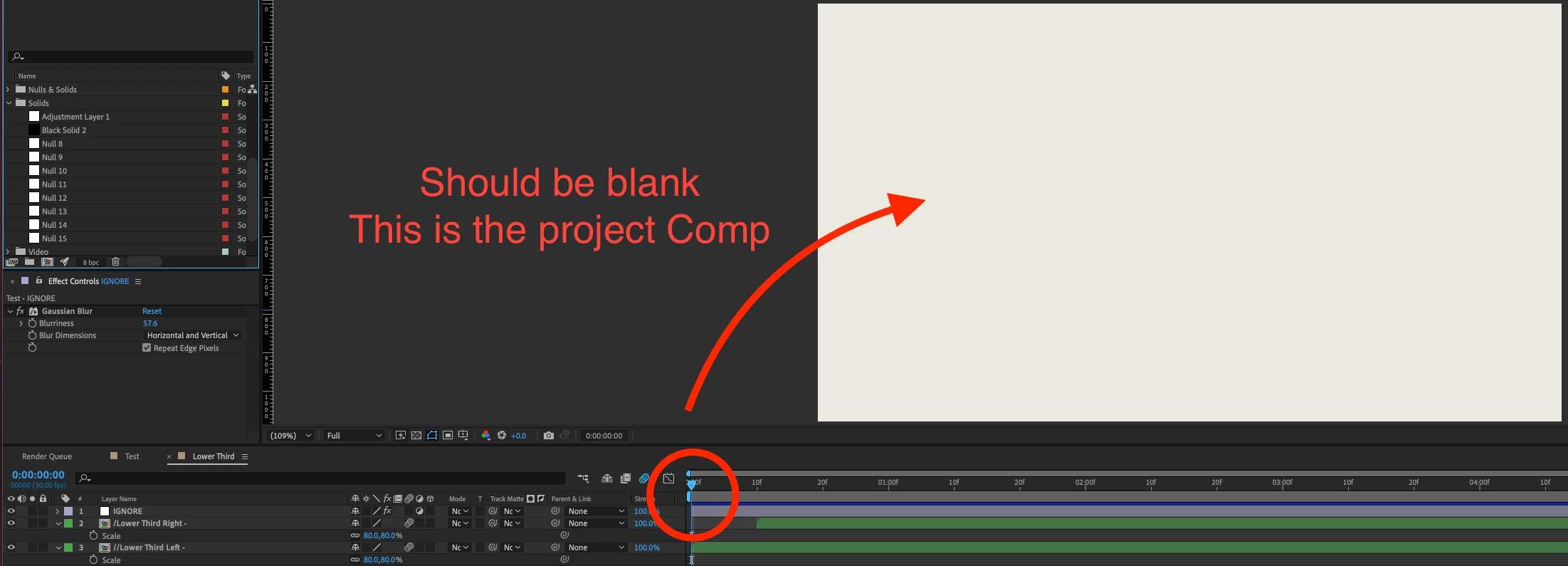 - 1st image: Before exporting
- 2nd image: Imported the MOV to my project to double-check if everything is on point and unfortunately, it isn't.
- Expected result and actual result
- Expected Result: Should be a complete export especially since I'm always checking the IN and OUT before exporting
- Actual Result: Getting an exported project with the first part of the video missing
PS: My solution for the bug (at the moment) is to export it a couple of times, OR move all the layers to another composition OR move the Work Area Start away from 0:00:00:00 then put it back to the start. It wasn't like this on previous versions and now I'm quite anxious about exporting my projects on the latest version.


 AdChoices