

Niall Crowe
Participating Frequently
October 9, 2021
Question

Export quality issues

  • October 9, 2021
  • 1 reply
  • 286 views

I have a 3 second After Effects clip that I am trying to export. When I do, my background changes to black, and some of my yellow lines turn to white. How do I export this in the same way I see it in After Effects? Thanks
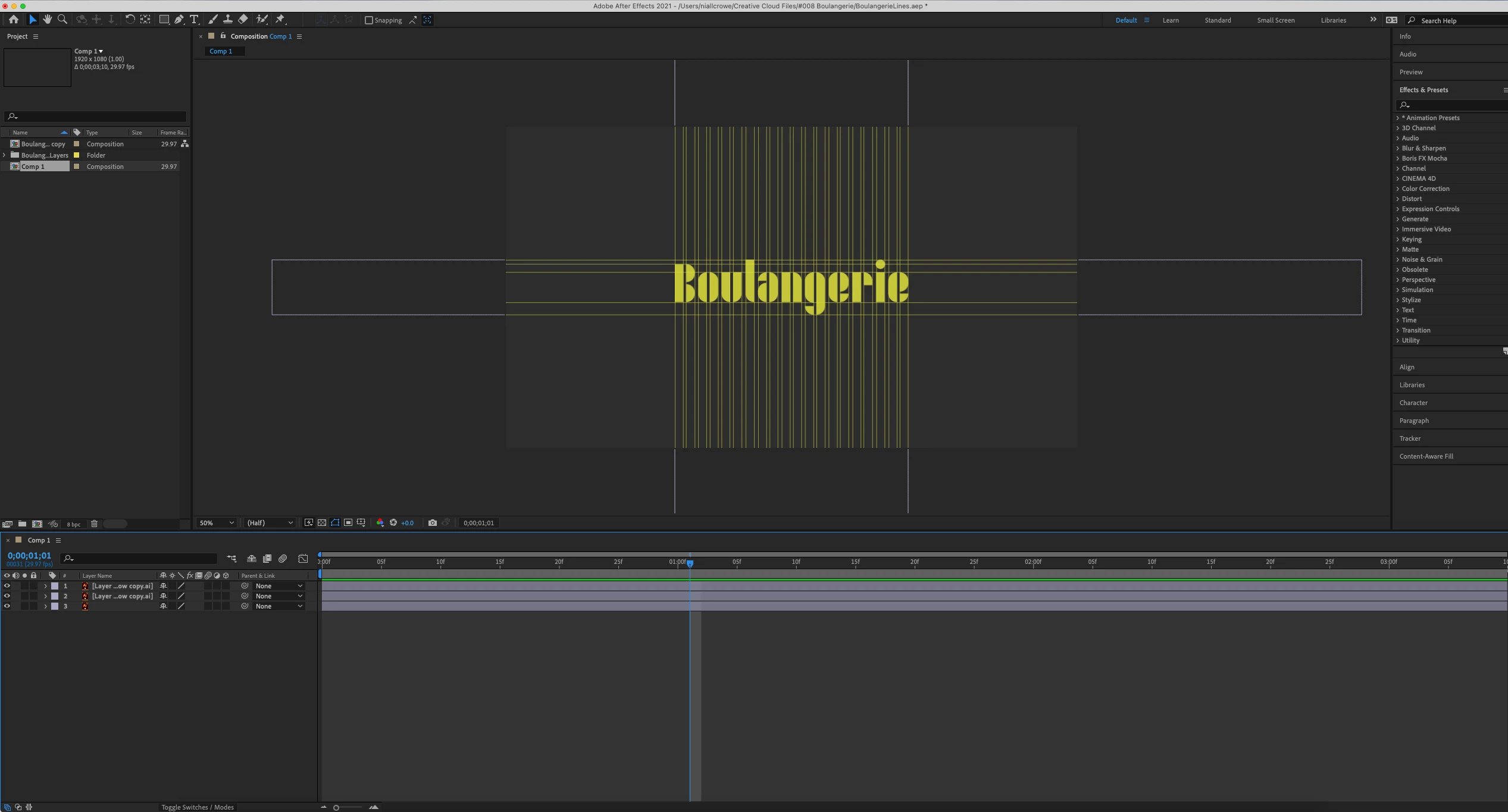

This topic has been closed for replies.

1 reply

Mylenium
Legend
October 9, 2021

Start by actually viewing your artwork at 100% in AE. The rest is normal for a million reasons:


  • normal antialiasing if lines aren't placed on exact full pixel values
  • further antialiasing if the line width is not a full pixel value
  • scaling artifacts when resizing the output
  • compression block artifacts when using MPEG 4 and similar
  • chroma undersampling in MPEG et al


To get to a point: That is simply a problematic design for any form of video. It would likely even look terrible on a 4k screen based on uncompressed output. You really have to fix the design more than anything else like using fractional line widths to get more and better antialaising, but in a controlled manner and perhaps using a more video-friendly color.


Mylenium

Niall Crowe
Participating Frequently
October 10, 2021

Thank you, and what do I do about the black background?

thepixelsmith
Community Expert
Community Expert
October 10, 2021

I am assuming you got that gray color by changing the comp background. The comp bg is mostly just for preview when you export a video it isn't used. 

The simplest way is to create a solid in the bg color you want and then set it as your lowest layer.