miriamo28959528
Participant
September 27, 2018
Answered

Exporting File in Media Encoder distorting size

  • September 27, 2018
  • 2 replies
  • 1088 views

I am having issues with exporting my movie file. The file has a different size and becomes stretched. Also, this black bar appears just on this slide in the left corner.

In After Effects:
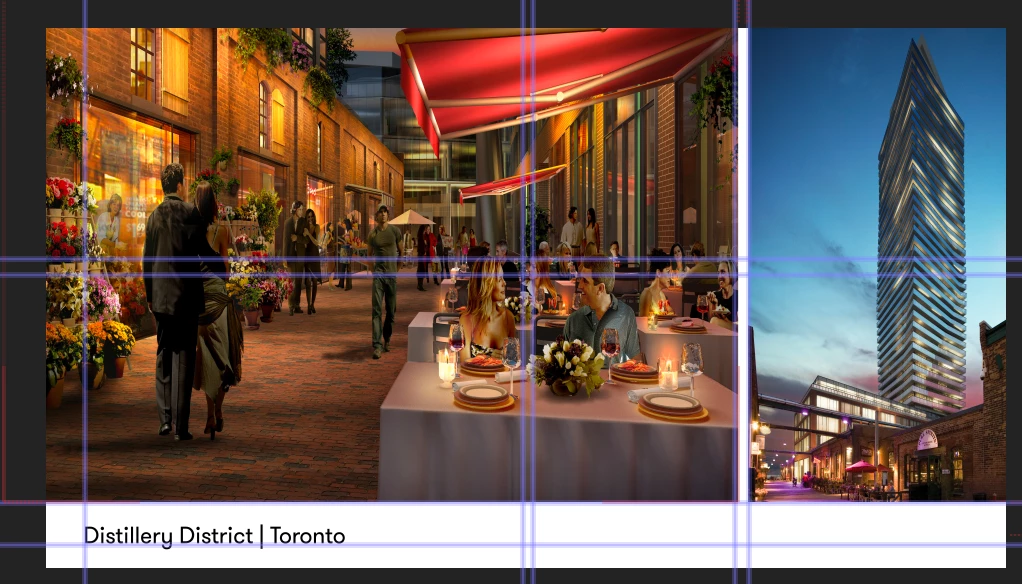
After I put it into Media Encoder:

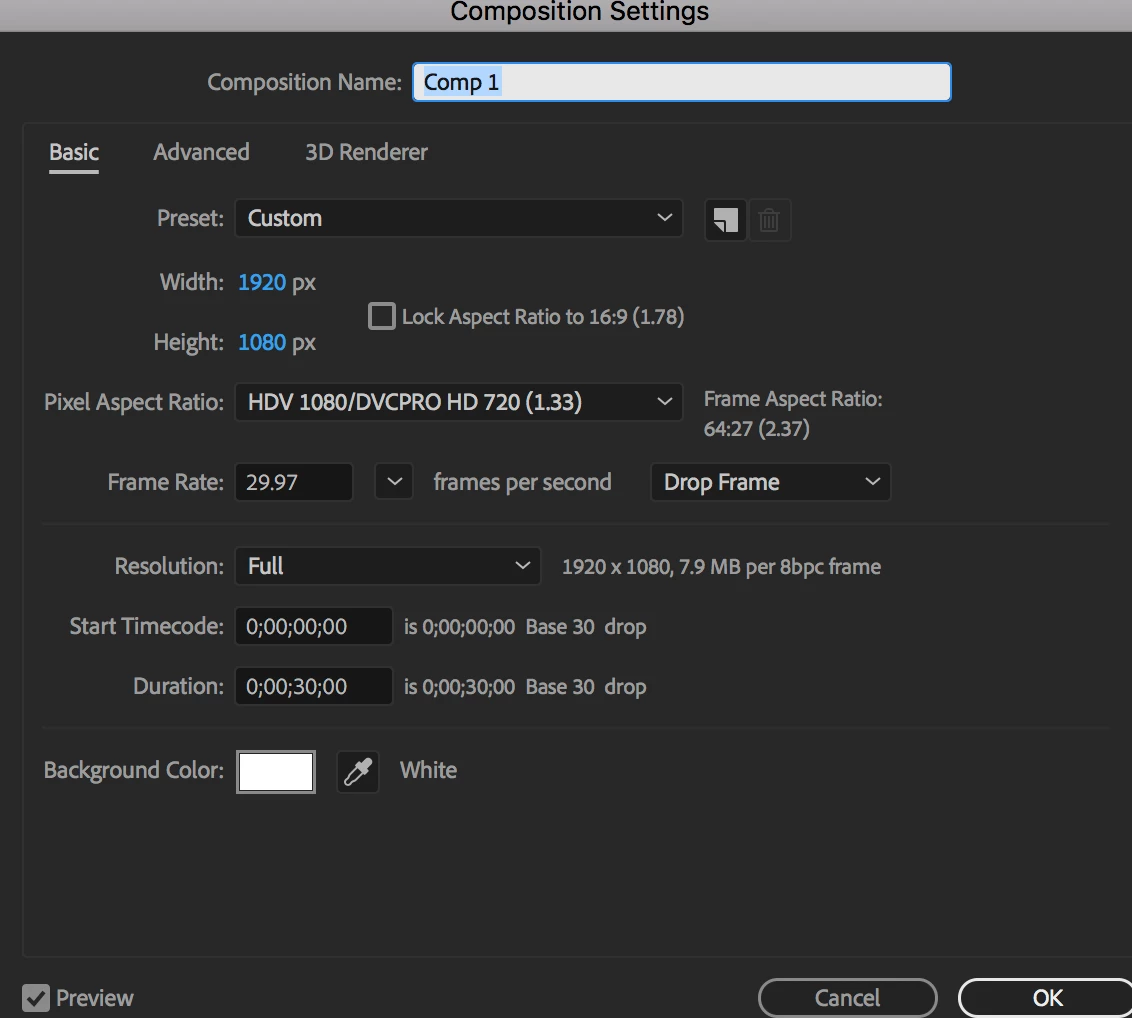
I am designing for a 46" screen so have set the settings up:
    This topic has been closed for replies.
    Correct answer Rick Gerard

    See where it says Custom in your Comp Settings. Unless you are an expert in video formats, compression, frame rates, frame sizes, and all things video you should never see that there. Use the defaults.

    The standard for your project should be HDTV 1080 29.97.

    It a very odd thing to produce at any other frame size. Saying you are designing for a 46" screen is meaningless. If it is a standard TV or Monitor then it is either HD or 4K and 99.99999997% of all TV's now have a 16 X 9 frame ratio.  Please take some time to study up on video formats and make sure you know what you are doing.

    2 replies

    Rick GerardCommunity ExpertCorrect answer
    Community Expert
    September 28, 2018

    See where it says Custom in your Comp Settings. Unless you are an expert in video formats, compression, frame rates, frame sizes, and all things video you should never see that there. Use the defaults.

    The standard for your project should be HDTV 1080 29.97.

    It a very odd thing to produce at any other frame size. Saying you are designing for a 46" screen is meaningless. If it is a standard TV or Monitor then it is either HD or 4K and 99.99999997% of all TV's now have a 16 X 9 frame ratio.  Please take some time to study up on video formats and make sure you know what you are doing.

    miriamo28959528
    Participant
    September 28, 2018

    Thank you! This is my first video, and when I researched what sizes this is what I got as an answer. I hope my settings are now correct.

    Warren Heaton
    Community Expert
    Community Expert
    September 28, 2018

    Your stretch is coming from your Pixel Aspect Ratio (PAR) setting.

    Are you sure that you need to deliver at HDV settings?  If so, you're good to go.

    However, I'd recommend that you work at the "HDTV" preset in After Effects instead.  So, you would change the "HDV 1080 29.97" preset with 1.33 PAR to the "HDTV 1080 29.97" preset with 1.00 PAR.  That way your source footage settings and Comp settings are all "square pixel" and everything will appear proportionally correct on your computer display without having to use Pixel Aspect Ratio Correction.

    If the digital signage system that's being used requires HDV settings, then you can nest your HDTV 1080 29.97 Comp into a HDV 1080 29.97 Comp prior to rendering to conform 1920x1080 1.0 PAR to HDV's 1440x1080 1.33 PAR.

    -Warren

    ToolfarmJP
    Community Expert
    Community Expert
    September 28, 2018

    Hello,

    I guess the cause is the aspect ratio of 1.33 you have set.