Participant
February 21, 2020
Answered

Expression Error on Batch Export

  • February 21, 2020
  • 1 reply
  • 443 views

Hi all,


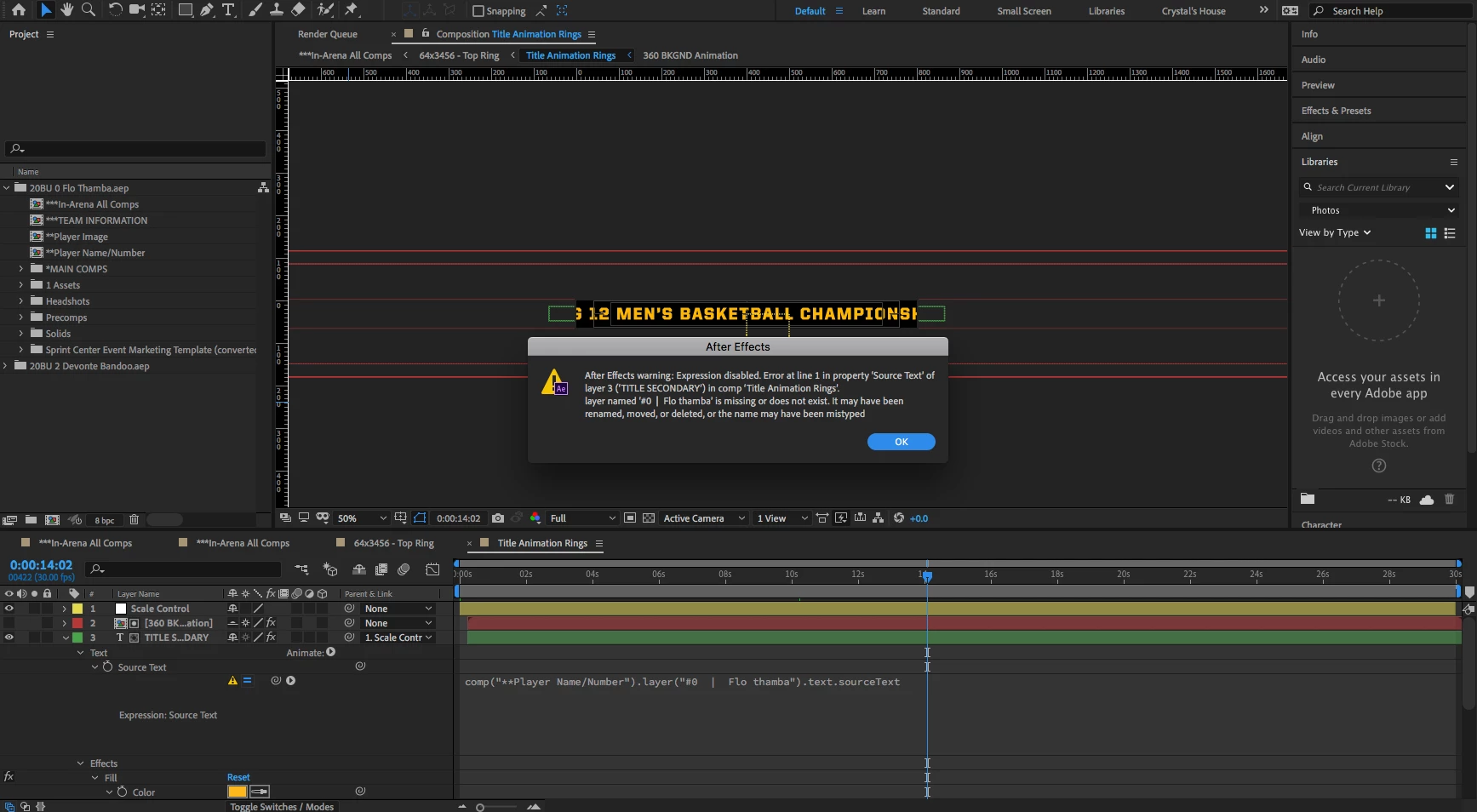
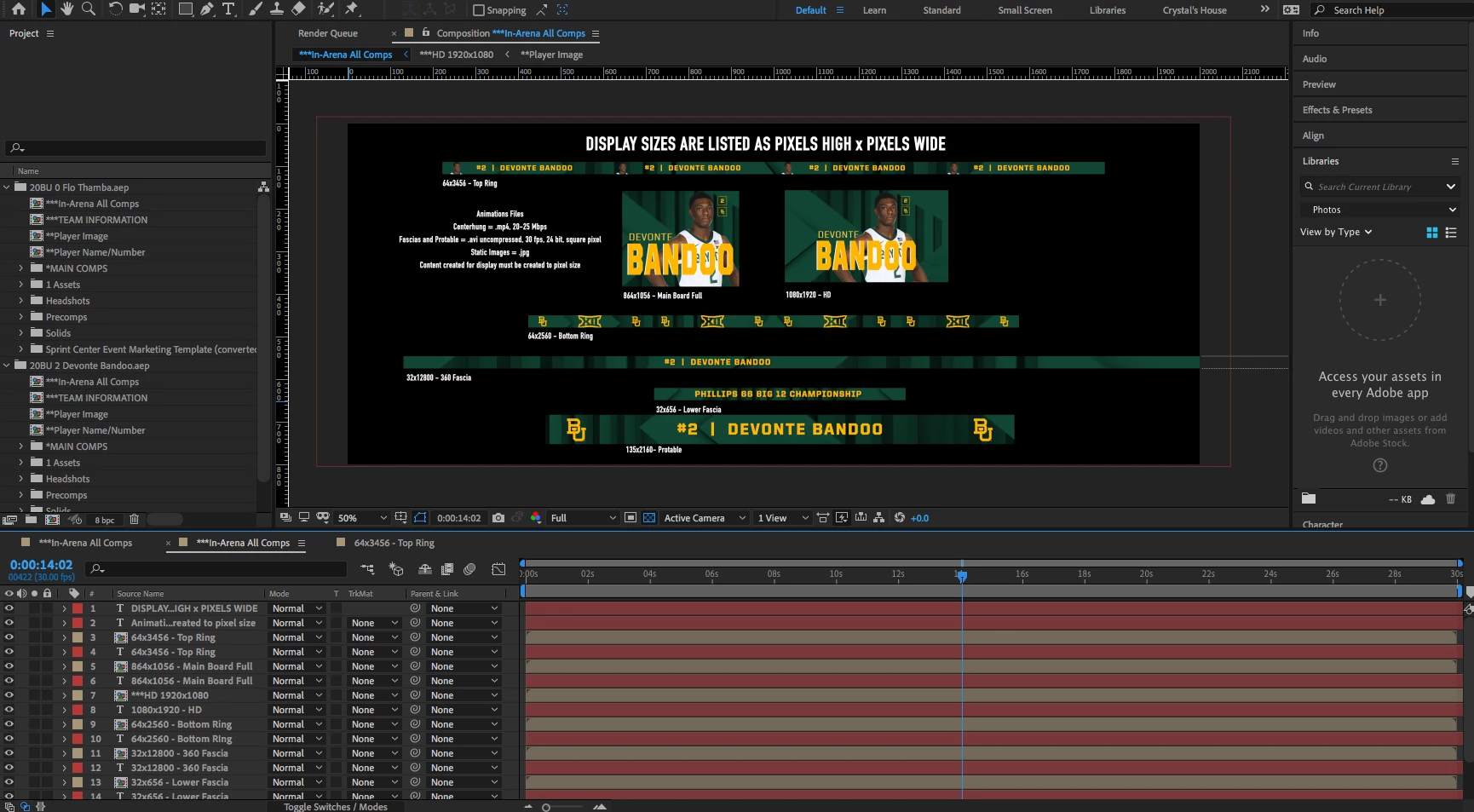
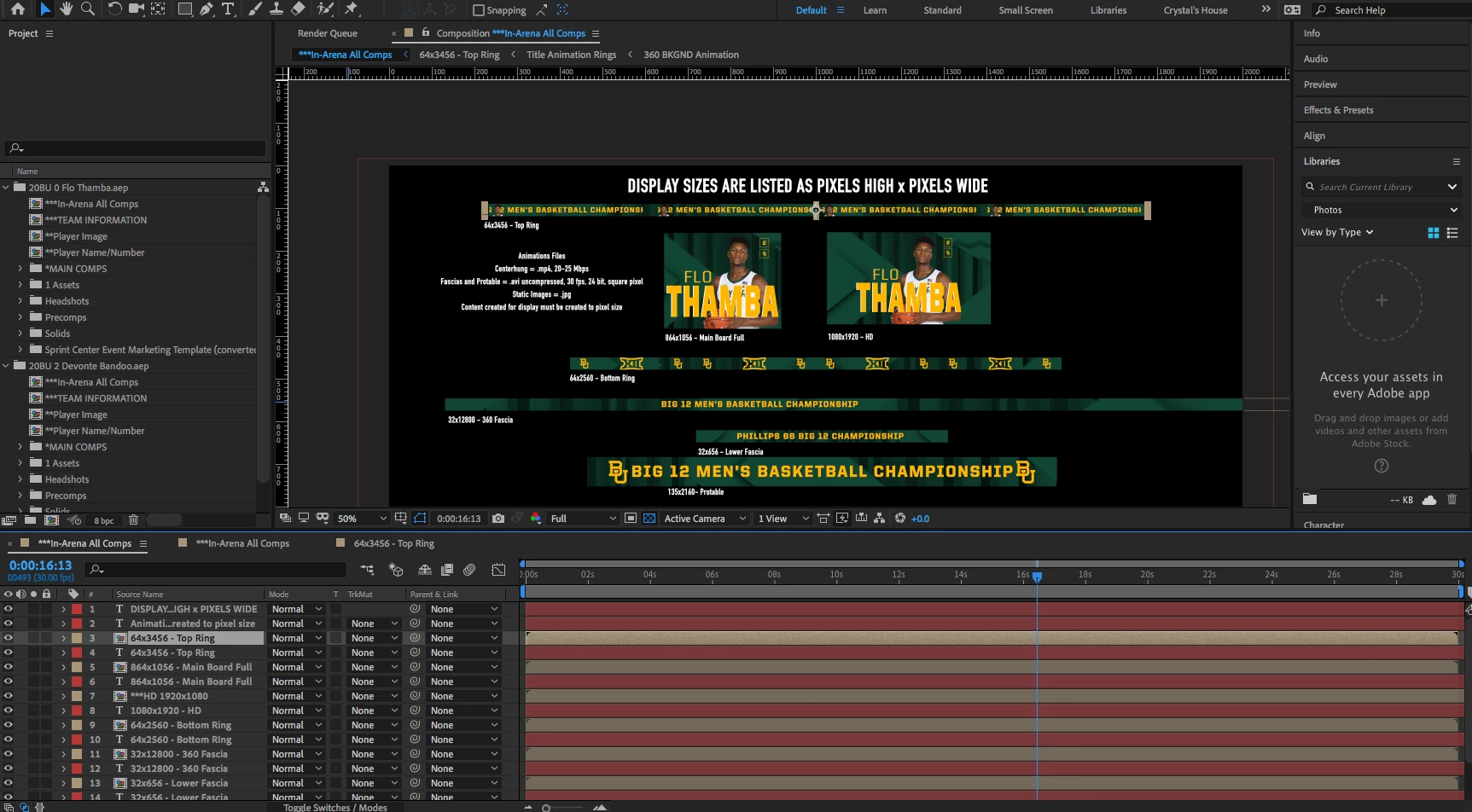
I have a project that requires a batch render of basketball player animations to save lots of time. When I combine my individual player AE projects into a Master Project, only the last project folder will generate the correct player name/number information (see attached photos 1 & 2). I scripted most of the compostions to pull the source text from a specific Player Name/Number precomp (attached Photo 3). As you can see in photo 4, the first project folder cannot find the Source Text, causing the wrong information to display on the compositions. It seems like the script is confused on what comp to pull the information from, as all the projects have the same naming conventions.


How can I script the text to pull the information from a specific folder or project?


**BONUS QUESTION** How would you change the workflow to not run into this issue?
This topic has been closed for replies.
Correct answer Tomas Sinkunas

Hey.

The problem here is that all expresions are refering to composition by name - most likely the last imported one. And that's the problem.

Your best bet here is to always have unique names for compositions.

If you're automating the aep importing process, prior to importing into Master Comp, open each project and rename all the comps by appending a random number, save. Then import everything into a Master Project.

There's really no other way around this, other then having unique names all the time.

1 reply

Tomas Sinkunas
Tomas SinkunasCorrect answer
Legend
February 21, 2020

Hey.

The problem here is that all expresions are refering to composition by name - most likely the last imported one. And that's the problem.

Your best bet here is to always have unique names for compositions.

If you're automating the aep importing process, prior to importing into Master Comp, open each project and rename all the comps by appending a random number, save. Then import everything into a Master Project.

There's really no other way around this, other then having unique names all the time.

nickyp14Author
Participant
February 21, 2020

Thanks for the help, Thomas. That is the route we will take.