

[Expression Problem] LoopOut not working for one shape layer, behaving like LoopIn
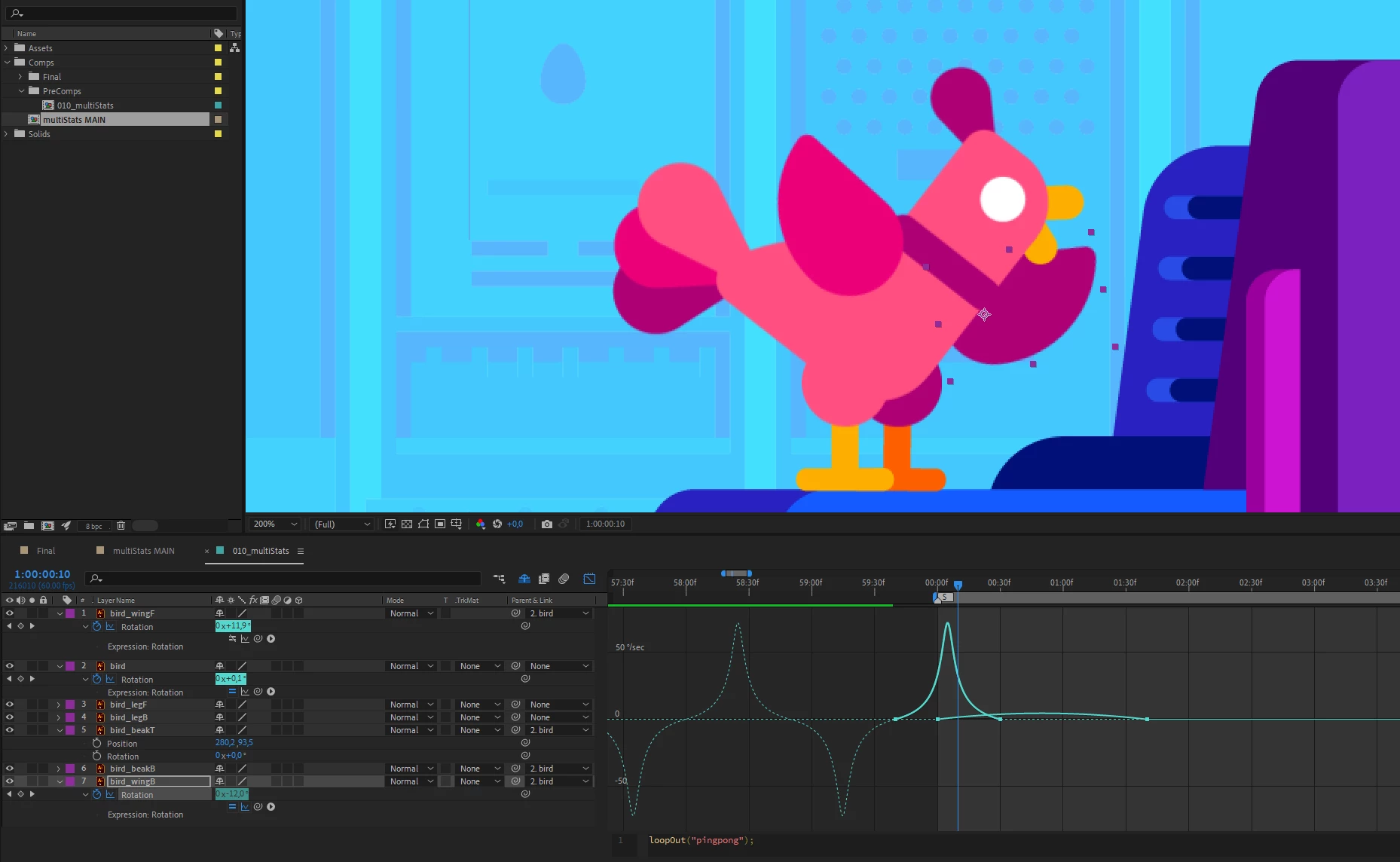
I was following along a tutorial and this drove me insane. I added an expression to the rotation of the left wing of the bird.
loopOut("pingpong");This worked perfectly. Then, following the tutorial, i pasted the expression to the other wing, but it didn't work. After much trouble I found the "Show Post-Expression Graph" and saw that the expression was actually working - just in the opposite direction, as you can see in the screenshot. Changing the expression to
loopIn("pingpong");solved my problem, the loop was finally happening for the other wing as well. But I need to know why, why is the expression not working like in the tutorial, why can't I just use the same loop expression for both wings? Is something about the shape layer reversed, inverted, buggy? Please help me understand why this is happening, thank you.


 AdChoices