Participating Frequently
October 26, 2015
Question

Expressions Not Auto Fixing Properly

  • October 26, 2015
  • 1 reply
  • 948 views

I have a comp with multiple layers that have expressions referencing other layers by name. Generally, when I rename a layer referenced in expressions, all of the expressions update with the new layer name.

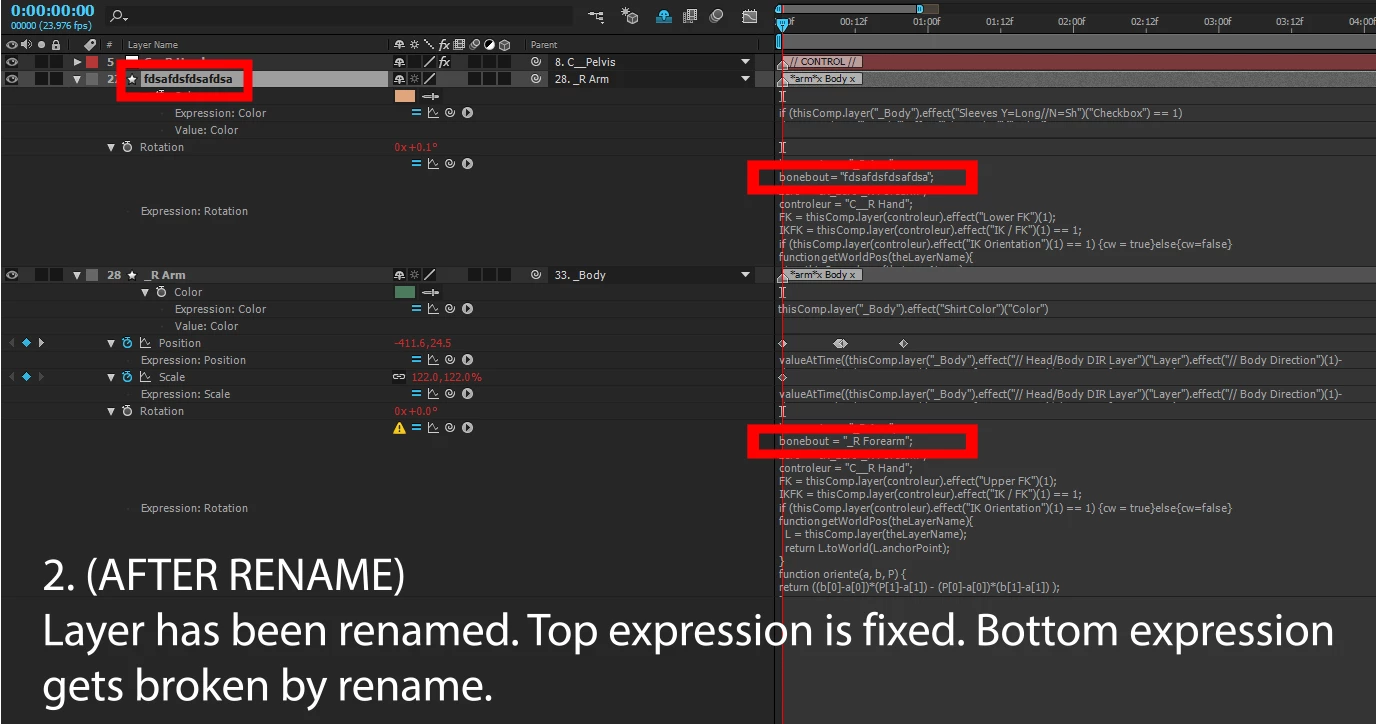
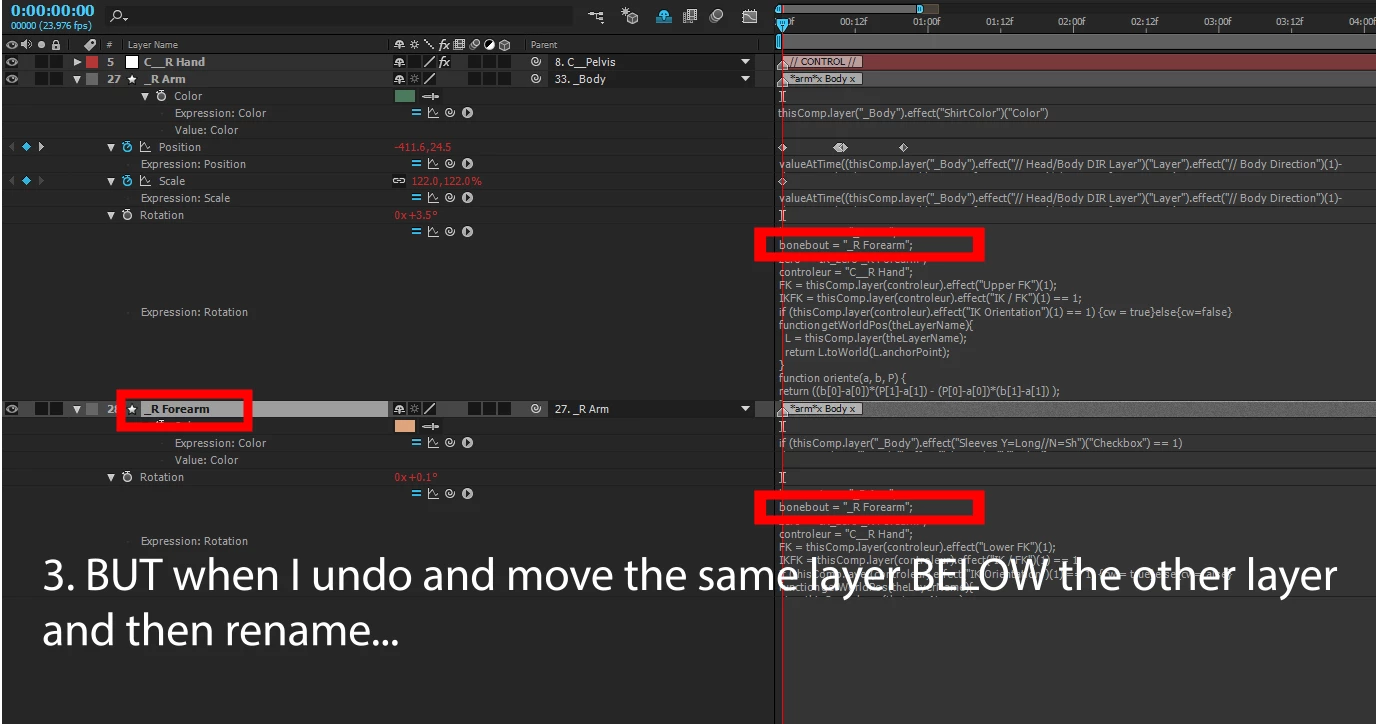
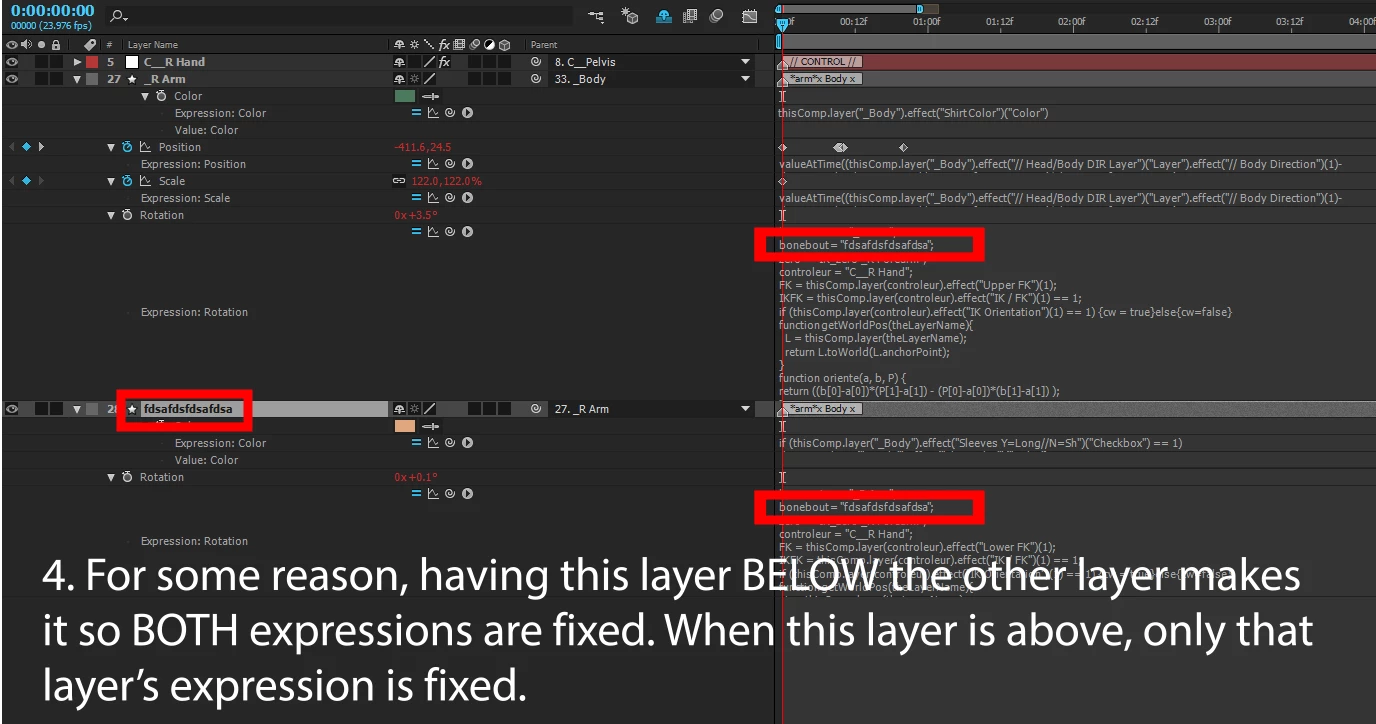
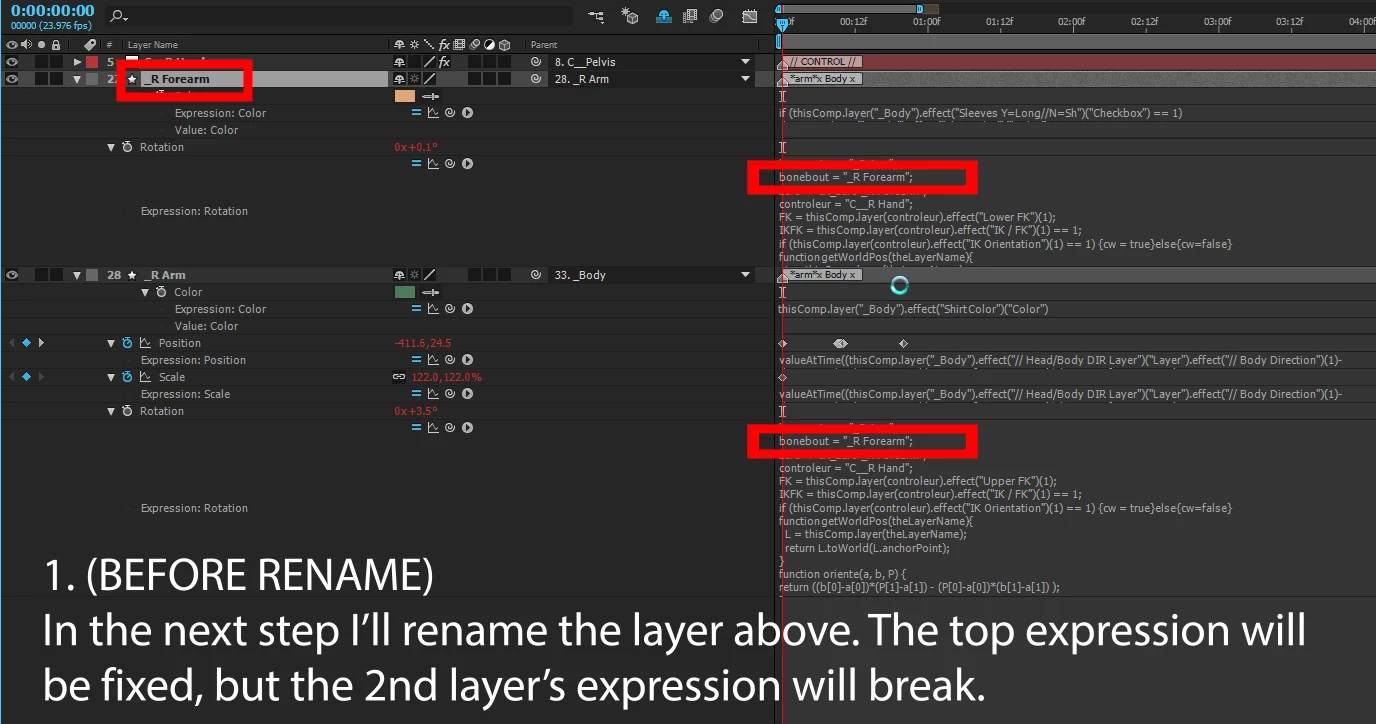
HOWEVER, I have noticed a weird instance where it appears only some expressions are fixed -- specifically, if I rename a layer, and the layer after it (in stacking order) references the layer's name, the "after layer"'s expression is NOT fixed and breaks. But if I move the layer AFTER the "after layer" and rename it again, the original "after layer"'s expression IS fixed. Why does layer stacking order matter for automatically fixing expressions? It's a real nightmare to go through and manually update expressions.

SEE ATTACHED PICTURES FOR CLARIFICATION.
This topic has been closed for replies.

1 reply

Dan Ebberts
Community Expert
Community Expert
October 26, 2015

It works for me. Which version of AE are you using?

I'm actually surprised that it works at all. I didn't realize that the expression fixer was smart enough to update local variables containing layer names used later in the expression. Pretty cool, actually.

Participating Frequently
October 26, 2015

I'm using After Effects 2015.0.1 on Windows 7. Some technical issues with others on our team have caused us to not update to the most recent version.

Yeah, I know what you mean about it fixing variables -- it's always been pretty good about that (as long as the string is in double quotes -- it will never correct single quotes).

It's weird, because this is the same when you manually rename (select layer hit enter, etc) or when you rename using a script (a script that changes the name and then uses app.autoFixExpressions to correct all instances).

Also, I've been playing with it a bunch and it's highly inconsistent. Sometimes changing a name will fix all expressions, sometimes it won't. Sometimes adding something to the beginning of a name will break the expression, but adding something to the end of the name won't break it. It's very odd.

Basically I'm going to have to script something that just searches and replaces expressions, because it's way too inconsistent to rely on at this point.

Dan Ebberts
Community Expert
Community Expert
October 26, 2015

It wouldn't hurt to file it as a bug: Feature Request/Bug Report Form

It may be that the scripting engine isn't waiting long enough to detect broken expressions after renaming the layer, and it may be related to the complexity of the expressions and how long they take to evaluate. So (if you can) you should give them an example that always fails.

Dan