


Participant
December 13, 2023
Question

Expressions that group different varibles for a Source Text layer.

  • December 13, 2023
  • 1 reply
  • 302 views

Hi everybody, 


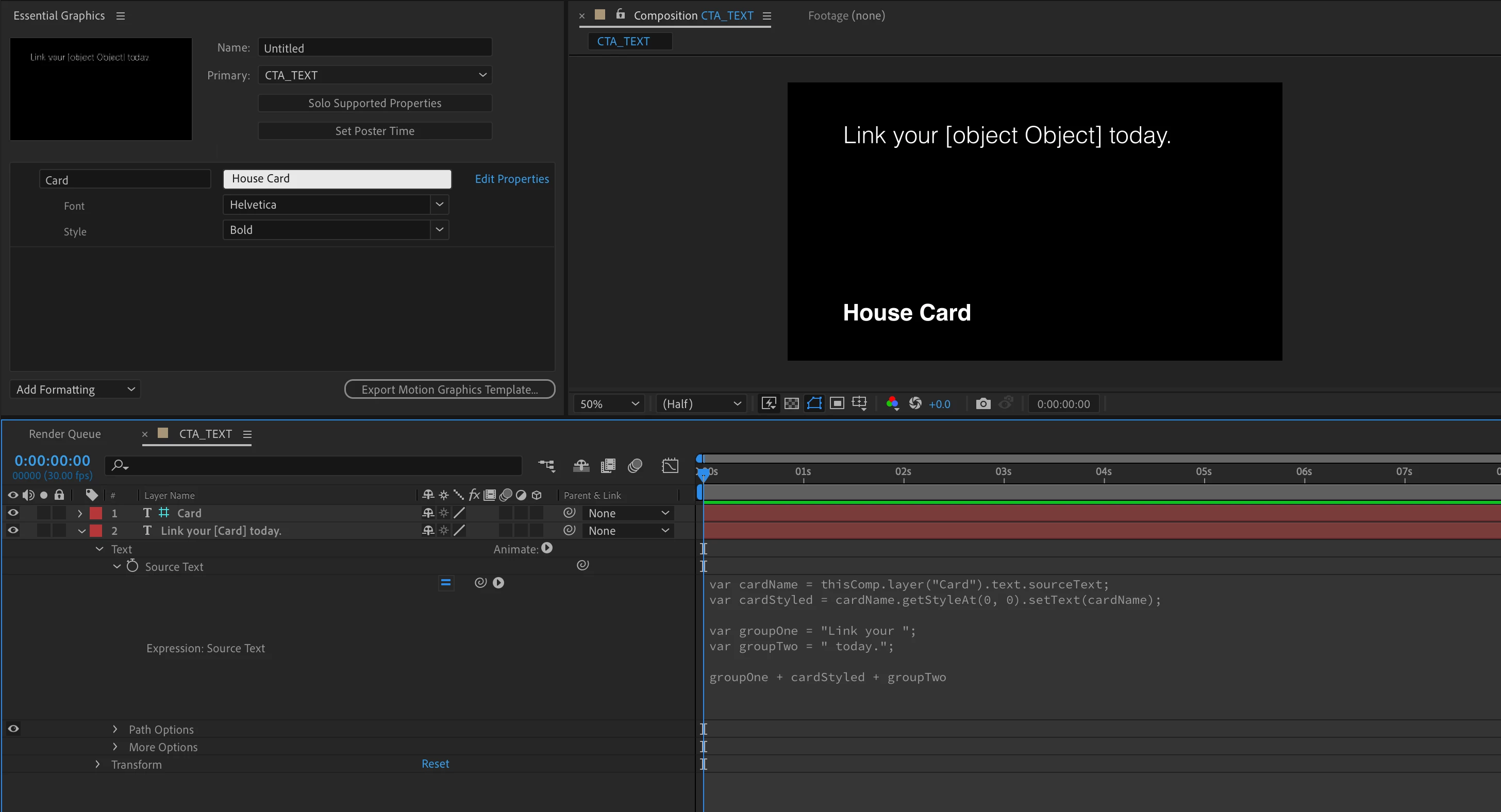
I have this expression for a source text layer, but the result didn't appear as the font style that I had set for it. 

The result is showing [object Object] instead. Just curious how to fix this issue, or is there any better way to change the font and size a section in a sentence by using expression?


Hope getting some advices from everybody. 

Very much appriciated!


All the best. 

________


var cardName = thisComp.layer("Card").text.sourceText;

var cardStyled = cardName.getStyleAt(0, 0).setText(cardName);


var groupOne = "Link your ";

var groupTwo = " today.";


groupOne + cardStyled + groupTwo
 

This topic has been closed for replies.

1 reply

Dan Ebberts
Community Expert
Community Expert
December 13, 2023

As far as I know, there's currently no way for an expression to create more than one style format in a single text layer. Once you apply an expression to source text, all characters will end up with the same style.

Participant
December 14, 2023

Thank you so much for your input, Dan Ebberts!


This one is tricky, guess we can work around it with different layer setups to get the same result. 

Dan Ebberts
Community Expert
Community Expert
December 14, 2023

That's pretty much what people do, I think.