Participant
November 18, 2019
Question

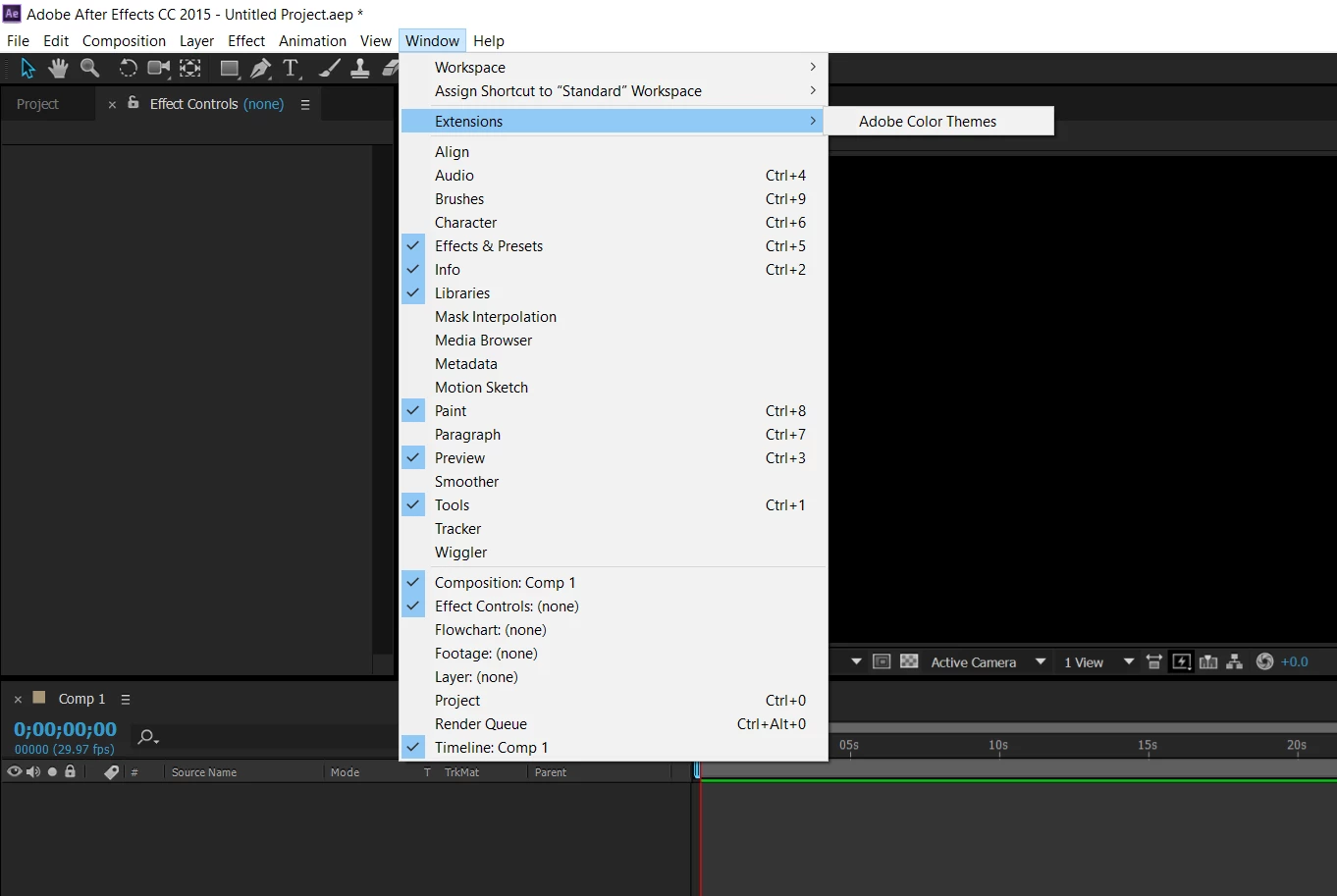
Extensions not showing up

  • November 18, 2019
  • 3 replies
  • 7902 views

Hello! I installed a plug in for After Effetcs. I followed the toturial many times and I believe everything was done right. However, the plug in doesn't show up in the extensions.

This topic has been closed for replies.

3 replies

Participant
August 14, 2024

extension install but not showing in after effect


Andrew Yoole
Inspiring
November 19, 2019

I'm not great at solving mysteries, so it would be a lot easier if you could tell us some details about your problem.


What plugin are you trying to install?  What process do you follow to install it?  Is the plugin the latest version available?


It's not even clear what the plugin is - an effect plugin?  Please provide us with some specifics. 

Gooner8Author
Participant
November 19, 2019

I installed Geolayers 2

I basically followed a tutorial that says: Copy the plug-in folder into Extentions folder and then edit regedit. I did everything mutiple times but it didn't work.

Andrew Yoole
Inspiring
November 19, 2019

It sounds like you are trying to use Geolayers without paying for it?  Otherwise why would you need to edit the registry?


Below is a link to the product, where you can download a trial version, or pay $280 for a license.  

https://aescripts.com/geolayers/


Mylenium
Legend
November 18, 2019

And what plug-in did you actually install. Being so vague and generic is not helpful, as procedures for this can differ hugely. If it's of course just an effects plug-in for a glow or whatever it will simply appear in the normal effects list under the vendors name.


Mylenium

Gooner8Author
Participant
November 19, 2019

I installed Geolayers 2

I basically followed a tutorial that says: Copy the plug-in folder into Extentions folder and then edit regedit. I did everything mutiple times but it didn't work.