Participant
October 13, 2017
Question

FaceBook Banner Export / Render Issue.

  • October 13, 2017
  • 3 replies
  • 3214 views

Hi.

I'm creating a Facebook banner graphic.

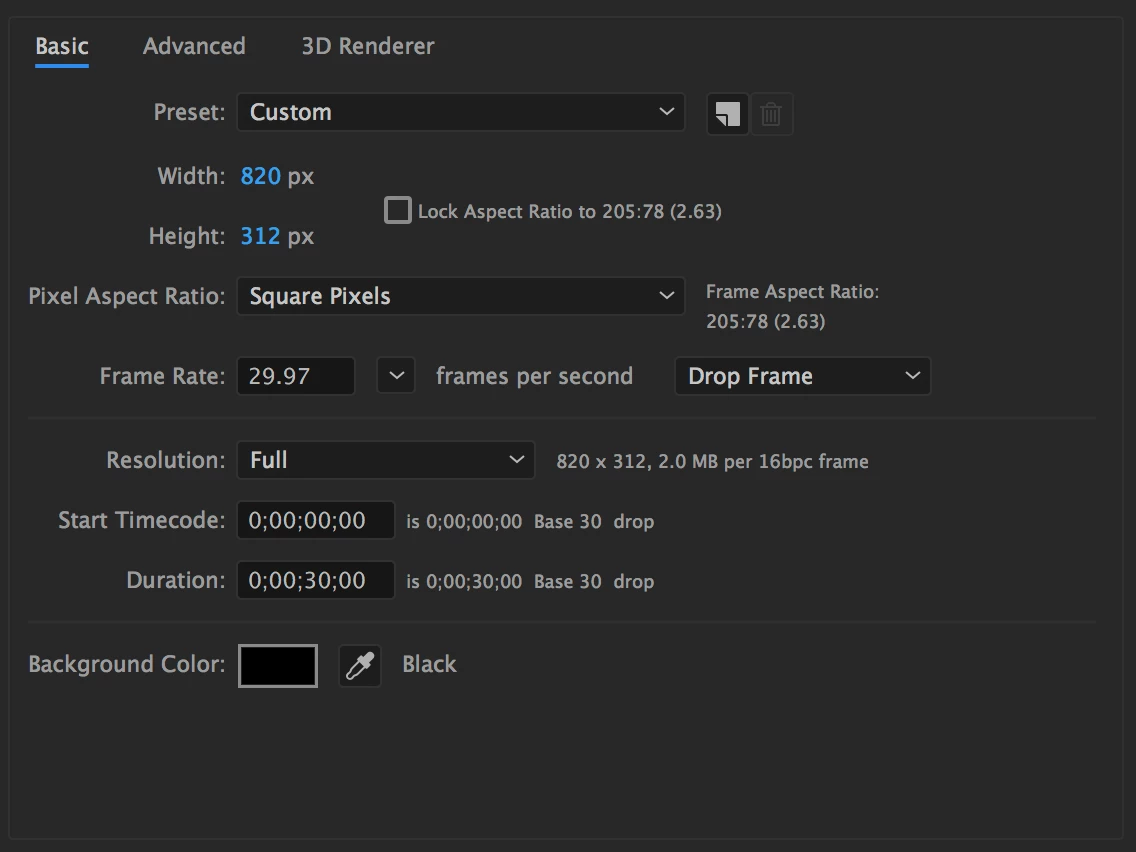
Comp settings are 820x312

I've tried to render and export many ways, but every time I do, my export looks blurry and fuzzy.

The graphic looks fantastic when viewed at 100% in AE

-Continuously Rasterize is ON

-Resolution window is on FULL

-16bpc

- Renderer: Classic 3D

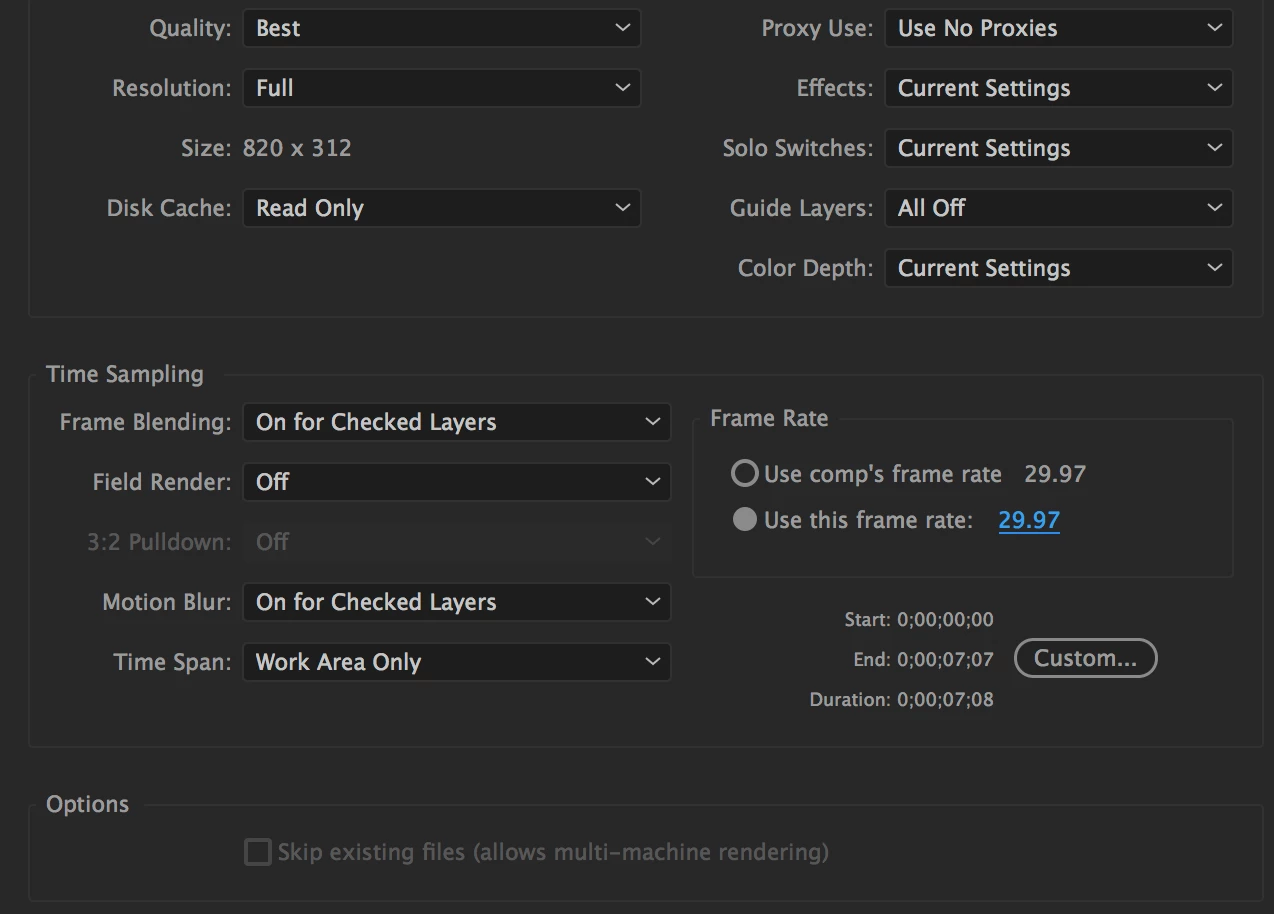
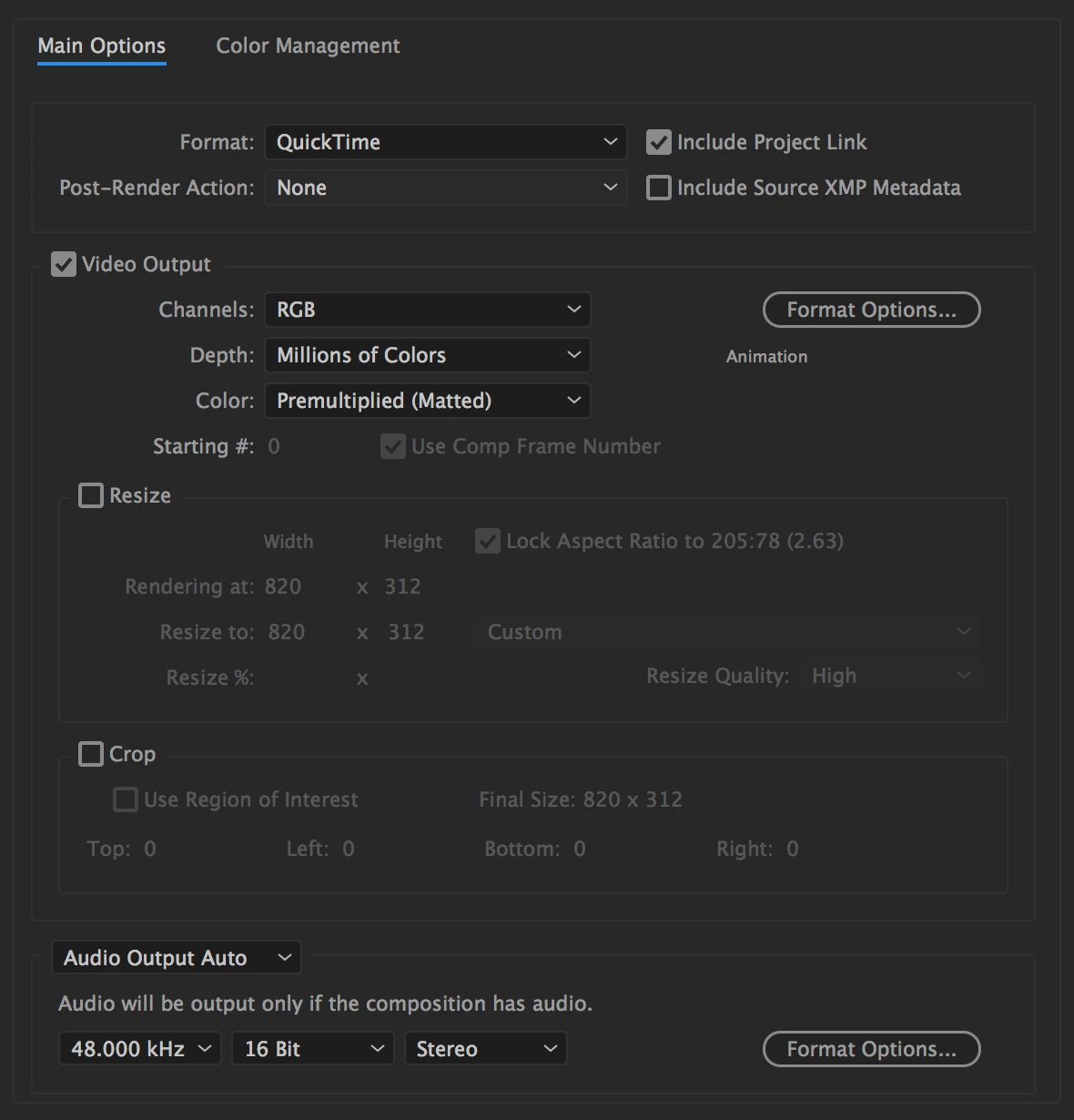
Attached are Comp settings and the Export settings I've been trying. Also, an example of the issue.

I've been trying to export using H.264 as this is going into Premiere Pro CC (also a 820x312)
This topic has been closed for replies.

3 replies

Participant
May 2, 2023

Hi, I don't know if anyone else is getting this same problem. I just had exactly the same issue. 

If anyone comes searching here for solutions - one thing that worked for me was opening an AE project that I had previously used (and where everything was working well), saved as another name (so as not to lose the previous project), deleted all files in that project except for a composition that had been used, imported the footage that I needed and put these into the existing composition.

note: the existing composition was not even the size I wanted (it was 1080x1920px and I needed a 800x800px) but I resized the comp, resized the footage to fit into it, and it worked. No blurry image.

OussK
Community Expert
Community Expert
September 28, 2018

Maybe it's a screen resolution issue, this can be happen if you use a screen with high PPI like iMac 5K or mac book retina, what will happen here, when you run your screen in scaled mode, the player don't show you the actual resolution of your video file and you will start notice this when you run a low quality video like facebook banner, so what will happen exactly the screen zooming 2x to your video and maybe more, so try to use the maximum space in you screen and you will notice that same video look more clear and not fuzzy.

In the screenshoot below you can see that the real resolution of the Facebook banner is 1642 instate of 820 so it's zoomed 2X

so when you scale down this to the real resolution you can see that the quality is better

Dave_LaRonde
Inspiring
October 13, 2017

You see that "format options" button?  That's where you'll find the list of codecs available to you.  Change it to something like Photo JPEG; that's a good one.

It would also be good if the client would be considerate enough -- or perhaps knowledgeable enough -- to provide you with a set of delivery specifications.

dhse12Author
Participant
October 13, 2017

Dave,

I know you're the man when it comes to solutions (I've been reading these forums forever)

So I tried the JPEG 2000 option, still looks fuzzy.

Note, I am viewing on a 5K retina Mac, and the Premiere timeline is set to 1080, thus, most things always look a bit blurry due to my OS.

However, I still see a considerable amount of detail loss.

Any other thoughts as to what I could be doing wrong?

Dave_LaRonde
Inspiring
October 13, 2017

     Wait a minute.  ayour comp is something like820x312.  Why are you putting it in a 1920x1080 PP edit timeline when it's a Facebook banner?  What does it look like in QT player?