November 19, 2016
Answered

Fade to black with text appearing in treeline

  • November 19, 2016
  • 1 reply
  • 438 views

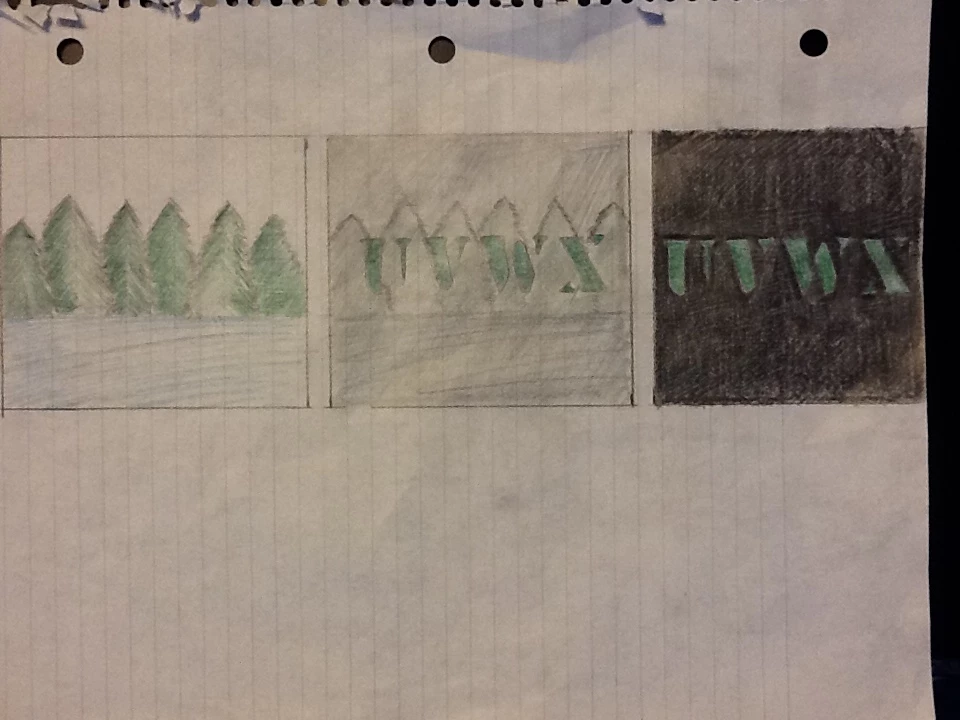
So, after taking some video of zooming into a treeline I had planned to freeze on a closeup of them, which would then start to fade to black except for the text which would remain the color of the actual trees. After some time looking at the various options I can't quite figure out how to get this to work. Here is a picture to help.
    This topic has been closed for replies.
    Correct answer Roei Tzoref

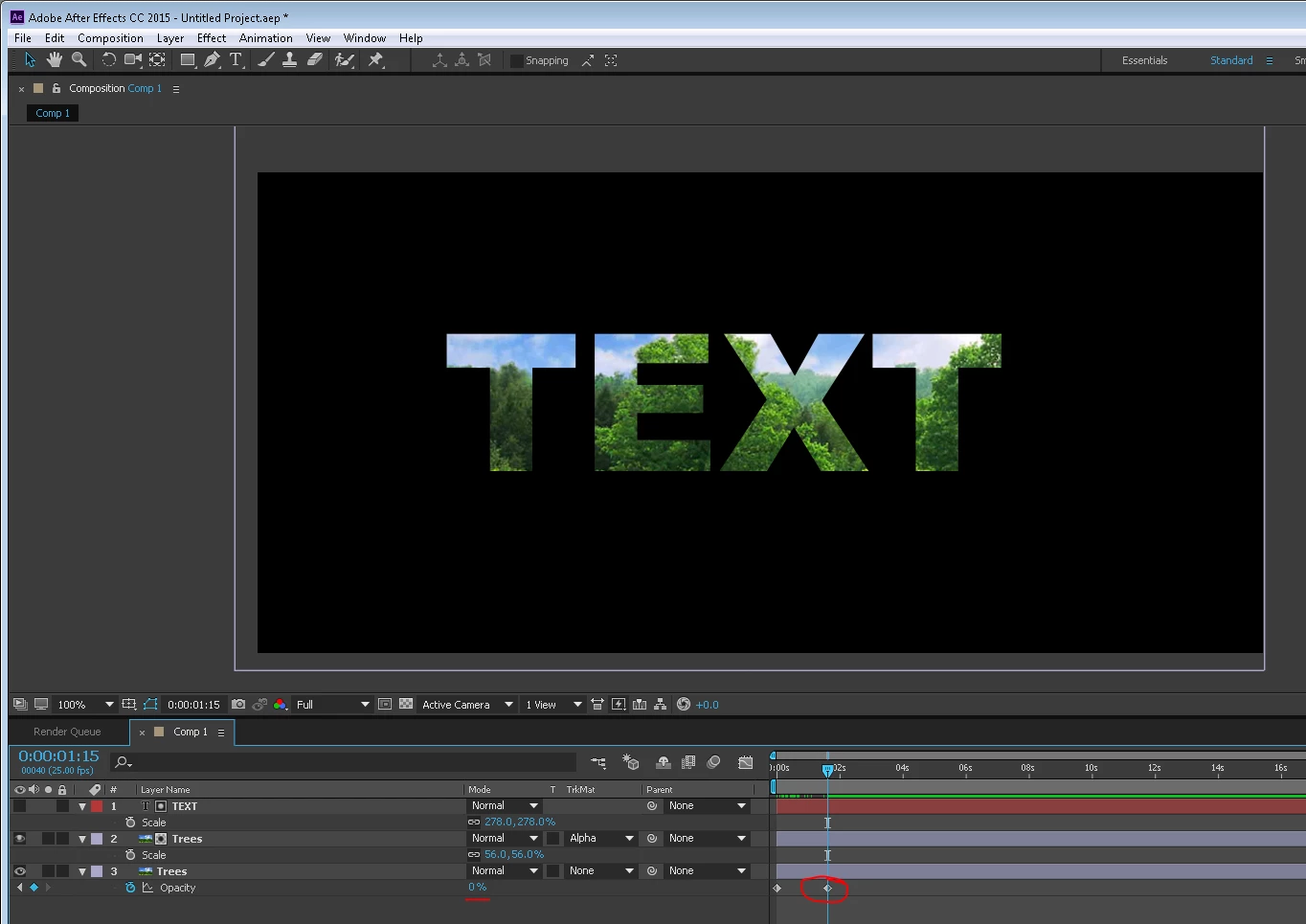
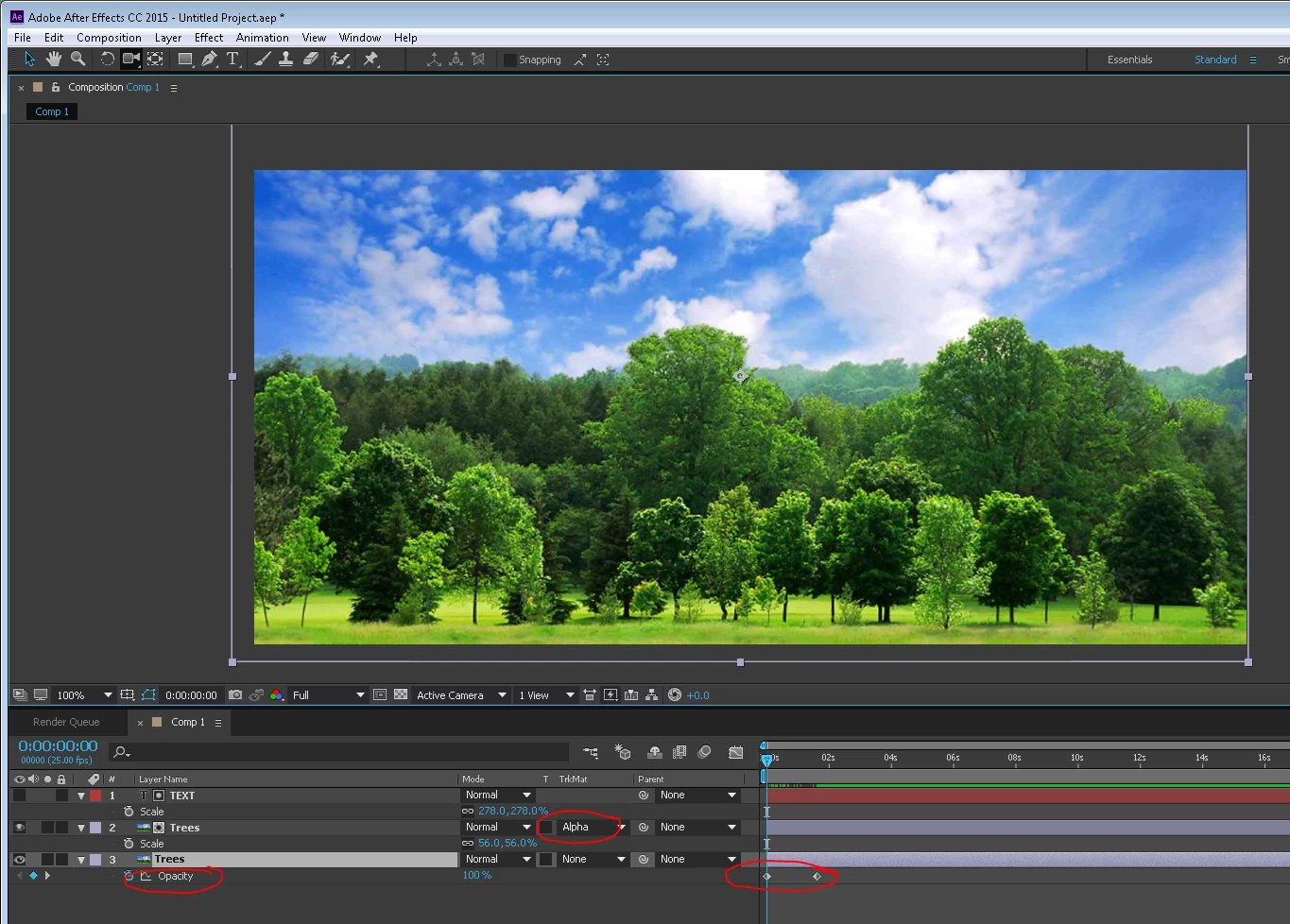
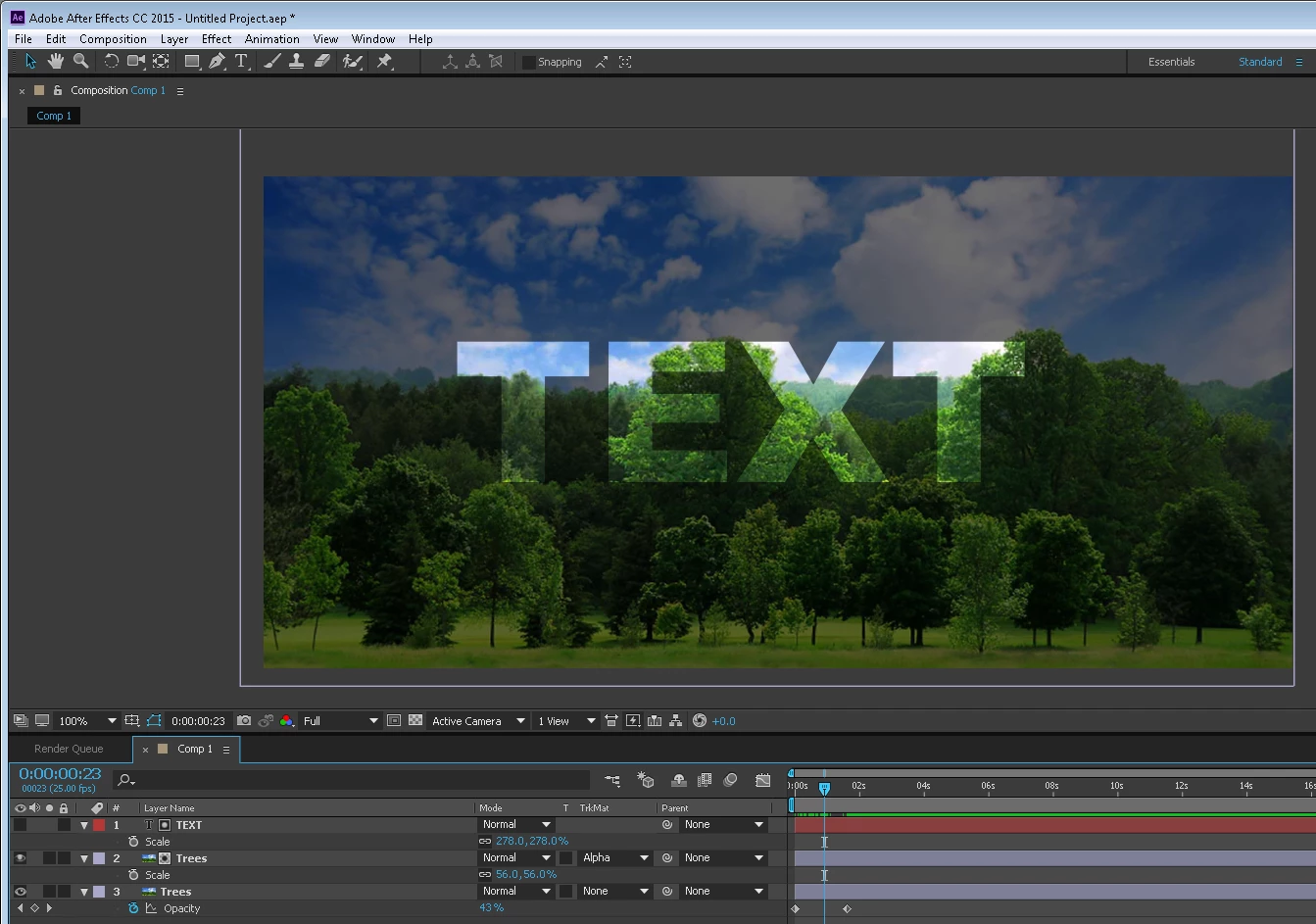
    you can place your text layer above the trees layer and set it as an alpha matte for the trees. now the trees will only be visible inside the text layer. you can then place another copy of the trees to dissolve from full to transparent.

    more about alpha mattes in after effects here:

    Luma and Alpha modes in track mattes | Adobe After Effects CC tutorials

    Use alpha channels, masks, and mattes in After Effects

    1 reply

    Roei Tzoref
    Roei TzorefCorrect answer
    Legend
    November 19, 2016

    you can place your text layer above the trees layer and set it as an alpha matte for the trees. now the trees will only be visible inside the text layer. you can then place another copy of the trees to dissolve from full to transparent.

    more about alpha mattes in after effects here:

    Luma and Alpha modes in track mattes | Adobe After Effects CC tutorials

    Use alpha channels, masks, and mattes in After Effects

    November 20, 2016

    Very cool looking, that's exactly what I was looking for. Thanks very much