Syntax_One
Known Participant
December 24, 2020
Question

Faded colors after rendering.

  • December 24, 2020
  • 3 replies
  • 2700 views

Hi!

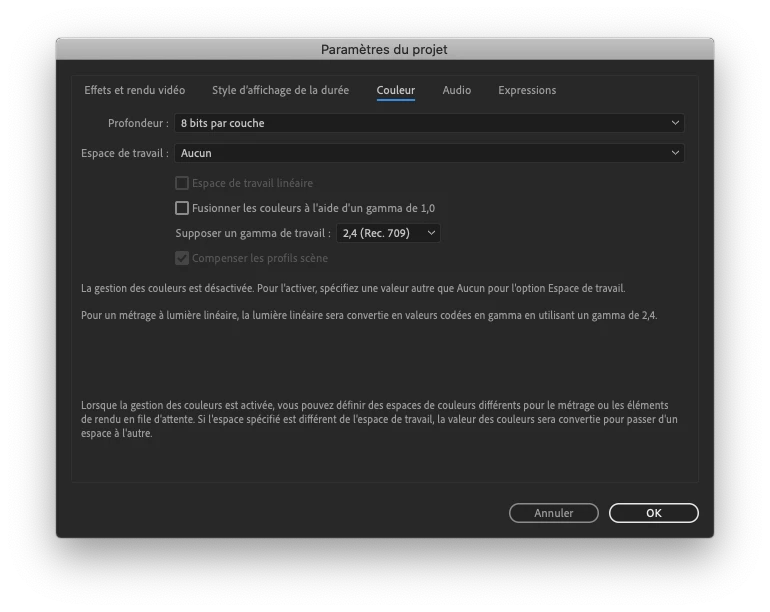
The colors of my projects are always faded after rendering.

Here are my color settings in After Effects:
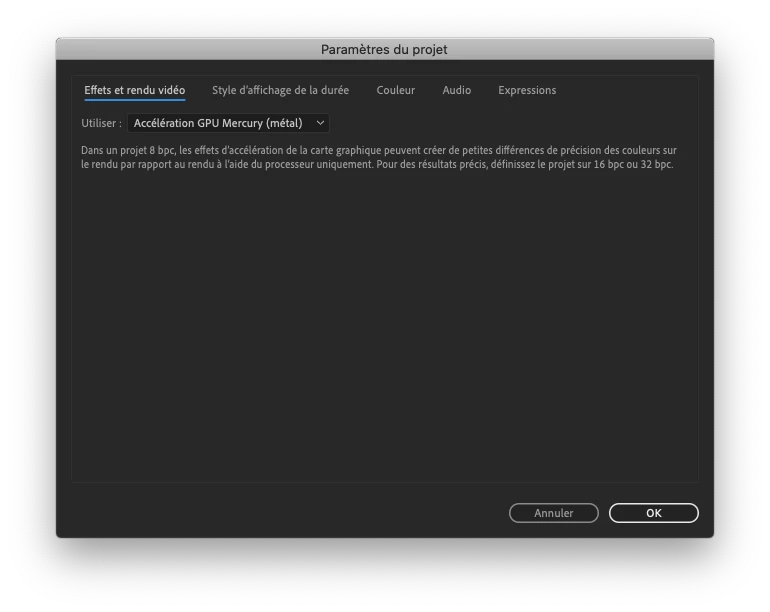


Here are my settings in Media Encoder:



This has been document numerous times before, but I haven't found a solution, as some posts are too old, concern Premiere Pro, etc.

I tried other color settings in After Effects, etc., but nothing works.

Thank you!

This topic has been closed for replies.

3 replies

Syntax_One
Known Participant
January 4, 2021

Maybe someone else could add something on the subject? It would be really nice to know what to do in the future in order to avoid all of this. Thank you!

alpyyone@gmail.com
Participant
October 17, 2022

Hello,
Does anyone find a solution for this?
I have been googling for an answer for years, and now I need to to match the colour of a background video and I am really struggling to find a solution.

Thank you!

Ro Hackett
Inspiring
December 25, 2020

Have you fixed this?

What are you using to watch your rendered videos? I always see washed out colours in Windows media player.


However,  when I use VLC media player my videos look fine and I use Karasawa player on android.

Syntax_One
Known Participant
December 26, 2020

Have you fixed this?

- - No.


What are you using to watch your rendered videos? I always see washed out colours in Windows media player.

- - I use QuickTime on my Mac, but people will see my videos on YouTube and Vimeo, using Safari, Chrome or Firefox.


However,  when I use VLC media player my videos look fine and I use Karasawa player on android.

- - My videos look good on VLC and on Firefox (via YouTube). However, my videos look bad on QuickTime, Safari and Chrome (via YouTube).

Mylenium
Legend
December 25, 2020

Not really helpful without any info about your color management settings or comparative screenshots. You may not like it, but I'm pretty sure that you are simply overcranking the colors because you are not actually using a color managed preview in AE and then of course a CoDec like H.264 can't accommodate the invalid color ranges.


Mylenium

Syntax_One
Known Participant
December 26, 2020

Hi! Thanks for your answer.


Info about my color management settings:


Comparative screenshots:


Thank you!