

Tomas B. aka Tom10
Inspiring
October 24, 2017
Answered

Failure related to GPU-enabled effects

  • October 24, 2017
  • 13 replies
  • 55743 views

Hello,

after updating to CC 2018, I noticed one issue. During the preview of quite simple project, I keep getting this error:
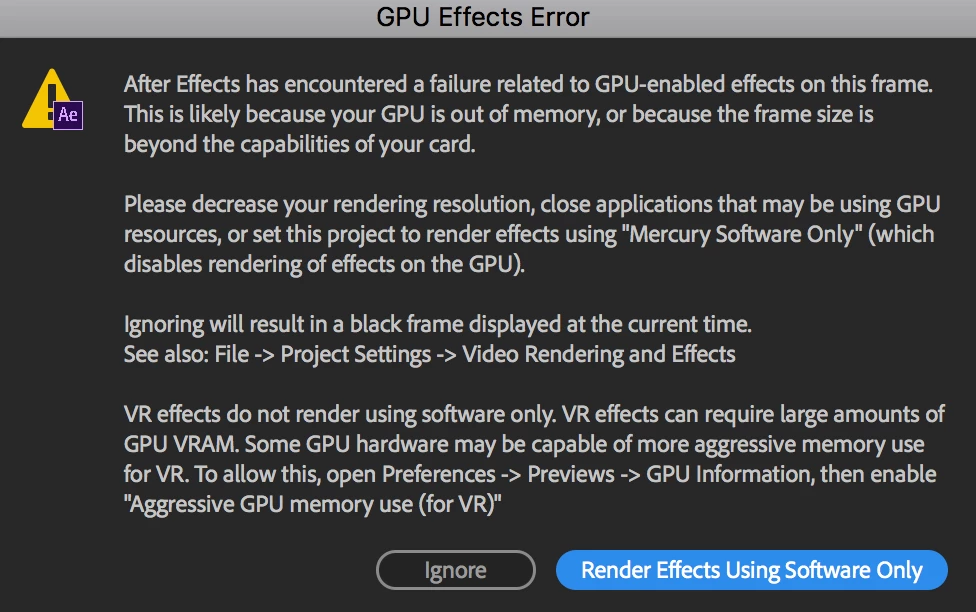
What I have in particular in the project:
Few compositions>Inside them there is one image (3000x2000), which scales up using Transform Effect to fill the comp size.

Comp size: 1280x720

System info:
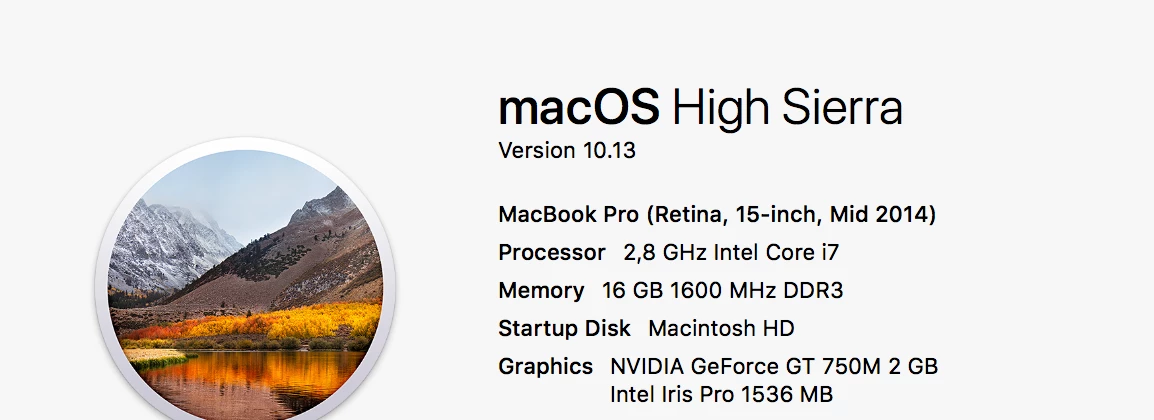
Is there any chance to get rid of it, without going to Software Only mode?  OR, the GPU simply has not enough memory to handle the GPU acceleration?

Thank you up front!

This topic has been closed for replies.
Correct answer Mohammad Aamir Khan

Hello all,


Kindly Create a New After Effects Project - Click on File > Import and Import your original Project in it -

Open Composition and Reder Export it .

Thanks

Aamir Khan

13 replies

Participant
July 11, 2019

hi i have the same problem except that i have a rtx2070, it was just working then i got the same exact message,

Participant
July 11, 2019

never mind because all of a sudden it just started working after a while

Chrisatom
Participating Frequently
May 15, 2018

Ok, so I worked out what caused the issue for me - the invert effect. How on earth is it possible that such a simple effect is using up almost 6gb of GPU memory? On top of that I duplicated the comp (it was being used for a luma matte) and applied the invert effect and its worked perfectly. It literally makes no sense.

Szalam
Community Expert
Community Expert
May 16, 2018

That sounds like a bug! Please file it!

Participating Frequently
April 4, 2019

since today I also got this error. I guess it is related to the update to 16.1 yesterday. Before I worked in the same project without any troubles for weeks.

I have a NVIDIA Titan x with 12GB GPU Ram so I can't believe this is the problem, also it is a rather simple Project with only some pictures and repetile/curves/fastboxblur etc on it, nothing too fancy.

Win10, 32gb Ram, everything updated....

Mylenium
Legend
October 24, 2017

Your GPU is simply too old/ inadequate for this stuff.

Mylenium

Tomas B. aka Tom10
Inspiring
October 24, 2017

Thanks for your reply. Basically, updating to a newer Macbook would solve the issues?

Kevin-Monahan
Community Manager
Community Manager
November 8, 2017

Hi Tom,

A larger GPU can help with GPU accelerated effects, yes.

Thanks,
Kevin

Kevin Monahan - Sr. Community & Engagement Strategist – Pro Video and Audio