

Question
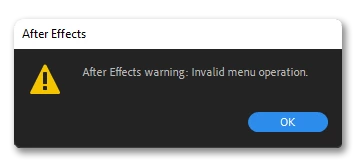
FAQ: How to fix the "Invalid menu operation" error in After Effects
When do I get the "After Effects warning: Invalid menu operation" error?
- It often happens when you click on one of the dropdown menus at the top or right-click the composition or footage.
- It might happen when opening a project file.
- Also, you might see this when applying an effect.
What causes this error to come up?
This error is caused due to the following reasons:
- If your computer is connected to a VPN.
- If your firewall is blocking After Effects from connecting to the internet.
- If your project contains more than 1168 copies of the same item.
Solutions:
Our community recommends the following solutions:
- Reset After Effects preferences.
- Disconnect the VPN.
- If your firewall is blocking After Effects from connecting to the internet, change your firewall settings.
NOTE: If your computer is connected to a public network for the internet and a private LAN with a DNS Server for file storage (for example Avid storage), make sure you are using After Effects 22.1.1 or later.


 AdChoices