marcal_net
Participant
February 24, 2025
Answered

Faux 3D / extruding animation / connect individual vertices of two paths

  • February 24, 2025
  • 1 reply
  • 865 views

I'm looking to create a faux 3D extruding animation by connecting two copies in different sizes of the same shape. Ideally, it would be even better to make it in a 3D environment, but a 2D could do the job. I have found several ways to connect individual vertices with lines—but ONLY lines, not all vertices of a shape.

I made a mockup using the Blend tool in Adobe Illustrator (See the GIF images below).
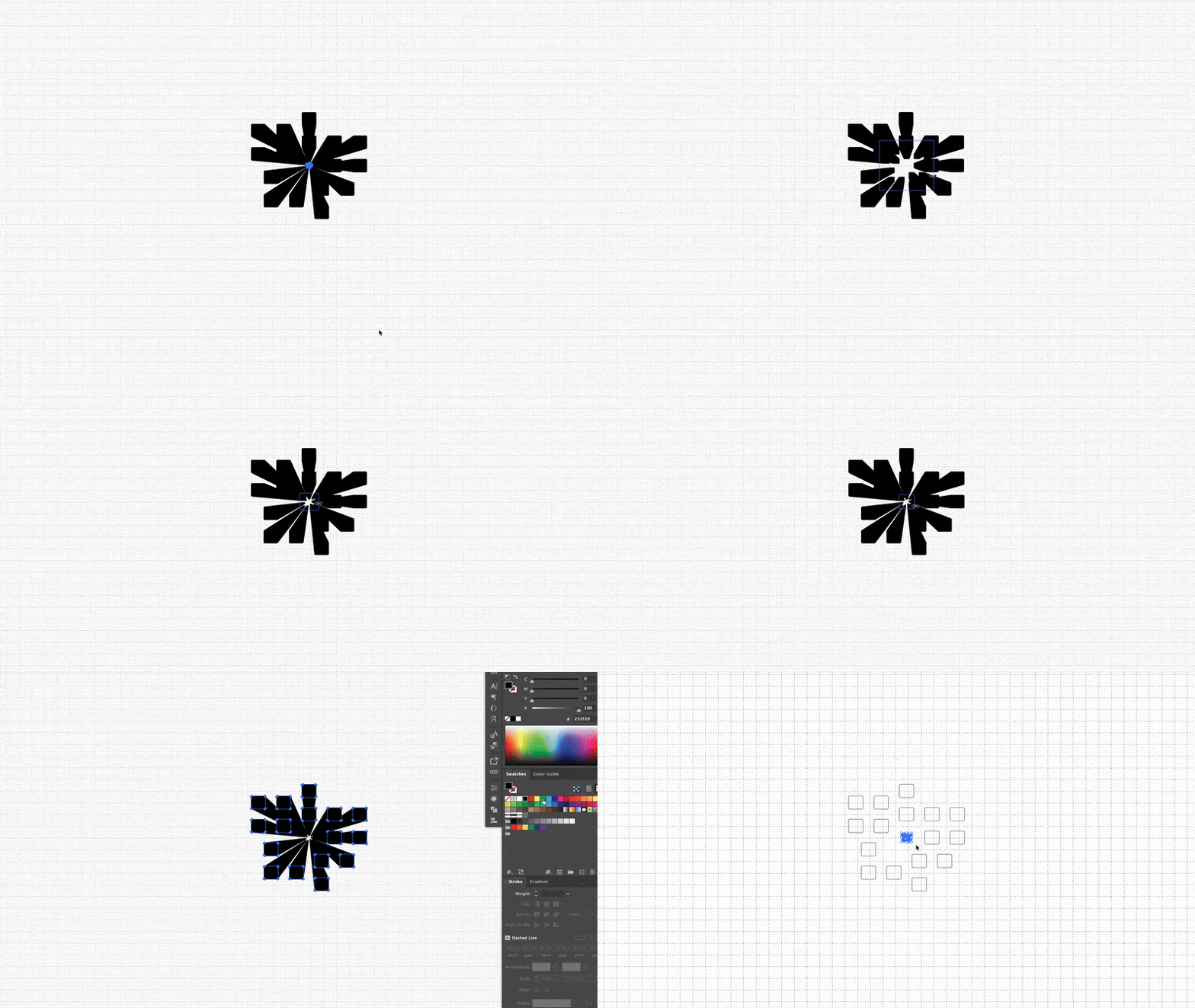

Correct answer marcal_net

Hi Marçal,


After Effects doesn't have a blend functionality by default like Illustrator. However, you can look for a plug-in to achieve this effect here. Alternatively, you can use path animation to blend between shapes, although its usefulness may vary depending on your specific needs. Here's a tutorial that might help: https://adobe.ly/3QyvSLN

If avoiding external software is a requirement, you can use After Effects shapes and extrude them to create 3D objects. Here's a quick tutorial on that: https://adobe.ly/3QG1wHb

I hope this helps!


Thanks,
Nishu


Hi Nishu,

Many thanks; it worked!! I converted the shape into a 3D object, then extruded and scaled to 10000% the object depth to multiply the extrusion length, and then added a 20mm camera. No plugins or any extra software.

Marçal

1 reply

Community Expert
February 24, 2025

Maybe Cinema 4D would be easier for what you're trying to accomplish.

nishu_kush
Legend
February 24, 2025

I agree with Rob. Creating 3D shapes would be easier. If you don't want to use CInema 4D, you can use After Effects.

Hope it helps.


Thanks,
Nishu

marcal_net
Participant
February 24, 2025

Thanks for your input, Rob and Nishu.

I totally understand that using Cinema 4D would be the more straightforward approach for creating 3D shapes. However, my goal is to keep everything within After Effects for versatility and workflow efficiency.

That said, my main question is whether it's possible to achieve something similar to the Blend effect I used in Adobe Illustrator within After Effects. I’m looking for a way to create that smooth interpolation effect between shapes or strokes without relying on external 3D software. Any insights or workarounds would be greatly appreciated!

Thanks,

Marçal