


file was ruined after saving? Help?
I am using After Effects v24.0.2
on pc, windows 10.
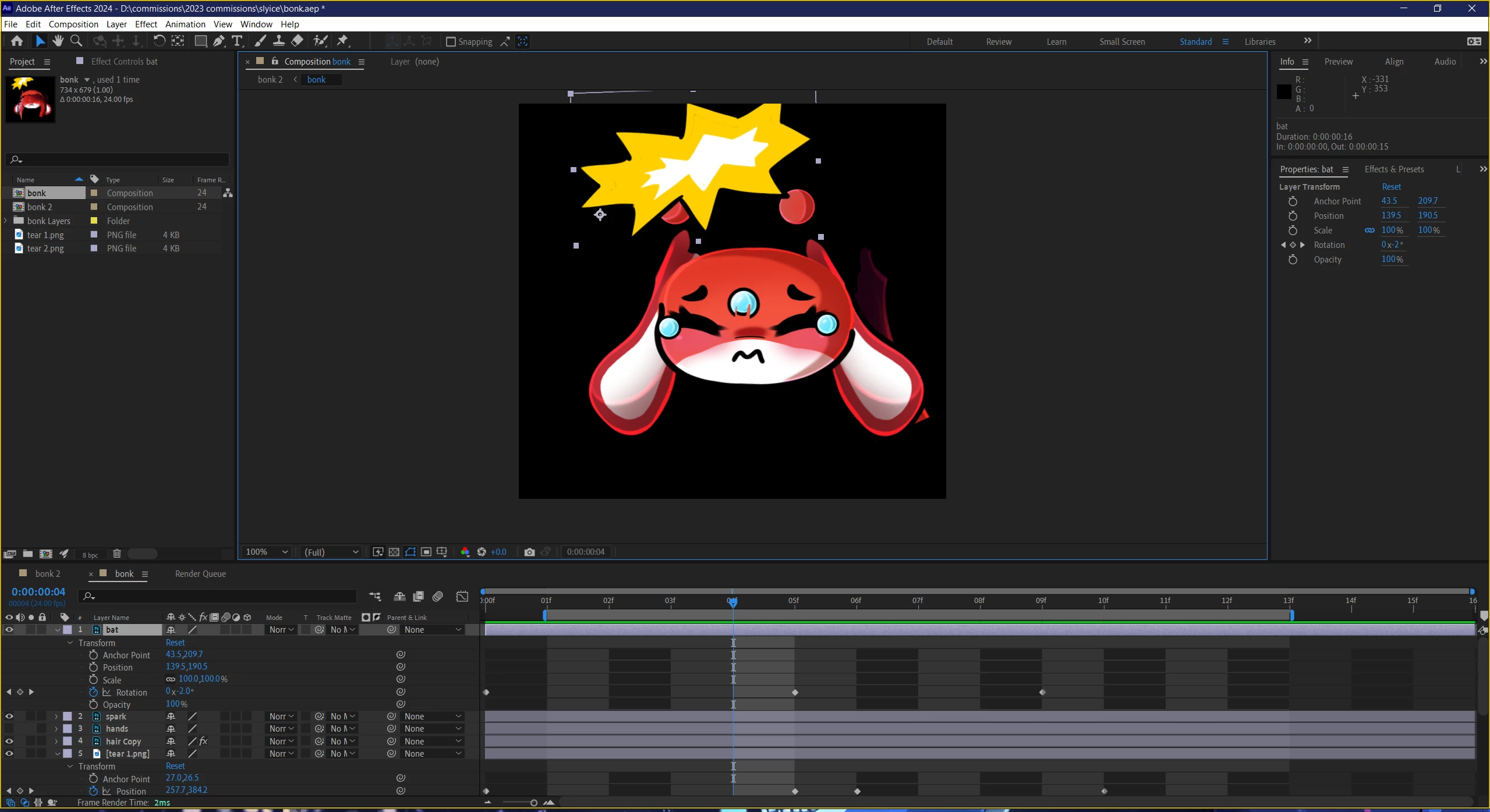
I animate small gifs and after I finished, I exported and saved. I found out the next day I had to re-export in a new format for another reason. And when I re-opened the file, its all messed up and jumbled. At first I thought maybe I moved some stuff around and didnt notice after saving and accidently saved it that way. But upon closer expection after trying to fix it i realize the file is completely off? So i created a simple bonk animation of someone's character getting bonked over th head with a bat, the bat layer is now the flash image. The layer labeled hands is now the hair. the layer labled hair is now the tears. And the layer labeled spark is now the hands, but it has the animation that i did for the tears. It is so odd not sure what has happened. Seems all the layers, and animation effects all switched and jumbled up and some have even dissapeared it seems like.
I included original file, the messed up version now, a screenshot of how it looks in after effects, and a video of the jumbled mess


 AdChoices