Participant
March 12, 2023
Answered

Fill hides the upper layer.

  • March 12, 2023
  • 2 replies
  • 751 views

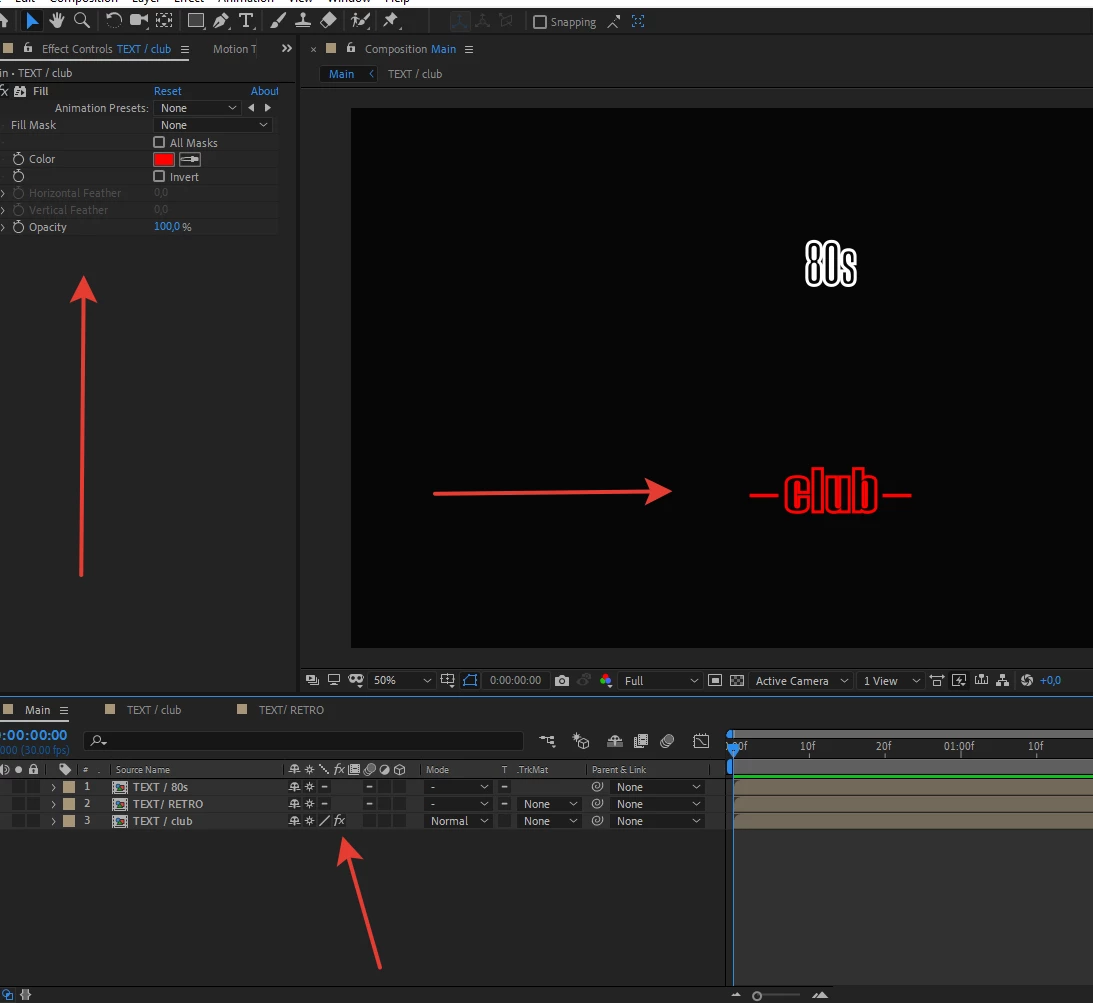
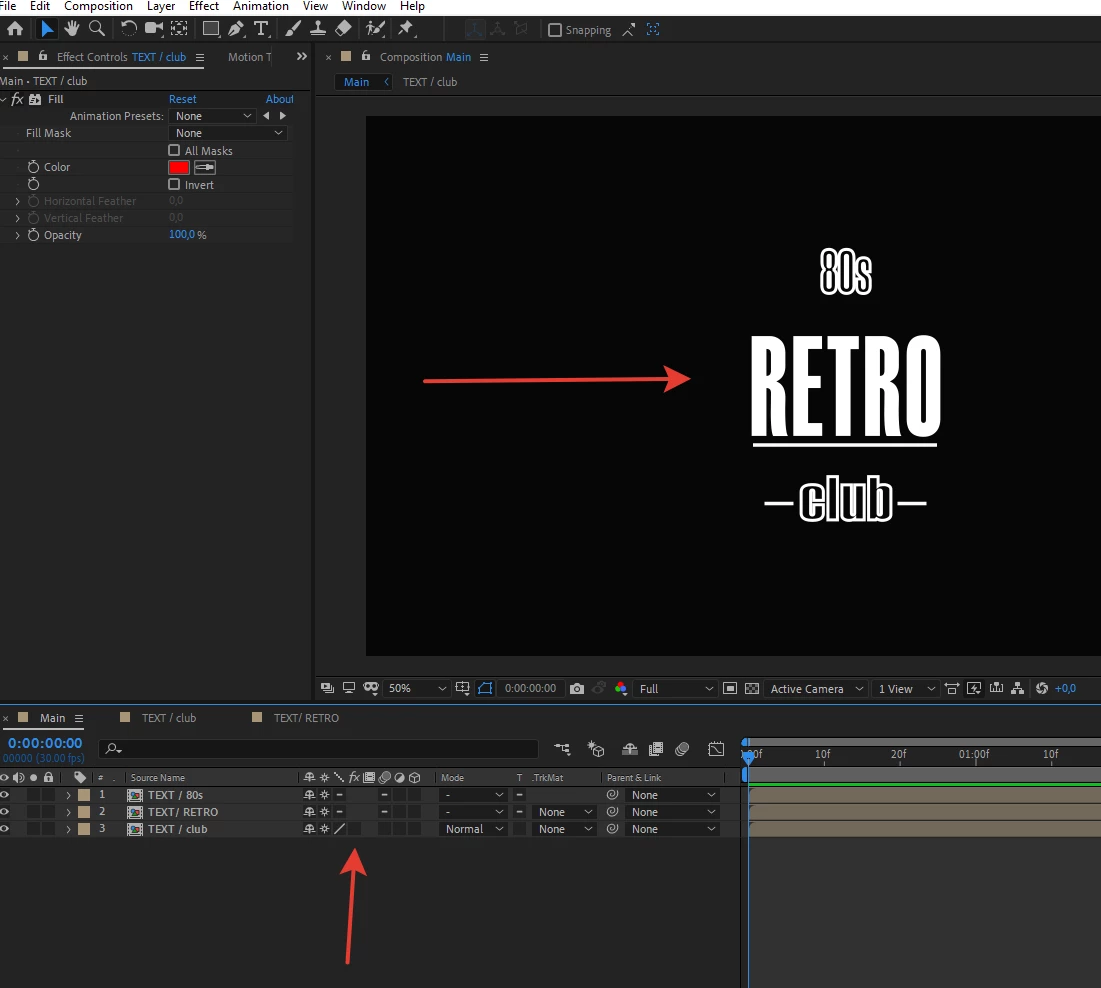
Hi! I've managed to do something so I can't use effect Fill as usual. I put the Effect Fill on my layer and the upper layer is hiding. I don't see my top layer till I put off the effect underneath.
    This topic has been closed for replies.
    Correct answer Rick Gerard

    You have applied the effect to a nested comp (pre-comp) instead of applying it inside that comp.  Collapse transformations may have something to do with the problem. 


    Start troubleshooting by looking at the Comp Flowchart. Add your color change (Fill) earlier. 

    2 replies

    Rick GerardCommunity ExpertCorrect answer
    Community Expert
    March 12, 2023

    You have applied the effect to a nested comp (pre-comp) instead of applying it inside that comp.  Collapse transformations may have something to do with the problem. 


    Start troubleshooting by looking at the Comp Flowchart. Add your color change (Fill) earlier. 

    Participant
    March 12, 2023

    Thank you!

    kglad
    Community Expert
    Community Expert
    March 12, 2023

    in the future, to find the best place to post your message, use the list here, https://community.adobe.com/


    p.s. i don't think the adobe website, and forums in particular, are easy to navigate, so don't spend a lot of time searching that forum list. do your best and we'll move the post if it helps you get responses.


    <moved from using the community>

    Participant
    March 12, 2023

    Thank you! I didn't realised I was on a wrong page. I needed to do that on an After Effects discussion page. Sorry.

    kglad
    Community Expert
    Community Expert
    March 12, 2023

    <moving to ae>